






Showing all 11 results

Filter by price
Filter by brands

- National Instruments
- PCI ModulesPCI Modules
- PXI Systems
- PXI Chassis
- PXI Controller
- PXI Modules
- PXI Semiconductor Test
- PXI FPGA and RIO Modules
- PXI MXI Interfaces
- PXI Programmable Power Supplies & SMU
- PXI Sensor Measurements
- PXI Signal Generators
- PXI Vision
- PXI Data Acquisition
- PXI Oscilloscopes/Digitizers
- PXI Counter/Timers
- PXI RF and Wireless Test
- PXI GPIB, Ethernet and VXI
- PXI Switches
- PXI Digital Multimeters
- PXI Digital Input/Output
- PXI Industrial Communication
- PXI Dynamic Signal Analysis
- PXI Data Streaming
- CompactDAQ Systems
- CompactRIO Systems
- PCI Modules
- USB Devices
- USRP Software Defined Radio Device
- keysight
- Tektronix
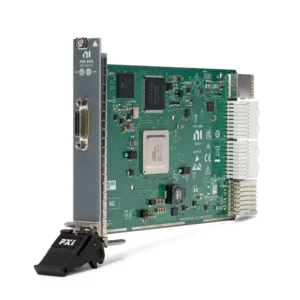
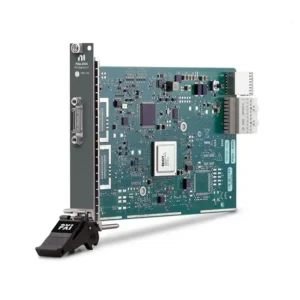
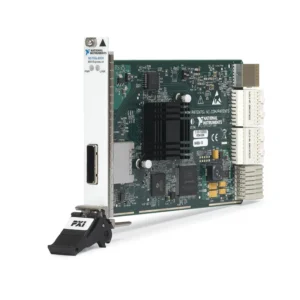
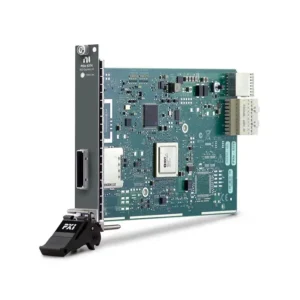
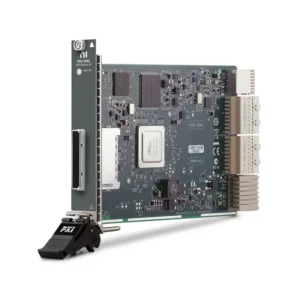
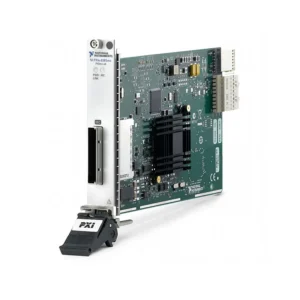
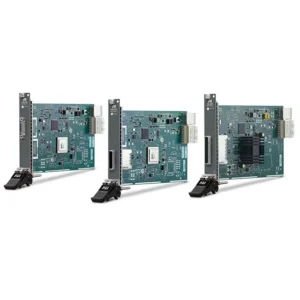
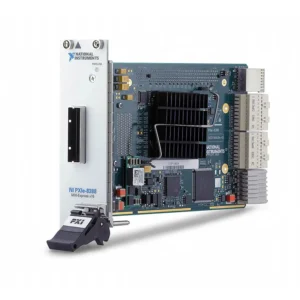
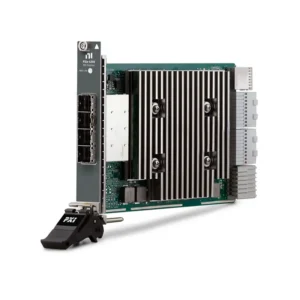
NI PXI MXI Interfaces and Remote Control Modules
NI PXI MXI interfaces connect an external desktop computer, industrial PC, rackmount workstation, server or another PXI system to a PXI or PXI Express chassis. MXI extends the host computer’s PCI or PCI Express bus through a cable, allowing compatible PXI instruments to operate as resources within the host system’s PCI hierarchy.
PXI MXI hardware is used for external-PC control, high-bandwidth acquisition, multichassis expansion, distributed test racks and legacy-system support. Selecting an interface requires more than matching connector appearance: the host adapter, chassis-side module, cable generation, lane width, chassis controller slot, computer BIOS and required throughput must form a supported system.
What Is a PXI MXI Interface?
MXI, or Multisystem eXtension Interface, is a hardware architecture that extends a computer bus between separate enclosures. In a typical PXI configuration, a host-side PCI Express card connects through an MXI cable to a remote-control module installed in the system-controller slot of a PXI or PXI Express chassis.
Because the connection is based on PCI or PCI Express rather than conventional Ethernet communication, the host operating system can enumerate supported PXI instruments as locally attached devices. Existing NI instrument drivers normally communicate with the modules without requiring a separate network protocol in the test application.
A chassis-side MXI module is not normally a complete remote-control system by itself. Verify the matching host interface, cable type, cable quantity, connector, generation and supported computer architecture before ordering. Mechanically similar MXI cables and interfaces are not necessarily electrically compatible.
PXI MXI Architecture Comparison
| MXI Architecture | Representative Capability | Typical Application | Important Selection Point |
|---|---|---|---|
| MXI-Express x1 | Approximately 132 to 250 MB/s theoretical bandwidth, depending on the model | Legacy PXI control, switching, DMM and moderate-rate DAQ systems | Confirm whether the chassis uses a classic PXI or PXI Express controller slot |
| MXI-Express x4 | Up to approximately 1 GB/s theoretical link bandwidth | General PXIe instrumentation and moderate-bandwidth acquisition | Remote-control and daisy-chain modules have different functions |
| MXI-Express Gen2 x8 | Up to approximately 4 GB/s theoretical bandwidth | Digitizers, RF instruments, FPGA processing and higher-rate DAQ | Match the chassis-side module with the correct Gen2 host adapter and cable |
| MXI-Express Gen2 x16 | Up to approximately 8 GB/s theoretical bandwidth | Legacy high-throughput PXIe systems using approved host platforms | Host BIOS and computer qualification can be more restrictive than physical slot compatibility |
| MXI-Express Gen3 x16 | Up to 16 GB/s theoretical link bandwidth; sustained application throughput is system dependent | High-speed streaming, RF, semiconductor and data-intensive automated test | An x16 configuration may require multiple matched cables and adequate host PCIe resources |
| Fiber-Optic MXI | Long-distance PCI Express extension with electrical isolation between locations | Distributed laboratories, separate equipment rooms and electrically noisy installations | Fiber support and usable lane width depend on the exact interface and firmware |
NI PXI MXI Interface Product Guide
| Model | Unique Category | Key Differentiator | Best Fit |
|---|---|---|---|
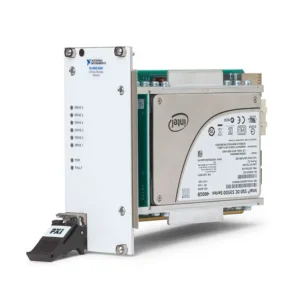
| HDD-8261 | External RAID Data-Streaming System | MXI-connected external storage architecture for recording large measurement data sets; not a PXI chassis controller | Maintaining legacy stream-to-disk and high-capacity acquisition systems |
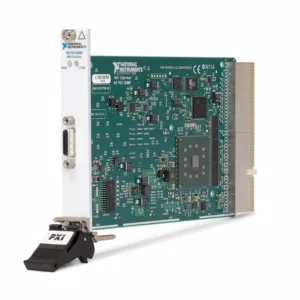
| PXI-8360 | Classic PXI x1 Remote Controller | MXI-Express x1 copper interface for controlling a conventional PXI or CompactPCI chassis from an external computer | Legacy classic-PXI systems with moderate transfer requirements |
| PXIe-8361 | PXIe x1 Remote Controller | Single-port MXI-Express x1 chassis interface with up to 214 MB/s theoretical bandwidth | General external-PC control where instrument throughput is limited |
| PXIe-8364 | x1 Daisy-Chain Expander | 250 MB/s-class MXI-Express x1 bus-extension module for supported multichassis topologies | Expanding low- to moderate-bandwidth systems across multiple chassis |
| PXIe-8370 | x4 Remote Controller | MXI-Express x4 chassis-side remote-control interface with up to 1 GB/s theoretical bandwidth | General PXIe systems requiring more bandwidth than an x1 connection |
| PXIe-8374 | x4 Daisy-Chain Expander | MXI-Express x4 copper bus-extension module supporting selected multichassis configurations | Scalable test systems using multiple moderate-bandwidth PXIe chassis |
| PXIe-8381 | Gen2 x8 Remote Controller | Single-link MXI-Express Gen2 x8 chassis interface with up to 4 GB/s theoretical bandwidth | High-speed digitizers, RF modules, FPGA devices and data acquisition |
| PXIe-8383 | Gen2 x8 Remote-Control Bundle | Catalog designation associated with a PCIe-8383 host interface, PXIe-8381 chassis module and compatible x8 cable | Procuring a matched Gen2 x8 external-PC control configuration |
| PXIe-8384 | Gen2 x8 Daisy-Chain Expander | 4 GB/s-class bus-extension module used to add supported chassis or compatible MXI-connected devices | High-bandwidth multichassis PXIe systems |
| PXIe-8388 | Gen2 x16 High-Bandwidth Remote Controller | Legacy MXI-Express Gen2 x16 architecture with up to 8 GB/s theoretical bandwidth | Maintaining approved high-throughput Gen2 x16 test systems |
| PXIe-8398 | Gen3 x16 Remote Controller | Current-generation MXI-Express Gen3 x16 module with copper and supported fiber options and up to 16 GB/s theoretical bandwidth | High-performance RF, semiconductor, digitizer and stream-to-disk systems |
The table follows the products currently assigned to this category. Some entries represent bus-extension or storage functions rather than a conventional host-to-chassis controller. Confirm the exact model designation and included system components before purchasing.
How to Select a PXI MXI Interface
1. Define the Required System Function
First determine whether the requirement is external-PC control, expansion from a master PXI chassis, daisy chaining additional chassis, connection to an external storage system or communication between independently controlled systems.
A remote controller and a bus-extension module are not interchangeable. Remote-control modules connect the host PCI Express hierarchy to the first chassis, while daisy-chain interfaces extend that hierarchy from an existing controller or master chassis to additional enclosures.
2. Identify the Chassis Controller Slot
Classic PXI and PXI Express chassis use different controller-slot connectors. The PXI-8360 is designed for compatible conventional PXI systems, while PXIe models require a PXI Express system-controller slot.
A hybrid peripheral slot does not normally replace the dedicated controller slot. Check the exact PXI chassis manual and slot map before selecting an MXI module.
3. Match the Host-Side Interface
An external computer normally requires a compatible PCI, PCI Express, ExpressCard or Thunderbolt host interface. The physical slot must provide the required electrical lane width and PCIe generation. A mechanically x16 slot may be electrically wired for fewer lanes or share bandwidth with another motherboard device.
Record the host-interface model, part number, computer model, motherboard slot and operating system. For legacy systems, also confirm whether the quotation includes the host card or only the chassis-side module.
4. Match MXI Generation and Lane Width
MXI-Express x1, x4, Gen2 x8, Gen2 x16 and Gen3 x16 hardware use different link architectures. A newer module should not be assumed to operate with an older host card or cable simply because the connectors appear similar.
The complete link normally operates according to its slowest compatible component. Installing a high-bandwidth module in a lower-lane host slot or connecting it through an inappropriate cable prevents the system from reaching the expected performance and may prevent link establishment entirely.
5. Calculate Required Sustained Throughput
Estimate the aggregate data rate of every instrument transferring data through the MXI link:
Required data rate = active channels × sample rate × transferred bytes per sample.
Include digitizer records, RF I/Q streams, FPGA transfers, output waveforms, timestamps and simultaneous instrument activity. Theoretical MXI bandwidth is not the same as sustained application throughput. PCIe protocol overhead, memory copies, driver behavior, transfer size, chassis switches and host architecture reduce the usable rate.
For continuous acquisition, review the complete PXI data-streaming path, including host memory and storage performance.
6. Select Copper or Fiber Cabling
Copper MXI cables are suitable for short connections within a rack, workbench or nearby equipment installation. They normally provide the maximum lane width supported by the matching interface but have limited distance.
Fiber-optic configurations support longer distances and provide electrical separation between locations. This is useful when the host computer and PXI chassis are in separate rooms or have different ground potentials. Fiber availability, maximum distance and effective lane width depend on the exact interface, cable and firmware.
7. Determine Single- or Multichassis Requirements
A basic remote-control module may support only one host-to-chassis link. Multichassis systems require a compatible downstream or daisy-chain interface such as the PXIe-8364, PXIe-8374 or PXIe-8384, or a newer multichassis-capable architecture.
Check the supported topology, number of chassis, cable order and accumulated PCIe switch depth. Large PCIe device trees can exceed the BIOS resource-allocation capability of some computers even when every individual interface is electrically compatible.
8. Verify Lifecycle and Replacement Requirements
Several earlier MXI interfaces remain important for installed systems but are no longer preferred for new designs. A technically newer interface may require a new host card, cables, chassis, firmware, operating system or software qualification.
When maintaining validated production equipment, preserving the original MXI family can reduce software and system requalification. For a new high-bandwidth system, the PXIe-8398 generally provides a more current Gen3 architecture.
Host-Side and Chassis-Side Components
| Component | Location | Function | What to Verify |
|---|---|---|---|
| Host Interface | Desktop PC, workstation, server or master chassis | Connects the host PCI Express hierarchy to the external MXI link | Model, generation, electrical lane width, slot availability and BIOS support |
| MXI Cable | Between host and chassis or between chassis | Carries PCI Express communication and supported control signals | Copper or fiber, generation, lane count, connector, length and quantity |
| Remote-Control Module | PXI or PXIe system-controller slot | Bridges the external MXI connection to the chassis backplane | Chassis slot type, bandwidth, matching host card and supported topology |
| Daisy-Chain Interface | Master or expansion chassis | Adds downstream chassis or compatible external devices | Upstream and downstream module roles, port usage and maximum topology |
| PXI Platform Software | Host operating system | Provides PXI system identification, configuration and management | Operating-system version, PXI Platform Services and instrument drivers |
PXI MXI Remote Control vs Embedded Controller
| Consideration | MXI Remote Control | Embedded PXI Controller |
|---|---|---|
| Computer Location | External computer connected by cable | Controller installed directly in the chassis |
| Processor Choice | Can use selected desktop, server or workstation hardware | Limited to compatible PXI embedded-controller models |
| GPU and Storage Expansion | Can use host-computer PCIe slots, GPUs and storage resources | Determined by the embedded controller and chassis configuration |
| Physical Integration | Requires a host interface, MXI cable and additional computer | Provides a compact self-contained PXI system |
| PCIe Compatibility | Depends on host BIOS, motherboard resources and MXI generation | Controller and chassis are normally qualified as a platform |
| Maintenance | The external computer can often be serviced separately | The controller is part of the PXI chassis assembly |
| Best Fit | High-performance computing, specialized storage or centralized control | Portable, compact and standardized standalone test systems |
Review available PXI controllers when comparing remote and embedded architectures. Processor speed alone should not determine the choice; PCIe topology, maintainability, environmental requirements and qualification effort are also important.
PXI MXI vs Ethernet Instrument Control
MXI and Ethernet serve different system functions. MXI transparently extends a PCI or PCI Express hierarchy, allowing low-latency access and high-throughput DMA transfers between the host and PXI instruments. Ethernet communicates through network protocols and does not normally make the PXI backplane appear as a local PCIe bus.
Ethernet is useful for distributed instruments, long-distance networking and systems that benefit from standard network infrastructure. MXI is preferred when the host must directly enumerate PXI modules or sustain high-bandwidth instrument transfers. Review PXI GPIB, Ethernet and VXI interfaces for conventional external-instrument communication.
Multichassis Expansion and Synchronization
MXI expansion allows one computer to access instruments installed across multiple supported chassis. This increases slot capacity but also creates additional PCIe switches, shared links and possible bandwidth bottlenecks. High-throughput modules should be distributed according to the available upstream bandwidth rather than only the number of empty slots.
MXI connectivity does not by itself guarantee synchronized sampling or deterministic trigger alignment. Applications requiring phase-coherent acquisition must separately design the reference clock, sample clock, trigger and timing connections. Review compatible PXI synchronization modules and chassis timing features.
Software, BIOS and Startup Considerations
PXI Platform Services provides chassis identification and system-level support, while each instrument requires its applicable driver, such as NI-DAQmx, NI-SCOPE, NI-RFSA, NI-DCPower or NI-SWITCH. The MXI interface does not replace the drivers required by the measurement modules.
The host computer must enumerate the complete remote PCIe hierarchy during startup. Depending on the system, the PXI chassis may need to be powered before the computer. If the chassis or instruments are missing, check:
- Host card seating and PCIe slot configuration
- MXI cable orientation and connector retention
- Chassis-side interface installation
- Chassis power and startup sequence
- Link-status indicators
- PXI Platform Services installation
- Instrument-driver versions
- Computer BIOS and PCI resource allocation
- Operating-system compatibility
- Firmware revisions for the selected MXI family
Do not disconnect an MXI cable while the system is operating unless the complete configuration explicitly supports that procedure. An unexpected PCIe link interruption can stop the application, remove devices or crash the host operating system.
Typical PXI MXI Applications
- External workstation control of PXI and PXI Express chassis
- High-speed digitizer and oscilloscope data transfer
- Wideband RF acquisition and waveform generation
- Semiconductor characterization and production test
- Multichassis automated test equipment
- FPGA processing and high-throughput peer data workflows
- Automotive and aerospace validation systems
- Centralized control of multiple instrument racks
- Long-distance fiber-connected laboratories
- Legacy PXI remote-controller replacement
- High-capacity stream-to-disk recording
Legacy MXI Interface Replacement
Replacing a legacy MXI interface requires checking the complete system rather than substituting only the chassis module. Earlier products may use classic PCI host cards, ExpressCard adapters, first-generation x1 or x4 cables, approved rackmount computers or operating systems that are no longer used in new systems.
Compare the following before approving a replacement:
- Classic PXI or PXI Express chassis architecture
- Host-card model and computer PCIe slot
- MXI generation and lane width
- Copper or fiber cable and required length
- Number and order of cables
- Remote-control or daisy-chain function
- Required sustained data throughput
- Number of chassis and PCIe topology
- BIOS and PCI resource compatibility
- Operating-system and PXI Platform Services support
- Application and instrument-driver qualification
- Startup, shutdown and power-control behavior
A migration from x1, x4 or Gen2 MXI to Gen3 x16 may improve bandwidth but can require new host hardware, cables, firmware and complete system requalification.
PXI MXI Interface Procurement and RFQ Guide
Provide the following information for compatibility review and quotation:
- Required MXI module model and complete part number
- Existing PXI or PXI Express chassis model
- External computer, server or master-controller model
- Available host PCI or PCI Express slot
- Required remote-control or multichassis topology
- Number of chassis and intended connection order
- Required copper or fiber cable length
- Models of existing host interfaces and cables
- Installed PXI instrument models
- Estimated aggregate data rate
- Operating system and PXI Platform Services version
- Required quantity and preferred product condition
- Delivery destination and required delivery date
When comparing quotations, confirm whether the offer includes only the chassis-side interface or a complete kit with the host adapter, cable, connector hardware and required accessories. For pre-owned equipment, request link testing, device-recognition results and inspection of the PCIe and cable connectors.
FAQ
Does a PXI MXI module replace the PXI controller?
It replaces an embedded controller only as part of a complete remote-control configuration. The operating system and application run on the external host computer, while the MXI module provides the link to the chassis.
Can any PCI Express card be used with a PXIe MXI module?
No. The host card, chassis module and cable must be a supported combination from the same compatible MXI family. Matching connector shape alone does not confirm compatibility.
What is the difference between PXIe-8370 and PXIe-8374?
The PXIe-8370 is primarily a chassis-side x4 remote-control interface for connecting a host to a PXIe chassis. The PXIe-8374 is an x4 bus-extension module intended for supported daisy-chain and multichassis configurations.
What is the difference between PXIe-8381 and PXIe-8384?
The PXIe-8381 is a Gen2 x8 remote-control module for the primary host-to-chassis connection. The PXIe-8384 is a Gen2 x8 bus-extension interface used to add supported downstream chassis or external devices.
What is the difference between PXIe-8381 and PXIe-8398?
The PXIe-8381 uses a Gen2 x8 architecture with up to 4 GB/s theoretical bandwidth. The PXIe-8398 uses a newer Gen3 x16 architecture with up to 16 GB/s theoretical bandwidth and supports compatible copper and fiber configurations.
Does an x16 MXI interface always transfer data at 16 GB/s?
No. The published value describes theoretical link capability. Sustained application throughput depends on the host computer, PCIe slot, cable configuration, chassis topology, instruments, memory transfers, driver and software architecture.
Can MXI synchronize instruments in multiple chassis?
MXI provides PCIe communication and system expansion, but precise synchronization normally requires separate clock and trigger routing. Design the timing architecture independently from the data connection.
Can I connect or disconnect the MXI cable while the system is running?
Normally, no. Power down the host and chassis before changing interfaces or cables unless the exact system documentation explicitly supports a different procedure.
Why does the chassis fail to appear in NI MAX?
Common causes include an incompatible host card or cable, incorrect startup order, an unsuitable PCIe slot, outdated firmware, missing PXI Platform Services or insufficient BIOS resources for the remote PCIe hierarchy.
Recommended PXI MXI Interfaces
Consider the PXIe-8361 for established x1 PXIe systems, the PXIe-8370 for general x4 remote control, the PXIe-8381 for Gen2 x8 applications, or the PXIe-8398 for current high-bandwidth Gen3 x16 PXI Express systems.
Related NI PXI System Components
Review PXI chassis for controller-slot and backplane compatibility, PXI controllers for embedded-computer alternatives, or PXI modules for measurement, switching, RF, power and communication hardware.
NI PXI MXI Interfaces from PXISOURCE
PXISOURCE supports engineers, system integrators and procurement teams with MXI generation identification, host-card matching, chassis compatibility review, cable selection, multichassis topology planning and legacy-interface replacement. Send the existing chassis, computer, host interface, cable and PXI module details for a technically matched quotation.
Need help selecting an NI PXI MXI interface? Email sales@pxisource.com or contact PXISOURCE through WhatsApp.