






Отображение 1–16 из 25

Фильтр по цене
Фильтровать по брендам

- Национальные инструменты
- Системы PXI
- PXI Шасси
- PXI Контроллер
- Модули PXI
- PXI Semiconductor Test
- PXI FPGA and RIO Modules
- PXI MXI Interfaces
- PXI Programmable Power Supplies & SMU
- PXI Sensor Measurements
- Генераторы сигналов PXI
- PXI Vision
- Сбор данных PXI
- Осциллографы/Цифровые преобразователи PXI
- PXI Счетчики/Таймеры
- PXI РЧ и беспроводное тестирование
- PXI GPIB, Ethernet and VXI
- PXI-коммутаторы
- Цифровые мультиметры PXI
- Цифровой ввод-вывод PXI
- Промышленная связь PXI
- Динамический анализ сигналов PXI
- Передача данных PXI
- CompactDAQ Systems
- CompactRIO Systems
- PCI Modules
- USB Devices
- Устройство программно-определяемого радио USRP
- Системы PXI
- ключи
- ТекТроникс


В наличии

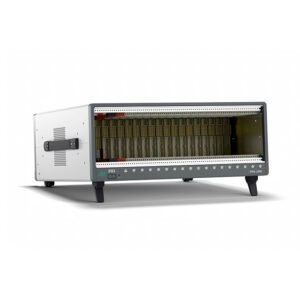
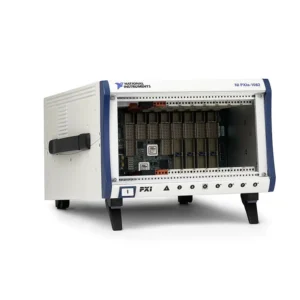
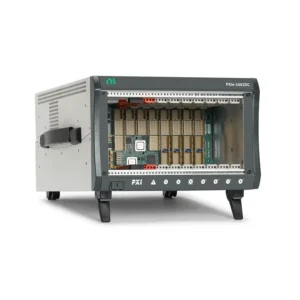
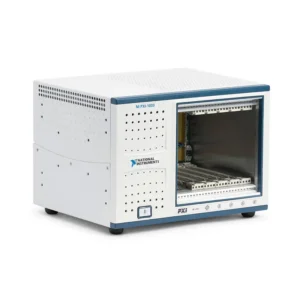
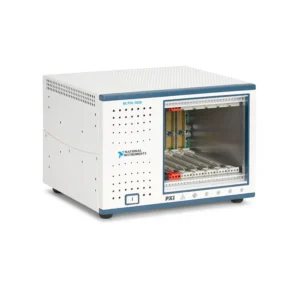
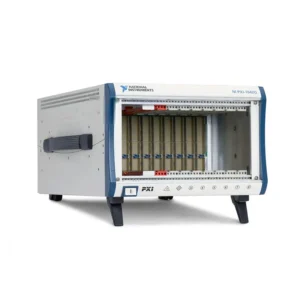
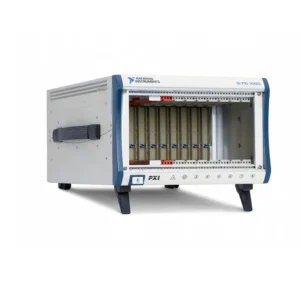
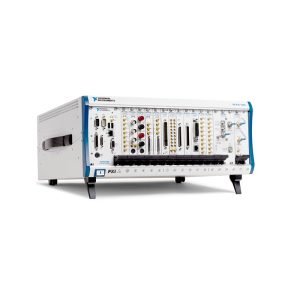
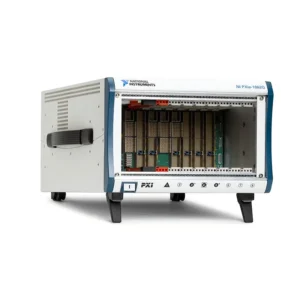
NI PXI Chassis and PXIe Chassis
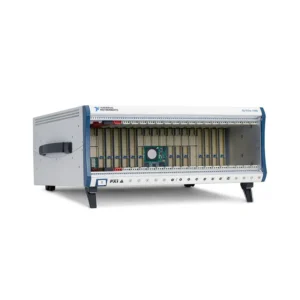
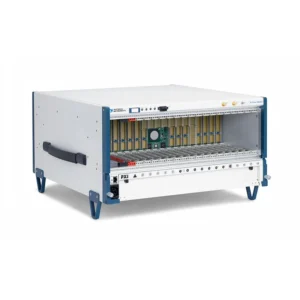
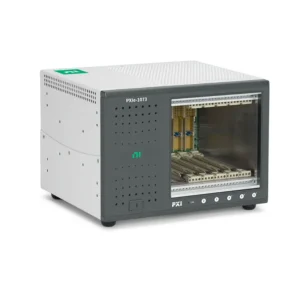
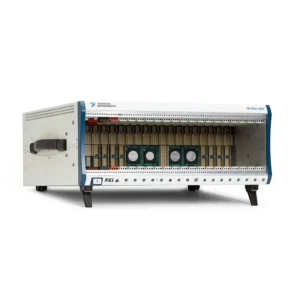
NI PXI chassis provide the mechanical enclosure, backplane communication, power distribution, cooling, timing and triggering resources required by PXI modular instruments. They form the foundation of automated test, data acquisition, RF, semiconductor, automotive, aerospace and laboratory measurement systems.
Selecting the correct PXI or PXIe chassis requires more than counting available slots. Engineers must confirm module compatibility, controller architecture, per-slot bandwidth, aggregate system bandwidth, backplane segmentation, cooling capacity, timing resources, power input and future expansion requirements.
What Does a PXI Chassis Do?
A PXI chassis connects the system controller and measurement modules through a common backplane. The installed modules perform measurement, signal generation, switching, communication or control functions, while the chassis provides the infrastructure that allows them to operate as one synchronized system.
A complete PXI system normally includes:
- A PXI or PXIe chassis providing slots, power, cooling, clocks and trigger buses
- An embedded PXI controller or remote-control connection
- Compatible PXI and PXIe modules
- Instrument drivers and automated test software
- Terminal blocks, cables, fixtures and signal accessories
The chassis should be selected from the complete module and controller configuration. A chassis can provide enough physical positions while still having insufficient compatible slots, PCI Express bandwidth, power or cooling for the intended instruments.
PXI Chassis vs PXI Express Chassis
| Selection Factor | Traditional PXI Chassis | Шасси PXI Express |
|---|---|---|
| Backplane Architecture | PCI-based PXI bus | PCI Express-based PXIe backplane with higher throughput |
| Typical Instruments | Legacy DAQ, DMM, switching and communication modules | High-speed digitizers, RF instruments, FPGA modules, SMUs and modern DAQ hardware |
| Data Bandwidth | Suitable for lower-rate measurement and instrument control | Designed for high-speed acquisition, streaming and parallel instrument operation |
| Peripheral Slots | Traditional PXI peripheral slots | PXIe peripheral, hybrid peripheral and system timing slots depending on the model |
| Controller | Compatible traditional PXI embedded or remote controller | PXIe embedded controller, MXI interface or integrated Thunderbolt connection |
| Best Fit | Maintaining established production and legacy measurement systems | New systems requiring bandwidth, scalability and modern instrument support |
A PXIe hybrid slot can support PXIe modules and selected hybrid-compatible PXI modules. It does not guarantee compatibility with every traditional PXI module. Check the module connector, chassis slot map, signaling requirements and software support before installation.
NI PXI Chassis Model Classification
| Модель | Unique Category | Core Architecture | Best Fit |
|---|---|---|---|
| PXI-1031 | Compact Classic PXI Chassis | Four-slot traditional PXI architecture | Small legacy PXI systems, benchtop test and maintenance spares |
| PXI-1033 | Integrated Remote-Control PXI Chassis | Compact traditional PXI chassis with integrated remote connection | Legacy systems controlled by an external computer |
| ПХИ-1036 | Six-Slot Classic PXI Chassis | Compact traditional PXI chassis with greater module capacity | Medium-size legacy DAQ, switching and instrument-control systems |
| PXI-1042 | Standard Eight-Slot PXI Chassis | General-purpose traditional PXI platform | Established automated test and measurement systems |
| PXI-1042Q | Low-Acoustic Eight-Slot PXI Chassis | Traditional PXI architecture optimized for quieter operation | Laboratories and acoustic-sensitive test environments |
| ПХИ-1045 | High-Density Classic PXI Chassis | Eighteen-slot traditional PXI architecture | Large legacy systems requiring many PXI peripheral slots |
| PXIe-1062Q | Low-Acoustic Hybrid PXIe Chassis | Early-generation PXI Express chassis with hybrid compatibility | Legacy mixed PXI/PXIe laboratories requiring quieter operation |
| PXIe-1065 | Early High-Density Hybrid PXIe Chassis | Eighteen-slot mixed PXI and PXIe architecture | Large established systems combining legacy and PXIe instruments |
| PXIe-1066DC | DC-Powered High-Density Hybrid PXIe Chassis | Eighteen-slot PXIe platform designed for compatible DC input | Transportation, mobile and specialized DC-powered systems |
| PXIe-1071 | Compact PXIe Chassis | Four-slot PXI Express architecture | Small benchtop systems and applications requiring only a few modules |
| PXIe-1073 | Compact Integrated MXI PXIe Chassis | Five-slot PXIe chassis with integrated remote-control connectivity | Externally controlled compact PXIe systems |
| PXIe-1075 | Legacy High-Density PXIe Chassis | Eighteen-slot PXI Express platform | Large automated test systems using established PXIe hardware |
| PXIe-1078 | Legacy Nine-Slot PXIe Chassis | Medium-density PXI Express architecture | General laboratory and production systems requiring balanced capacity |
| PXIe-1081 | First-Generation High-Density PXIe Chassis | Large PXI Express platform for established modular systems | Legacy high-channel-count applications and original-system replacement |
| PXIe-1082 | General-Purpose Eight-Slot PXIe Chassis | Medium-size PXIe platform with hybrid peripheral support | Mixed-instrument DAQ, RF and automated functional test |
| PXIe-1082DC | DC-Powered Eight-Slot PXIe Chassis | Medium-size PXIe architecture for compatible DC input | Mobile racks, transportation and DC-powered installations |
| PXIe-1083 | Five-Slot Thunderbolt PXIe Chassis | Integrated Thunderbolt remote-control architecture | Laptop and workstation-controlled laboratory systems |
| PXIe-1084 | Four-GB/s High-Density PXIe Chassis | Eighteen-slot architecture with moderate aggregate bandwidth | High-channel-count systems without extreme streaming requirements |
| PXIe-1085 | Twenty-Four-GB/s High-Bandwidth PXIe Chassis | Eighteen-slot, multisegment high-throughput PXIe architecture | RF, digitizer, FPGA and continuous data-streaming systems |
| PXIe-1086 | Twelve-GB/s High-Density PXIe Chassis | Eighteen-slot PXIe architecture balancing capacity and throughput | Multimodule automated test and synchronized acquisition |
| PXIe-1086DC | Twelve-GB/s DC-Powered PXIe Chassis | Eighteen-slot high-density PXIe platform with compatible DC input | High-channel-count mobile and specialized DC-powered systems |
| PXIe-1088 | Eight-GB/s Nine-Slot PXIe Chassis | Medium-density PXIe architecture with increased throughput | General RF, DAQ, FPGA and production-test configurations |
| PXIe-1090 | Ultra-Compact Thunderbolt PXIe Chassis | Two-slot integrated Thunderbolt remote-control architecture | Portable and space-constrained single-instrument systems |
| PXIe-1092 | High-Bandwidth Medium-Density PXIe Chassis | PCI Express Gen 3 architecture with up to 24 GB/s system bandwidth | High-performance systems needing fewer slots than an 18-slot chassis |
| PXIe-1095 | High-Power High-Density PXIe Chassis | Eighteen-slot Gen 3 architecture with up to 24 GB/s bandwidth and enhanced cooling options | Dense RF, semiconductor, FPGA and data-streaming systems |
Every chassis in the table is assigned to one unique category based on its primary architecture and buyer use case. Confirm the complete model, hardware revision and part number before ordering.
How to Select an NI PXI Chassis
1. Identify the Required Module Types
Begin with a complete list of the instruments to be installed. Record whether each product is traditional PXI, PXI Express, hybrid-compatible or requires a PXIe system timing slot.
A chassis may have enough total positions but an unsuitable combination of controller, PXI, PXIe, hybrid and timing slots. Check every module against the chassis slot map.
2. Calculate the Required Slot Count
Include the embedded controller or remote interface, measurement modules, switches, timing hardware and modules occupying more than one position. High-performance embedded controllers can also require an adjacent expansion position.
Reserve reasonable capacity for future channels or instruments. Filling every available slot during initial deployment can make later expansion unnecessarily difficult.
3. Choose Embedded or Remote Control
A conventional PXI or PXIe chassis normally provides a system-controller slot for an embedded controller or chassis-side MXI module. This architecture is suitable for self-contained production systems and flexible remote-control configurations.
Integrated remote-control chassis such as the PXIe-1083 and PXIe-1090 connect directly to a supported external computer. They do not use a conventional embedded PXIe controller.
Review PXI MXI interfaces when a workstation, desktop computer or server will control the chassis.
4. Calculate System Bandwidth
Estimate the combined sustained data rate produced by all high-speed instruments. Include active channels, sample rate, transferred bytes per sample and simultaneous input or output streams.
Compare the result with the bandwidth of each module slot, chassis segment and controller connection. Published aggregate system bandwidth does not mean that every slot can simultaneously transfer at that rate.
5. Review PCI Express Segmentation
Large PXIe chassis divide peripheral slots across PCI Express switches and segments. Several modules can share one upstream connection to the controller, creating contention even when each individual slot is compatible.
Place high-throughput digitizers, RF instruments, FPGA modules and storage devices according to the chassis backplane diagram. Slot placement should be part of the system design.
6. Check Per-Slot Cooling
PXI modules have different thermal requirements. General DAQ and switching modules may require relatively little cooling, while high-performance RF, digital pattern, FPGA and storage modules can require substantially more airflow.
Confirm the supported cooling capacity of the selected chassis and slot. Chassis such as the PXIe-1095 are appropriate when high-power modules require additional thermal headroom.
7. Confirm Power Requirements
Review both total chassis power and power available on each backplane rail. A system containing many individually compatible modules can still exceed the chassis power budget.
For DC installations, confirm input-voltage range, connector, current demand, grounding and power-source capacity. A DC chassis should not be selected solely because its model name includes “DC.”
8. Evaluate Timing and Synchronization
PXI chassis provide reference clocks, trigger buses and star-trigger resources. PXIe chassis can add differential clocking, PXIe synchronization resources and dedicated system timing slots.
If instruments must maintain phase or sample alignment, verify the timing capabilities of the chassis, modules and synchronization hardware. Sharing one chassis does not automatically make every instrument phase coherent.
9. Consider Acoustic Noise and Installation
Fan speed and cooling mode affect sound level. Quiet laboratory environments may benefit from chassis designed for lower acoustic noise, while production racks normally prioritize maximum cooling.
Also confirm chassis dimensions, rack-mount accessories, airflow direction, front and rear clearance, cable routing and access to removable power or fan assemblies.
10. Verify Software Support
NI PXI Platform Services identifies supported chassis and provides system-level configuration information. Check compatibility with the required operating system, controller, NI software and chassis firmware.
Legacy chassis may continue to operate with existing systems but can require older controllers, drivers or operating systems. Review the complete software environment before changing the chassis.
PXIe Bandwidth Planning
| Bandwidth Requirement | Typical Instruments | Planning Priority |
|---|---|---|
| Low | Switches, DMMs, industrial communication and temperature acquisition | Slot compatibility, channel count and software support |
| Moderate | Multifunction DAQ, programmable power and mixed automated test | Per-slot links, controller performance and simultaneous activity |
| High | High-speed digitizers, digital instruments, RF and FPGA modules | Backplane segments, PCIe generation and controller link |
| Extreme | Multichannel RF, high-speed record/playback and FPGA-intensive systems | Gen 3 topology, aggregate system bandwidth, slot placement, storage and cooling |
Bandwidth should be designed with operating margin. File-system activity, PCIe protocol overhead, memory transfers and other simultaneous module traffic can reduce the sustainable application rate.
PXI Chassis Cooling and Airflow
PXI chassis use forced-air cooling to remove heat from the controller and measurement modules. Correct operation depends on unobstructed air intake, adequate rear clearance, properly installed filler panels and an ambient temperature within the chassis specification.
Before installing a dense configuration:
- Confirm the cooling requirement of every installed module
- Check whether supported slots provide 38 W, 58 W or higher cooling capacity
- Use the correct fan mode for the application
- Install filler panels in unused positions
- Maintain the required front and rear airflow clearance
- Avoid installing multiple high-power modules without reviewing thermal distribution
- Monitor chassis fan and power-status indicators
A module may be electrically compatible with a slot but thermally unsuitable for that chassis or fan mode. Power and cooling requirements must be verified independently from connector compatibility.
Timing and Synchronization Resources
PXI provides shared backplane timing resources that allow instruments to coordinate measurements without routing every clock and trigger through external front-panel cables.
Depending on the chassis and installed modules, synchronization resources can include:
- PXI 10 MHz reference clock
- PXIe 100 MHz differential clock
- PXI trigger bus lines
- Star-trigger and differential star-trigger resources
- Dedicated system timing slots
- External reference clock and trigger connections
Applications involving phase-coherent RF, synchronized digitizers, multichassis acquisition or precise event timing may require a dedicated synchronization module and additional clock-distribution cabling.
Typical PXI Chassis Applications
- Automated production and functional test systems
- Semiconductor characterization and multisite device test
- RF, microwave, radar and wireless validation
- Automotive ECU and hardware-in-the-loop testing
- Aerospace, avionics and defense-system validation
- High-channel-count data acquisition
- Sound, vibration and structural testing
- Power electronics and battery validation
- Scientific research and laboratory automation
- High-speed data recording and playback
Legacy PXI Chassis Replacement
Replacing a discontinued PXI chassis requires checking more than the number of slots. A newer chassis may use a different controller interface, hybrid-slot arrangement, backplane topology, cooling system or software environment.
Compare the following before approving a replacement:
- Traditional PXI or PXI Express architecture
- System-controller and remote-control compatibility
- Peripheral, hybrid and timing-slot positions
- Backplane signaling and module connector compatibility
- Per-slot and aggregate system bandwidth
- Power supply and cooling capacity
- AC or DC input requirements
- Rack dimensions and installation accessories
- Timing and trigger resources
- Operating-system and NI Platform Services support
For validated production equipment, sourcing the same chassis model can reduce module relocation, software changes and system requalification. A technically newer chassis should not automatically be treated as a drop-in replacement.
PXI Chassis Procurement and RFQ Guide
Provide the following information for chassis selection and quotation:
- Required chassis model and complete part number
- Existing controller or remote-control interface
- Complete list of installed PXI and PXIe modules
- Required slot count and planned expansion
- Estimated aggregate data throughput
- Module power and cooling requirements
- AC or DC input requirement
- Timing and synchronization requirements
- Rack-mount, cable and accessory requirements
- Operating system and NI software versions
- New or pre-owned hardware preference
- Required quantity, destination and delivery date
For pre-owned chassis, request power-on testing, controller communication, slot enumeration, fan operation and inspection of the backplane and module guides. Where practical, the complete system should be tested with representative modules rather than evaluating only whether the chassis powers on.
Часто задаваемые вопросы
What is the difference between a PXI chassis and a PXIe chassis?
A traditional PXI chassis uses a PCI-based backplane, while a PXIe chassis uses PCI Express links for higher data throughput. PXIe chassis can also include hybrid slots that support selected traditional PXI modules.
Can traditional PXI modules be installed in a PXIe chassis?
Only selected hybrid-compatible PXI modules can be installed in compatible PXIe hybrid slots. Check the module connector and chassis slot map because not every traditional PXI module is hybrid compatible.
Can a PXIe module be installed in a traditional PXI chassis?
No. PXIe modules require PXI Express-compatible connectors and backplane links that are not provided by a traditional PXI chassis.
How many chassis slots do I need?
Count the controller or remote interface, all measurement modules, timing hardware and any modules occupying more than one position. Add reasonable spare capacity for future expansion.
Does every PXIe slot provide the same bandwidth?
No. Slot bandwidth and PCI Express generation can differ, and several slots may share one upstream chassis segment. Consult the backplane diagram before placing high-throughput instruments.
Can any embedded controller be installed in any PXIe chassis?
No. The chassis must provide a compatible system-controller slot, adequate cooling and sufficient backplane bandwidth. Integrated remote-control chassis such as the PXIe-1083 and PXIe-1090 do not use a conventional embedded controller.
When should I choose a Thunderbolt PXIe chassis?
A Thunderbolt chassis is useful when the system should be controlled by a supported laptop or workstation and only a small number of modules are required. Confirm computer, port, cable, operating-system and bandwidth compatibility.
Why are filler panels important?
Filler panels help direct cooling airflow through installed modules and reduce dust entry. Operating a chassis with unused slots left open can reduce cooling performance.
Why does a PXI chassis show a red or flashing power indicator?
A red or flashing indicator can identify a power, fan, temperature or voltage-rail condition depending on the chassis model. Consult the exact chassis manual and remove power before inspecting or reseating hardware.
Recommended NI PXIe Chassis
Consider the PXIe-1090 for an ultra-compact Thunderbolt system, the PXIe-1083 for a larger Thunderbolt-controlled configuration, the PXIe-1092 for high-bandwidth medium-density systems, or the PXIe-1095 for high-density and high-power PXIe applications.
Related NI PXI Components
Pair the selected chassis with a compatible PXI controller, appropriate PXI модули and any required MXI remote-control interfaces.
NI PXI Chassis from PXISOURCE
PXISOURCE supports engineers, laboratories, system integrators and procurement teams with PXI chassis selection, controller and module compatibility review, backplane planning, current-system sourcing and legacy chassis replacement. Send the required chassis model, controller, module list, bandwidth requirements and preferred hardware condition for a technically matched quotation.
Need help selecting an NI PXI chassis? Email sales@pxisource.com or contact PXISOURCE on WhatsApp.