







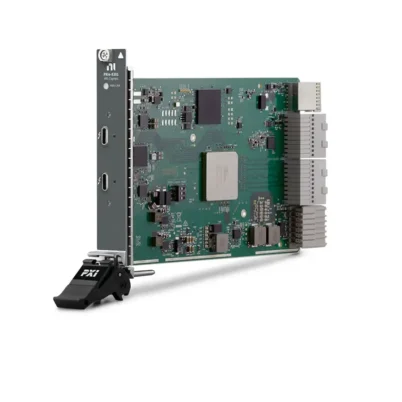

PXI-1031 4-Slot Universal AC PXI Chassis
Земля NI PXI-1031 is a compact four-slot PXI chassis designed for automated test, measurement, data acquisition and laboratory instrumentation systems. Its four-slot backplane consists of one system-controller slot and three peripheral slots, including a dedicated PXI star-trigger position.
The chassis accepts 3U PXI modules and compatible 3U CompactPCI modules. It can be configured with an embedded PXI controller or a compatible remote-control interface, allowing engineers to select the processing architecture that best matches their application.
With universal AC input, 25 W cooling capacity per peripheral slot, temperature-controlled AUTO and HIGH fan modes and a compact 5 kg enclosure, the PXI-1031 is suitable for desktop, portable and rack-mounted test systems. It is particularly useful for applications requiring a small conventional PXI platform with reliable backplane timing and flexible controller selection.
Key Features of the PXI-1031
- Four-slot conventional PXI chassis
- One PXI system-controller slot
- Three PXI peripheral slots
- Dedicated star-trigger functionality in slot 2
- Three controller-expansion positions for wide controllers
- Accepts 3U PXI and CompactPCI modules
- 32-bit PCI-compatible PXI backplane
- +5 V backplane V(I/O)
- Eight shared PXI trigger lines
- 13-line PXI local bus between adjacent peripheral slots
- Built-in 10 MHz PXI system reference clock
- Universal AC input with automatic voltage and frequency ranging
- 25 W cooling capacity per peripheral slot
- AUTO and HIGH fan-speed settings
- Front-panel On/Standby power switch
- Compact 177 × 257.1 × 212.8 mm enclosure
- Approximately 5 kg chassis weight
- Optional rack-mount and carrying-handle accessories
- Compatible PXI-1031DC version available for AC/DC-powered systems
Four-Slot PXI Architecture
The PXI-1031 uses a four-slot backplane comprising one system-controller position and three peripheral positions. Slot 1 is reserved for the system controller, while slots 2 through 4 accept compatible PXI or CompactPCI peripheral modules.
Because the system controller is an essential component of a PXI system, the chassis provides three usable measurement or I/O positions after the controller has been installed. Product listings that describe the PXI-1031 as a four-slot chassis refer to the complete backplane, including the controller slot.
This compact architecture is useful when an application requires only a few instruments. For example, the chassis can accommodate a controller, multifunction DAQ module, digital multimeter and switching module in a small benchtop system.
System-Controller Slot
Slot 1 is the PXI system-controller position. It can accommodate a compatible embedded PXI controller or a suitable remote-control interface that connects the chassis to an external computer.
The PXI-1031 also provides three controller-expansion positions to the left of the system slot. These positions provide physical space for controllers wider than one slot without consuming any of the three peripheral positions.
The controller-expansion positions do not contain general-purpose peripheral backplane connectors. They are intended to accommodate the additional width, connectors and cooling requirements of compatible multi-slot system controllers.
Embedded Controller Configuration
An embedded PXI controller allows the PXI-1031 to operate as a compact self-contained computer and instrumentation system. The controller typically contains the processor, memory, storage, Ethernet, USB and display interfaces required to run the operating system and test application.
This architecture is useful for portable test equipment, laboratory benches and production stations where a separate external computer is not desirable. Controller compatibility must be checked for mechanical width, bus interface, operating system and driver support.
When purchasing a replacement embedded controller for an older PXI-1031 system, verify that the application software and device drivers support the controller’s operating system. A newer controller is not automatically compatible with every legacy PXI module or software release.
Remote-Control Configuration
The PXI-1031 can also be controlled from an external desktop computer or compatible laptop by installing an appropriate remote-control interface in the system slot. The complete connection normally consists of a host-side interface, a chassis-side PXI interface and a compatible cable.
Remote control allows the test system to use the processing performance, storage and display capabilities of an external computer. It can also simplify maintenance when the computer must be upgraded independently from the PXI instrumentation.
When selecting a remote interface, verify the host-computer connection, cable generation, PXI bus support and operating-system compatibility. Mechanically similar remote-control connectors may use different electrical interfaces and should not be connected unless compatibility is confirmed.
Three PXI Peripheral Slots
The chassis provides three peripheral positions, numbered slots 2 through 4. These positions can accept measurement, generation, switching, communication and control modules that comply with the required PXI or CompactPCI electrical and mechanical specifications.
Typical configurations may include:
- A multifunction DAQ module, switch module and digital multimeter
- A digitizer, waveform generator and timing module
- An analog input module, digital I/O module and communication interface
- A signal-conditioning module, data-acquisition module and controller interface
- A counter/timer module, motion-control interface and digital I/O module
Each installed module must remain within the available power-rail capacities and the chassis’s 25 W per-slot cooling limit.
PXI and CompactPCI Compatibility
The PXI-1031 accepts 3U PXI modules and compatible standard CompactPCI modules. PXI builds on the CompactPCI mechanical and electrical architecture while adding measurement-specific clock, trigger and local-bus resources.
The backplane uses a +5 V V(I/O) configuration. Modules designed exclusively for a different V(I/O) keying arrangement may not be compatible. The connector keying and published module requirements should always be checked before installation.
The chassis uses a 32-bit PCI backplane. Compatible 64-bit CompactPCI boards may operate in 32-bit mode, but they do not receive 64-bit backplane bandwidth from the PXI-1031.
Conventional PXI Backplane
The PXI-1031 is a conventional PXI chassis rather than a PXI Express chassis. Its backplane is based on the parallel PCI bus and is intended for conventional PXI or compatible CompactPCI modules.
A PXI Express module cannot be installed in the PXI-1031 because PXIe modules use different backplane connectors and high-speed serial PCI Express links. Users should distinguish between PXI, PXI Express and hybrid-compatible modules when planning a system.
For existing systems built around conventional PXI instrumentation, the PXI-1031 can provide a practical way to preserve the original modules, software architecture and validated test procedures.
PXI Star-Trigger Slot
Slot 2 is the PXI star-trigger peripheral position. It provides dedicated equal-length trigger paths between slot 2 and peripheral slots 3 and 4.
A star-trigger-capable timing or synchronization module installed in slot 2 can deliver individually controlled triggers to the other peripheral instruments. This architecture reduces trigger skew compared with routing every event through a shared bus.
If the application does not require star-trigger functionality, slot 2 can be used by a standard compatible PXI peripheral module.
Eight-Line PXI Trigger Bus
All backplane slots share eight PXI trigger lines. Compatible modules can use these lines for measurement synchronization, hardware handshaking and deterministic event coordination.
One module can initiate an acquisition on another module, synchronize waveform generation with digitizer capture or coordinate switching with a measurement sequence. Hardware triggering provides more repeatable timing than software commands executed through the operating system.
Trigger lines should be configured so that multiple modules do not attempt to drive the same line simultaneously. NI Measurement & Automation Explorer can help identify and reserve trigger routes in supported system configurations.
13-Line PXI Local Bus
The PXI local bus connects adjacent peripheral positions through a 13-line daisy-chained path. It can carry analog signals up to 42 V between compatible modules or provide a high-speed TTL sideband communication path.
The local bus allows specially designed modules to exchange data or signals without using the main PCI bandwidth or external front-panel cabling. Actual local-bus functionality depends on the modules installed in adjacent slots.
Before using local-bus connections, confirm electrical compatibility between both modules. Connecting incompatible local-bus drivers can cause communication problems or damage.
10 MHz System Reference Clock
The chassis supplies a PXI 10 MHz reference clock independently to each peripheral position. Compatible instruments can use PXI_CLK10 as a common timing reference for synchronized acquisition, signal generation and timestamping.
The star-trigger position can also be used to supply an external PXI_CLK10 reference to the backplane when the chassis routing switch is configured appropriately. This feature is useful when several instruments must follow a common external frequency reference.
Distributing a reference clock does not automatically phase-align every module. Each instrument must support the selected clock source and be configured correctly through its driver or application software.
Universal AC Input
The PXI-1031 includes a universal AC power supply with automatic voltage and frequency ranging. It is designed for use with regional grounded power cords without requiring a manual line-voltage selector.
The front-panel power button controls the internal DC outputs and places the chassis in the On or Standby state. Disconnecting the AC cable is required to remove mains power completely.
The chassis power supply delivers the +3.3 V, +5 V, +12 V and −12 V rails required by compatible PXI and CompactPCI hardware. System power must be calculated separately for each voltage rail.
PXI-1031 Technical Specifications
| Product Model | PXI-1031 |
|---|---|
| Product Type | Compact conventional PXI chassis |
| Total Backplane Slots | 4 |
| System-Controller Slots | 1 |
| Peripheral Slots | 3, including the star-trigger slot |
| Star-Trigger Position | Slot 2 |
| Controller Expansion Positions | 3 positions to the left of the system-controller slot |
| Supported Module Size | 3U |
| Module Compatibility | PXI and compatible CompactPCI modules |
| Backplane Architecture | 32-bit PCI-compatible PXI |
| Backplane V(I/O) | +5 V |
| PXI Триггерная шина | 8 shared trigger lines |
| PXI Local Bus | 13 lines between adjacent peripheral slots |
| Local-Bus Analog Signal Rating | Up to 42 V between compatible modules |
| System Reference Clock | PXI_CLK10, 10 MHz |
| Power-Supply Type | Universal AC with automatic voltage and frequency ranging |
| Nominal AC Input | 100–240 VAC |
| Operating AC Range | 90–264 VAC |
| Nominal Input Frequency | 50/60 Hz |
| Operating Frequency Range | 47–63 Hz |
| Input Current Rating | 4–2 A |
| Power-Supply Rating | 300 W universal AC power supply |
| +3.3 V Current Capacity | 12 A |
| +5 V Current Capacity | 17 A |
| +12 V Current Capacity | 2 A |
| −12 V Current Capacity | 0.8 A |
| Per-Slot Cooling Capacity | 25 W |
| Fan-Speed Settings | AUTO and HIGH |
| Module Cooling | Forced-air positive pressurization |
| Module Airflow Direction | Bottom to top, from P1 toward P2 |
| Operating Temperature | 0°C to 50°C |
| Operating Humidity | 20% to 80%, noncondensing |
| Storage Temperature | −20°C to 70°C |
| Storage Humidity | 10% to 95%, noncondensing |
| Minimum Ventilation Clearance | 44.5 mm above, behind and on both sides |
| Dimensions | 177 × 257.1 × 212.8 mm |
| Height with Feet Installed | Approximately 189.7 mm |
| Weight | Approximately 5 kg |
| Mounting Options | Benchtop, portable or 19-inch rack installation |
Power-Rail Capacity
The PXI-1031 supplies up to 12 A on the +3.3 V rail, 17 A on +5 V, 2 A on +12 V and 0.8 A on −12 V under the specified operating conditions. These rails power the system controller and peripheral modules.
Power budgeting should be performed rail by rail. A configuration may exceed the +5 V capacity, for example, even when the combined wattage appears to remain within the overall supply rating.
Older PXI controllers and instruments may draw a substantial portion of their power from the +5 V rail, while other modules rely more heavily on +3.3 V or +12 V. Review the power requirements in every module’s specifications before finalizing the system.
Overcurrent and Overvoltage Protection
The chassis power outputs include protection against short circuits and overload conditions. Overvoltage protection is also provided to reduce the risk of damage resulting from certain internal power-supply failures.
Internal protection does not replace appropriate electrical installation practices. The chassis must be connected to protective earth, operated with compatible modules and kept within the specified voltage, temperature and power limits.
If the chassis repeatedly shuts down or fails to start, disconnect power and remove the peripheral modules before testing again. A module fault or excessive rail load can activate the protection circuitry.
25 W Slot Cooling
The PXI-1031 provides up to 25 W of cooling capacity for each peripheral position. Forced air enters from the bottom of the enclosure, passes upward through the installed modules and exits through the upper, side and rear openings.
The chassis uses positive pressurization to help direct cooling air through the module spaces. Filler panels should be installed over unused slots to prevent air from bypassing the occupied positions.
High-power applications may require more clearance than the standard minimum. The system should be tested under its highest expected ambient temperature and processing load to verify stable module temperatures.
AUTO and HIGH Fan Modes
The rear-panel fan selector provides AUTO and HIGH settings. AUTO mode adjusts fan speed according to the air-intake temperature, reducing noise when the chassis is lightly loaded or operated in a cool environment.
HIGH mode maximizes airflow and is recommended when cooling performance is the primary concern. It may be appropriate for densely populated systems, high-power modules or installations where the ambient temperature approaches the upper operating limit.
If the fan becomes louder while AUTO mode is selected, the chassis may be responding to increased intake temperature. Check room temperature, ventilation clearance, dust accumulation and nearby heat sources.
Mechanical Design
The standard chassis measures approximately 177 mm high, 257.1 mm wide and 212.8 mm deep. Installing the optional feet adds approximately 12.7 mm to its overall height.
At approximately 5 kg, the PXI-1031 is substantially easier to transport than a full-size rackmount PXI chassis. Its compact footprint is suitable for crowded laboratory benches, teaching environments and mobile service systems.
The enclosure provides mounting points for the optional side handle, feet and rack-mount hardware. The selected installation method must preserve access to the air intake, exhaust vents, power switch and module front panels.
Ventilation Requirements
NI specifies at least 44.5 mm of clearance above, behind and on both sides of the chassis for adequate ventilation. Additional space may be required when the chassis is heavily loaded or installed beside other heat-producing equipment.
Do not place papers, cables, fabric or other loose materials beneath the chassis because they may block the bottom module-air intake. Rack shelves and surrounding panels should also be checked for airflow restrictions.
When several instruments are mounted in the same rack, avoid directing heated exhaust air from one device into the PXI-1031 intake.
PXI-1031 Part Number and Accessories
| Item | Part Number or Model | Описание |
|---|---|---|
| PXI-1031 | 778932-01 | Four-slot PXI chassis with universal AC power supply |
| PXI-1031 Assembly Number | 190871M-01L | Commonly listed chassis assembly identifier; verify the label on the individual unit |
| PXI-1031DC | Configuration dependent | Related chassis version supporting universal AC and 18–30 VDC input |
| PXI-103x Rack-Mount Kit | 778948-01 | Hardware for installing the chassis in a compatible 19-inch instrument rack |
| PXI-103x Side Handle and Rubber Feet Kit | 778949-01 | Handle and feet for portable or benchtop operation |
| Updated Chassis Handle and Feet Kit | 781482-01 | Compatible PXI-103x/PXIe-107x side-handle and rubber-feet accessory |
| EMC Filler Panels | Configuration dependent | Cover unused slots to maintain airflow and electromagnetic performance |
| Regional AC Power Cord | Region dependent | Grounded mains cable selected for the destination country |
| Встроенный контроллер PXI | Application dependent | Installs in slot 1 to create a self-contained PXI system |
| PXI Remote-Control Interface | Application dependent | Connects the chassis to an external host computer |
The PXI-1031 chassis is commonly associated with NI part number 778932-01. Used units may also be listed by an internal assembly identifier such as 190871M-01L. Buyers should verify the model and part-number label rather than relying only on the appearance of the enclosure.
An embedded controller, remote-control interface, instrument modules, cables and mounting accessories are not necessarily included with a standalone chassis. Confirm the exact contents of the quotation before ordering.
Rack-Mount Kit
The 778948-01 rack-mount kit allows the PXI-1031 to be installed in a compatible 19-inch instrument cabinet. The kit provides the mounting components required to secure the chassis in a fixed test rack.
Rack installation should not obstruct the chassis’s bottom intake or side, top and rear exhaust paths. Service clearance should also be preserved so modules can be removed without dismantling unrelated equipment.
Side Handle and Rubber Feet
The 778949-01 side-handle and rubber-feet kit improves portability and stability for benchtop use. The handle can be installed on the selected chassis side, while the feet support the enclosure and provide clearance for the bottom air intake.
NI also lists 781482-01 as a compatible PXI-103x and PXIe-107x handle-and-feet accessory. Confirm fit and included hardware when replacing the original kit.
EMC Filler Panels
Filler panels should be installed in every unused peripheral position. They help control cooling airflow, reduce the entry of debris and maintain the intended electromagnetic compatibility of the system.
A chassis should not be operated for extended periods with large open spaces in the module area, particularly when high-power instruments are installed.
Regional Power Cords
The universal AC supply supports multiple regional power standards, but the physical power cord must match the installation country and provide protective earth.
Common cord standards include NEMA for North America, CEE for Europe, BS 1363 for the United Kingdom, JIS C8303 for Japan, SEV for Switzerland and AS standards for Australia.
Selecting a Controller
The controller must support a conventional PXI/CompactPCI backplane and the required software environment. Check its mechanical width because some controllers occupy more than one position and extend into the dedicated expansion area.
Controller selection should consider processor performance, RAM, storage, Ethernet connectivity, operating-system support and compatibility with the installed PXI module drivers.
PXI-1031 Applications
- Compact automated test equipment
- Portable data-acquisition systems
- Desktop laboratory measurements
- Production functional testing
- Валидация электронного дизайна
- Academic and teaching laboratories
- Field diagnostics and commissioning
- Industrial monitoring and control
- Mixed-signal measurement systems
- Instrument switching and signal routing
- Legacy PXI system maintenance
- Research and prototype development
Compact Automated Test Equipment
The PXI-1031 provides a practical foundation for compact ATE systems that require only a few instruments. A typical configuration can combine a controller with DAQ, switching and measurement hardware.
Its PXI trigger and reference-clock resources allow compatible modules to coordinate operations inside a small enclosure. Automated software can configure instruments, apply stimulus, collect measurements and evaluate pass/fail results.
Portable Data Acquisition
The compact dimensions, 5 kg weight and optional carrying handle make the PXI-1031 suitable for portable acquisition systems. Engineers can transport a complete modular setup between laboratories, production lines or field locations.
A portable system may include analog input, digital I/O and communication modules. The chassis should still be operated on a stable surface with the required airflow clearance.
Desktop Laboratory Testing
Temperature-controlled fan operation helps reduce unnecessary acoustic noise in office, laboratory and educational environments. AUTO mode allows the fan speed to respond to actual intake temperature.
The chassis can be placed near the DUT, reducing front-panel cable length and keeping the instrument configuration accessible to the operator.
Production Functional Testing
The PXI-1031 can support production test stations where a limited number of instruments must run repeatable sequences. An embedded controller or external computer can execute LabVIEW, TestStand or a custom test application.
For production environments, record the exact controller, module, driver and BIOS configuration. This information is important when replacing a chassis or rebuilding a validated station.
Educational and Research Systems
Universities and research laboratories can use the PXI-1031 to teach data acquisition, instrument control, signal processing and automation. Its small chassis size is suitable for workstations where a large rackmount platform would be excessive.
Researchers can change peripheral modules to adapt the same chassis to different experiments, provided power, cooling and software compatibility are maintained.
Electronic Design Validation
The chassis can combine waveform generation, digitization, switching and digital I/O for design verification. Hardware trigger lines can coordinate the stimulus and acquisition stages of a repeatable validation sequence.
For high-speed applications, remember that the PXI-1031 uses a conventional 32-bit PXI backplane. Confirm that the required data throughput is compatible with the bus and selected modules.
Industrial Monitoring and Control
With suitable PXI hardware, the PXI-1031 can acquire sensor signals, operate digital outputs and communicate with industrial equipment. It can serve as a compact control and monitoring platform in indoor installations.
The complete system must comply with the environmental, isolation and safety requirements of the application. The chassis itself is not a substitute for field wiring protection or industrial signal conditioning.
Legacy PXI System Maintenance
The PXI-1031 remains valuable for maintaining established systems based on conventional PXI modules. Replacing it with the same model can preserve slot assignments, controller compatibility, software drivers and validated test procedures.
A migration to PXI Express may require a new chassis, controller, modules, cabling and software qualification. Keeping a compatible PXI-1031 can therefore reduce the cost and risk of supporting long-life equipment.
PXI-1031 Installation Workflow
Step 1: Inspect the Chassis
Check the chassis for shipping damage, bent metal, loose hardware, contamination or damaged backplane connectors. Verify that the fan selector and power switch move correctly.
If the unit is used, inspect the model, part-number and serial-number labels. Confirm that it is a PXI-1031 rather than the visually similar PXI-1031DC.
Step 2: Verify the System Configuration
List the controller and peripheral modules that will be installed. Confirm conventional PXI compatibility, +5 V V(I/O), driver support, slot width and required power on each rail.
Add the current requirements for +3.3 V, +5 V, +12 V and −12 V separately. Also confirm that no module exceeds the 25 W cooling capacity of its slot.
Step 3: Select the Installation Location
Place the chassis on a stable benchtop or install it with the correct rack-mount hardware. Provide at least 44.5 mm of clearance above, behind and on both sides.
Keep the bottom air intake clear. Avoid placing the chassis on soft surfaces that can block ventilation.
Step 4: Connect Protective Earth
Use a properly grounded three-conductor AC power cord. The protective-earth conductor connects the chassis enclosure to the facility safety ground.
If the installation requires an additional ground connection, use the rear chassis-ground screw according to the official installation instructions.
Step 5: Perform an Initial Power Test
Before installing modules, connect the chassis to AC power and switch it on. Confirm that the fans operate and that there are no unusual sounds, odors or shutdown behavior.
Switch the chassis to Standby and disconnect power before installing the controller or peripheral modules.
Step 6: Install the Controller
Insert the compatible embedded controller or remote-control module into slot 1. Guide the module along the upper and lower rails, fully engage the backplane connector and tighten the front-panel retaining screws.
A wide embedded controller may extend into the controller-expansion area to the left of slot 1. It should not occupy peripheral slots 2 through 4 when installed correctly.
Step 7: Install Peripheral Modules
Install compatible PXI or CompactPCI modules in slots 2 through 4. Use slot 2 for a star-trigger controller when advanced synchronization is required.
Ensure that each injector/ejector handle is correctly engaged and each module front panel is secured to the chassis.
Step 8: Install Filler Panels
Cover every unused position with an EMC filler panel. Tighten the captive screws so the panels remain in place and guide cooling air through the occupied module spaces.
Step 9: Select the Fan Mode
Choose HIGH for maximum cooling or AUTO for temperature-controlled operation with reduced acoustic noise. HIGH mode is a sensible starting point during system qualification.
After verifying acceptable module temperatures under full load, AUTO mode can be selected when quieter operation is preferred.
Step 10: Power and Configure the System
Connect instrument cables and apply chassis power. Start the embedded controller or external host and confirm that all installed devices are detected.
Use NI Measurement & Automation Explorer to identify the controller and chassis, confirm the module layout and generate the required PXI system configuration information.
Step 11: Test Timing and Triggers
Configure the intended PXI_CLK10 and trigger routes. Run a test sequence to verify that acquisitions, signal generation and switching events occur in the correct order.
Reserve trigger lines where required to prevent software or routing conflicts between modules.
Step 12: Document the Final Configuration
Record the chassis serial number, controller model, slot assignments, module part numbers, driver versions, fan setting and application-software revision.
For production or regulated systems, retain a validated system image and replacement-hardware plan.
PXI-1031 Troubleshooting
The chassis does not power on
Confirm that the AC cable is connected to a working grounded outlet and that the front-panel switch is in the On position. Inspect the power cord and inlet for visible damage.
Remove all modules and test the empty chassis. If it powers on without the modules, calculate the rail loading and reinstall the hardware one module at a time.
The fans do not operate
Turn off the chassis immediately if the fans do not start. Check the power source and fan selector, but do not operate the system with failed cooling.
A chassis with a nonfunctional fan should be inspected by qualified service personnel before modules are installed.
The chassis becomes too hot
Verify that the bottom intake and all side, top and rear exhaust openings are unobstructed. Maintain at least 44.5 mm clearance around the specified surfaces.
Install filler panels in unused slots, select HIGH fan mode and confirm that every module remains within the 25 W cooling limit.
The fan is louder than expected
Check whether HIGH mode is selected. In AUTO mode, the fan automatically increases speed when the intake temperature rises.
Reduce the ambient temperature, improve ventilation and move nearby heat sources away from the intake. Increased fan speed may indicate a genuine thermal load rather than a fan fault.
The controller is not detected
Power off and unplug the chassis, then reseat the controller in slot 1. Confirm that the controller supports conventional PXI and the chassis’s +5 V V(I/O) configuration.
For a remote-control system, inspect both interface modules, the cable and the host-computer expansion slot.
A peripheral module is not detected
Reseat the module and inspect its backplane connector. Install the correct device driver and check whether the module appears in NI MAX.
Test the module in another peripheral position. If other devices work in the original slot, the problem may be associated with the module or its driver.
A PXI Express module does not fit
The PXI-1031 is a conventional PXI chassis and does not accept PXI Express peripheral modules. PXIe modules require a PXI Express or compatible hybrid slot.
Do not force an incompatible module into the backplane connector. Select a conventional PXI version or use an appropriate PXI Express chassis.
A CompactPCI module does not work
Confirm the module’s V(I/O), backplane-width and software requirements. The PXI-1031 provides +5 V V(I/O) and a 32-bit backplane.
A mechanically compatible CompactPCI board may still require a manufacturer-specific driver or configuration procedure.
The chassis shuts down under load
Calculate current consumption separately for every voltage rail. Excessive demand on one rail can activate protection even when total power appears acceptable.
Remove modules and reinstall them individually to identify the device or combination associated with the shutdown.
Hardware triggers do not operate
Verify the trigger source, destination, line number, polarity and direction in the application. Ensure that two devices are not configured to drive the same trigger line.
Confirm that NI MAX contains the correct chassis identification and slot layout because some driver routing decisions depend on this information.
Star-trigger timing is incorrect
Make sure the timing or trigger controller is installed in slot 2. The dedicated star paths connect slot 2 with peripheral slots 3 and 4.
Check whether all participating modules support PXI star-trigger functionality and whether the correct trigger terminals are selected in software.
The system reference clock is not recognized
Confirm that each module supports PXI_CLK10 and is configured to use the backplane reference. If an external clock is being supplied through slot 2, verify the required backplane switch setting.
NI MAX shows an unidentified chassis
Open the PXI system tree in NI MAX, identify the installed controller and select PXI-1031 as the chassis model. Apply the configuration so the PXI system initialization file reflects the correct slot and trigger topology.
Measurements contain excessive noise
Check chassis grounding, cable shielding, signal references and the placement of high-current modules. Keep sensitive analog wiring separated from switching and power cables.
Verify that all module front panels and filler panels are secured. Poor grounding or open chassis positions can degrade electromagnetic performance.
PXI-1031 Comparison
| Модель | Slot Configuration | Power Architecture | Best Suited For |
|---|---|---|---|
| PXI-1031 | 1 controller slot and 3 peripheral slots | Universal AC | Compact conventional PXI systems |
| PXI-1031DC | 1 controller slot and 3 peripheral slots | Universal AC plus 18–30 VDC input | Mobile or DC-powered PXI installations |
| PXI-1033 | Integrated controller interface and 5 peripheral slots | Universal AC | Compact systems using integrated MXI-Express remote control |
| ПХИ-1036 | 1 controller slot and 5 peripheral slots | Universal AC | Applications requiring additional conventional PXI capacity |
| PXI-1042 | 8-slot PXI chassis | Universal AC | Medium-size conventional PXI systems |
| PXIe-1071 | Compact PXI Express architecture | Universal AC | Small systems requiring PXI Express modules |
PXI-1031 vs PXI-1031DC
The standard PXI-1031 uses universal AC input. The PXI-1031DC adds an 18–30 VDC input for applications powered from a vehicle, battery system or industrial DC source.
Both versions use a four-slot conventional PXI backplane with one controller position and three peripheral positions. Select the standard PXI-1031 when universal AC is sufficient and choose the PXI-1031DC when DC operation is an essential system requirement.
PXI-1031 vs PXI-1033
Земля PXI-1033 integrates a chassis-side MXI-Express remote controller and provides five peripheral slots. The PXI-1031 provides a conventional system-controller slot and three peripheral positions.
Choose the PXI-1031 when the system requires an embedded controller or a selectable remote interface. Choose the PXI-1033 when integrated MXI-Express remote control and five peripheral positions are preferred.
PXI-1031 vs PXI-1036
Земля ПХИ-1036 follows a similar conventional PXI architecture but provides five peripheral positions instead of three. Both support embedded and remote-controller configurations.
The PXI-1031 is smaller and better suited to portable systems with limited instrumentation. The PXI-1036 provides additional capacity for applications requiring more measurement, switching or communication modules.
PXI-1031 vs PXI-1042
Земля PXI-1042 is an eight-slot chassis intended for medium-size test systems. It offers more peripheral capacity but occupies more bench or rack space.
Select the PXI-1031 when compact size and portability are priorities. Select the PXI-1042 when the application requires a larger collection of conventional PXI instruments.
PXI-1031 vs PXIe-1071
Земля PXIe-1071 is based on PXI Express technology, while the PXI-1031 uses a conventional parallel PXI backplane. These platforms are not directly interchangeable.
Choose the PXI-1031 to support existing conventional PXI modules. Consider the PXIe-1071 or another PXI Express chassis when the system requires PXIe instruments and higher serial-backplane bandwidth.
Selecting the Right Compact PXI Chassis
The PXI-1031 is appropriate when the system requires three peripheral instruments, a configurable controller architecture and compatibility with conventional PXI modules.
If additional slots are needed, consider the PXI-1036 or PXI-1042. If integrated remote control is preferred, consider the PXI-1033. Applications based on PXI Express modules require a PXIe chassis rather than the PXI-1031.
Recommended Related Products
- PXI-1031DC AC/DC-Powered PXI Chassis
- PXI-1033 Integrated MXI-Express PXI Chassis
- PXI-1036 6-Slot PXI Chassis
- PXI-1042 8-Slot PXI Chassis
- PXI-1045 18-Slot PXI Chassis
- PXI-8360 MXI-Express Remote-Control Module
- PXIe-1071 Compact PXI Express Chassis
- View More NI PXI and PXI Express Chassis
Why Choose the PXI-1031?
- Provides a compact four-slot conventional PXI platform
- Supports three peripheral instruments
- Allows embedded or remote controller configurations
- Provides expansion space for wide embedded controllers
- Accepts compatible PXI and CompactPCI modules
- Offers eight PXI trigger lines and star-trigger routing
- Distributes a common 10 MHz system reference clock
- Provides 25 W cooling capacity per peripheral position
- Supports quiet temperature-controlled fan operation
- Accepts universal AC power without manual voltage selection
- Supports portable, benchtop and rack-mounted installations
- Helps preserve established conventional PXI test systems
Frequently Asked Questions
What is the PXI-1031?
The PXI-1031 is a compact four-slot NI PXI chassis with universal AC power. It contains one system-controller slot and three peripheral positions for conventional 3U PXI or compatible CompactPCI modules.
How many peripheral slots does the PXI-1031 provide?
It provides three peripheral slots. The fourth backplane position is reserved for the system controller.
Why is it described as a four-slot chassis?
The four-slot designation includes the system-controller position. The backplane consists of slot 1 for the controller and peripheral slots 2 through 4.
Which slot is the star-trigger slot?
Slot 2 is the star-trigger position. It provides dedicated equal-length trigger connections to peripheral slots 3 and 4.
Can an ordinary PXI module be installed in slot 2?
Yes. When star-trigger functionality is not required, slot 2 can accept a standard compatible PXI peripheral module.
Does the PXI-1031 support PXI Express modules?
No. The PXI-1031 has a conventional 32-bit PXI backplane and does not provide PXI Express peripheral connectors.
Does it accept CompactPCI modules?
Yes. It accepts compatible 3U CompactPCI modules. The module must support the chassis’s +5 V V(I/O), 32-bit backplane and available power rails.
Can a 64-bit CompactPCI board be installed?
A compatible 64-bit CompactPCI board may operate, but the PXI-1031 backplane runs it in 32-bit mode. Module-specific compatibility must still be confirmed.
Can the PXI-1031 use an embedded controller?
Yes. A compatible conventional PXI embedded controller can be installed in slot 1. Three controller-expansion positions provide space for wider controllers.
Can the chassis be controlled by an external computer?
Yes. Install a compatible chassis-side remote-control module in slot 1 and connect it to the matching host interface and cable.
What is the chassis power input?
The PXI-1031 uses a universal AC power supply with nominal 100–240 VAC input and automatic voltage and frequency ranging.
Can the PXI-1031 operate from DC power?
The standard PXI-1031 is an AC-powered model. DC input is provided by the related PXI-1031DC chassis.
What is the cooling capacity?
The chassis provides up to 25 W of cooling capacity per peripheral slot when installed with the required ventilation clearance and filler panels.
What fan modes are available?
The PXI-1031 provides AUTO and HIGH fan modes. AUTO adjusts speed according to intake temperature, while HIGH maximizes cooling performance.
What is the operating-temperature range?
The specified operating-temperature range is 0°C to 50°C.
What clearance is required around the chassis?
Provide at least 44.5 mm of ventilation clearance above, behind and on both sides. High-power configurations may require additional clearance.
What are the PXI-1031 dimensions?
The chassis measures approximately 177 mm high, 257.1 mm wide and 212.8 mm deep. Installed feet add approximately 12.7 mm to its height.
How much does the PXI-1031 weigh?
The chassis weighs approximately 5 kg.
What is the main PXI-1031 part number?
The commonly listed NI ordering part number is 778932-01. Some units also carry an assembly identifier such as 190871M-01L.
Can the PXI-1031 be rack mounted?
Yes. The 778948-01 rack-mount kit supports installation in a compatible 19-inch instrument cabinet.
Is a carrying handle available?
Yes. The 778949-01 side-handle and rubber-feet kit supports portable and benchtop configurations. The newer 781482-01 chassis handle-and-feet accessory may also be compatible.
Does the chassis require NI MAX?
NI Measurement & Automation Explorer is used to identify and configure supported PXI chassis, controllers, modules and trigger resources. Individual instruments also require their applicable drivers.
Is the PXI-1031 suitable for maintaining a legacy test system?
Yes. It is particularly useful for maintaining systems based on conventional PXI modules where changing to PXI Express would require new instruments, controllers, software or system validation.
Request a Quote for the PXI-1031
Contact us for current availability, condition, lead time and project pricing for the NI PXI-1031 4-Slot Universal AC PXI Chassis. We can also help identify compatible embedded controllers, remote-control interfaces, PXI modules, filler panels and mounting accessories.
When requesting a quotation, provide the required condition, controller model, peripheral-module list, destination country and mounting arrangement. This information helps verify the correct part number, regional power cord, power capacity, cooling requirements and system compatibility.















