






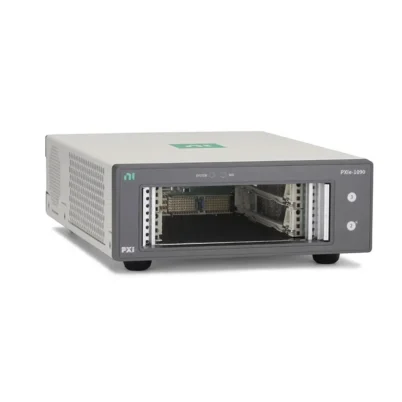

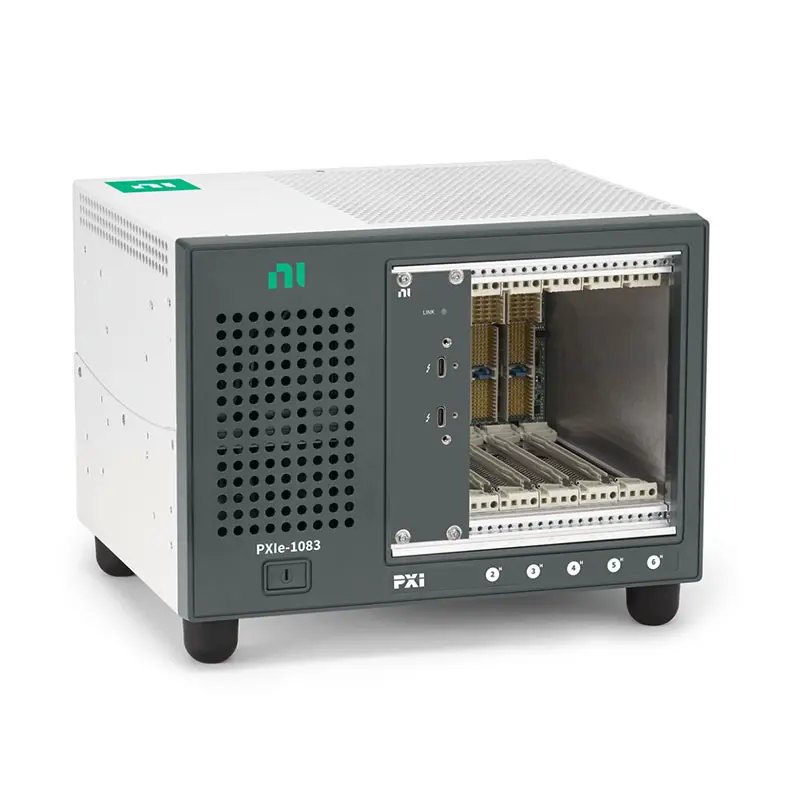
NI PXIe-1083 5-Slot Thunderbolt 3 PXI Express Chassis
Земля НИ PXIe-1083 is a compact five-slot PXI Express chassis with integrated Thunderbolt 3 remote control. It allows compatible laptop, desktop and workstation computers to control PXI instrumentation directly through a Thunderbolt connection without requiring a separate PXI embedded controller or chassis-side remote-control module.
The chassis provides five hybrid peripheral slots, maximum system bandwidth of 2 GB/s, up to 58 W of cooling capacity per slot and 293 W of total available DC power. Its compact enclosure makes it suitable for portable test systems, laboratory benches, engineering workstations and applications where a conventional desktop computer or laptop is preferred as the system controller.
The PXIe-1083 can accommodate compatible PXI Express modules and conventional PXI modules. It also distributes PXI and PXI Express timing resources across the backplane for synchronized measurements. The standard NI part number for the PXIe-1083 is 787026-01.
Key Features of the PXIe-1083
- Five-slot 3U PXI Express chassis
- Five PXI Express hybrid peripheral slots
- Integrated Thunderbolt 3 remote control
- Connects directly to compatible laptops, desktops and workstations
- No separate PXI embedded controller required
- No separate chassis-side PXI remote-control module required
- Up to 2 GB/s maximum system bandwidth
- Supports compatible PXI and PXI Express modules
- Up to 58 W cooling capacity per peripheral slot
- 293 W maximum total available DC power
- Two Thunderbolt ports for host connectivity and supported daisy-chain configurations
- Up to 15 W of power available from each Thunderbolt port
- 10 MHz PXI reference clock
- 100 MHz PXI Express reference clock
- PXI and PXI Express trigger resources
- Compact desktop and rack-mountable construction
- Suitable for portable and benchtop automated test systems
Integrated Thunderbolt 3 Control
The PXIe-1083 incorporates the remote-control interface into the chassis. A compatible Thunderbolt-equipped computer can access installed PXI modules through a direct cable connection.
This architecture eliminates the need to reserve a chassis slot for an embedded controller or PXI remote-control module. All five hybrid slots remain available for measurement, generation, switching, communication or FPGA instruments.
From the operating system’s perspective, compatible PXI instruments are connected through a PCI Express expansion path carried over Thunderbolt. Instrument drivers and applications can communicate with the modules using the same NI software interfaces used in other PXI systems.
Five Hybrid Peripheral Slots
All five PXIe-1083 slots use PXI Express hybrid connectors. A hybrid slot can accept a compatible PXI Express module or a conventional PCI-based PXI module with a hybrid-compatible connector.
The all-hybrid arrangement provides flexible module placement. Engineers do not have to reserve specific peripheral positions exclusively for PXI Express or conventional PXI instruments.
Mechanical fit alone does not guarantee compatibility. Check the module connector, chassis support, driver version, operating system, power requirement and cooling requirement before installation.
Compact External-Host Architecture
The PXIe-1083 is useful when the test application does not require an embedded PXI controller. Engineers can use a familiar laptop or workstation for software development, data analysis, instrument control and result storage.
A laptop-based configuration can simplify demonstrations, field measurements and temporary laboratory setups. A workstation-based configuration can provide additional processor, graphics, memory and storage resources for analysis-intensive applications.
The host computer must have a compatible Thunderbolt interface. A USB-C connector by itself does not guarantee Thunderbolt support, even though the connectors may look identical.
PXIe-1083 Technical Specifications
| Product Model | PXIe-1083 |
|---|---|
| Part Number | 787026-01 |
| Product Type | Thunderbolt-controlled PXI Express chassis |
| Module Format | 3U PXI and PXI Express |
| Total Slot Count | 5 peripheral slots |
| Hybrid Peripheral Slots | 5 |
| Dedicated PXI Express Slots | 0 |
| Dedicated Conventional PXI Slots | 0 |
| Embedded Controller Slot | No; control is provided through the integrated Thunderbolt interface |
| Dedicated System Timing Slot | No |
| Host Interface | Integrated Thunderbolt 3 |
| Maximum System Bandwidth | 2 GB/s |
| Thunderbolt Port Power | Up to 15 W per port, 5 V at 3 A |
| Maximum Total Available Power | 293 W |
| Combined +3.3 V and +5 V Power | 180 W maximum |
| Maximum Peripheral-Slot Dissipation | 58 W per slot |
| Cooling Fan | One 171 CFM module-cooling fan |
| Cooling Method | Positive-pressure forced-air circulation |
| Module Airflow Direction | Bottom of module to top of module |
| Onboard Clock Type | VCXO |
| PXI System Reference Clock | 10 MHz PXI_CLK10 |
| PXI Express Reference Clock | 100 MHz PXIe_CLK100 and PXIe_SYNC100 |
| PXI_CLK10 Accuracy | ±25 ppm maximum |
| PXI_CLK10 Slot-to-Slot Skew | 250 ps maximum |
| PXI_CLK10 Jitter | 5 ps RMS maximum from 10 Hz to 1 MHz |
| PXIe_CLK100 Accuracy | ±25 ppm maximum |
| PXIe_CLK100 Slot-to-Slot Skew | 100 ps maximum |
| External Clocking | No dedicated external chassis clock connector |
| External Trigger Access | No dedicated external chassis trigger connector |
| Power Supply Type | AC |
| AC Input Rating | 100 VAC to 240 VAC, 50/60 Hz, 6 A to 3 A |
| Operating Voltage Range | 90 VAC to 264 VAC |
| Operating Frequency Range | 47 Hz to 63 Hz |
| Typical Power-Supply Efficiency | 78% |
| Operating Temperature at Up to 38 W per Slot | 0°C to 50°C |
| Operating Temperature Above 38 W per Slot | 0°C to 40°C |
| Operating Humidity | 20% to 80% RH, noncondensing |
| Storage Temperature | −40°C to 71°C |
| Storage Humidity | 10% to 95% RH, noncondensing |
| Maximum Altitude | 2,000 m at 25°C ambient in high fan mode |
| Dimensions | 177.1 × 257.1 × 214.2 mm |
| Weight | 6.7 kg |
2 GB/s System Bandwidth
The PXIe-1083 supports maximum aggregate system bandwidth of 2 GB/s between the installed PXI modules and the host computer. This bandwidth supports many multifunction DAQ, oscilloscope, waveform-generation, switching and communication applications.
The theoretical bandwidth of Thunderbolt is not the same as the sustained PXI measurement bandwidth. The PXIe-1083’s specified maximum system bandwidth, host capabilities, cable, module interfaces, software processing and storage system all affect achievable performance.
Applications using several digitizers or continuous high-speed data streams should calculate the combined data rate. FPGA processing, onboard memory, decimation and event-based acquisition can reduce the bandwidth transferred to the host.
293 W Available Power
The chassis provides up to 293 W of total DC output power. The combined maximum power available from the +3.3 V and +5 V rails is 180 W.
System power calculations should consider total wattage, current on each voltage rail and the maximum power permitted in every peripheral slot. A configuration can remain below 293 W while still exceeding an individual voltage-rail limit.
DC Output Characteristics
| Voltage Rail | Максимальный ток | Load Regulation |
|---|---|---|
| +12 V | 30.1 A | ±5% |
| +5 V | 25.1 A | ±5% |
| +3.3 V | 30.7 A | ±5% |
| −12 V | 0.75 A | ±5% |
| +5 V Auxiliary | 1.0 A | ±5% |
The power-supply outputs include short-circuit, overload and overvoltage protection. After an overload is removed, the chassis power must be cycled for the outputs to return to normal regulation.
58 W Per-Slot Cooling
The PXIe-1083 uses a 171 CFM fan to create positive-pressure airflow through the installed modules. Cooling air enters through the bottom of the chassis, flows from the bottom to the top of each module and exits through the upper and right-side openings.
Each peripheral position supports up to 58 W of cooling. Slot 6 requires high fan mode when a module needs the full 58 W cooling profile.
If every installed module requires 38 W or less, the chassis can operate from 0°C to 50°C. If any peripheral module requires more than 38 W, the maximum ambient operating temperature is reduced to 40°C.
Cooling Clearance Requirements
| Chassis Area | Minimum Clearance |
|---|---|
| Above | 44.45 mm |
| Behind | 44.45 mm |
| Each side | 44.45 mm |
| Below when rack mounted | 44.45 mm |
| Below during desktop use | 25.4 mm |
The bottom intake is particularly important. Do not place the chassis on carpet, soft material or another surface that blocks its lower ventilation openings.
PXI Reference Clock
The chassis distributes the 10 MHz PXI_CLK10 reference to compatible modules. It has maximum accuracy of ±25 ppm, maximum slot-to-slot skew of 250 ps and maximum phase jitter of 5 ps RMS over the specified range.
Compatible instruments can use this common reference to improve coordination across measurements. The actual synchronization performance also depends on module architecture, trigger configuration and application software.
PXI Express Reference Clock
The PXIe-1083 also distributes PXIe_CLK100 and PXIe_SYNC100 to compatible PXI Express modules. PXIe_CLK100 provides maximum slot-to-slot skew of 100 ps and maximum accuracy of ±25 ppm.
These timing resources support synchronized acquisition and generation within the chassis. The PXIe-1083 does not include a dedicated system timing slot or rear-panel external chassis reference input.
Thunderbolt Port Power
Each Thunderbolt port can provide up to 15 W at 5 V and 3 A to compatible attached equipment. This capability does not replace the chassis AC input and does not mean that connected PXI instruments are powered through the host computer.
The chassis must remain connected to AC power. Thunderbolt port power is intended only for supported Thunderbolt peripherals and cable arrangements.
PXIe-1083 Part Number and Accessories
| Item | Part Number | Описание |
|---|---|---|
| PXIe-1083 | 787026-01 | Five-slot PXI Express chassis with integrated Thunderbolt 3 control |
| Thunderbolt Cable | Length and configuration dependent | Connects the chassis to a compatible Thunderbolt host computer |
| Rack-Mount Kit | Configuration dependent | Supports installation in a compatible equipment rack |
| PXI Chassis Filler Panel | Configuration dependent | Covers unused slots to maintain airflow and EMC performance |
| PXI Express Modules | Model dependent | Measurement, signal-generation, switching, communication or FPGA instruments |
| Hybrid-Compatible PXI Modules | Model dependent | Conventional PXI instruments with compatible hybrid-slot connectors |
Thunderbolt Cable Selection
Use a certified Thunderbolt cable that supports the required performance and connector configuration. A standard USB-C charging or data cable may fit the connector but does not necessarily provide Thunderbolt communication.
Cable length and construction can affect supported bandwidth. Longer installations may require an approved active or optical cable. Confirm compatibility with the PXIe-1083, host computer and operating system before ordering a replacement cable.
Host Computer Requirements
The host must have a compatible Thunderbolt controller and supported operating system. It must also provide sufficient processor, memory and storage performance for the installed PXI instruments.
Some desktop systems require Thunderbolt to be enabled in firmware settings. Security authorization may also be required before the operating system permits PCI Express devices connected through Thunderbolt to operate.
No Embedded Controller Required
The PXIe-1083 does not require a PXI embedded controller because the Thunderbolt interface provides remote control from the host computer. This leaves all five slots available for peripheral instruments.
An embedded PXI controller should not be ordered for this chassis configuration. If an application requires an embedded controller, select a conventional PXI Express chassis with a dedicated system controller slot.
Filler Panels
Install an approved filler panel over every unused slot. Filler panels direct cooling air through the installed modules and help preserve the chassis’s electromagnetic compatibility configuration.
Leaving several positions uncovered can allow cooling air to bypass high-power instruments, increasing their operating temperature even when the fan is functioning normally.
Rack-Mount Hardware
The chassis includes mounting locations for an optional rack-mount kit. When rack mounting, provide adequate support for the 6.7 kg chassis and maintain the specified clearances above, behind, beside and below the enclosure.
Front-panel cables should have independent strain relief, especially when the chassis contains several modules with heavy coaxial or multiconductor cables.
PXIe-1083 Applications
- Portable PXI Express measurement systems
- Laptop-controlled PXI instrumentation
- Benchtop automated testing
- Engineering design validation
- Multifunction data acquisition
- Oscilloscope and digitizer systems
- Electronic device characterization
- Production functional testing
- RF component testing
- PXI switching and signal routing
- Field measurement systems
- Academic and research laboratories
- Temporary and shared test stations
- Mixed PXI and PXI Express installations
Portable PXI Test Systems
The compact chassis and laptop connection make the PXIe-1083 suitable for transportable measurement systems. Engineers can move the chassis between laboratories, production lines or field locations while using the same computer and test software.
The chassis still requires AC power and adequate ventilation. It is transportable rather than battery-powered, and it should be protected from shock, moisture and blocked airflow during use.
Engineering Design Validation
A PXIe-1083 system can combine a digitizer, multifunction DAQ device, waveform generator, digital multimeter and switch module in a compact platform. Engineers can perform stimulus-and-response testing without a large 18-slot chassis.
Thunderbolt connectivity lets the host computer perform data analysis, reporting and visualization using its installed processor, memory and storage resources.
Data Acquisition
The chassis can be combined with PXI Express multifunction I/O and sensor-measurement modules for voltage, current, temperature, strain, sound, vibration and digital measurements.
The 2 GB/s system bandwidth is sufficient for many multichannel applications, but continuous streaming requirements should be calculated from channel count, sample rate and data width.
Oscilloscope and Digitizer Systems
PXI Express digitizers can transform the PXIe-1083 into a compact multichannel oscilloscope or transient-recording platform. Backplane timing resources allow compatible modules to coordinate sample clocks and triggers.
High-speed continuous acquisition can be limited by host bandwidth or storage performance. Onboard acquisition memory and event-based waveform transfer can help manage large data volumes.
РФ-тестирование
Compatible RF signal generators, analyzers and switches can be installed for RF component characterization, receiver testing and automated signal routing.
Before building an RF system, compare the combined streaming requirements with the chassis’s 2 GB/s maximum bandwidth. Larger RF configurations may require a higher-performance PXI Express chassis.
Production Functional Testing
The PXIe-1083 can provide a compact production-test station controlled by an industrial desktop computer. Switching modules route stimulus and measurements, while DAQ or communication modules interact with the device under test.
The host computer can run test sequencing, database, reporting and operator-interface software without occupying a chassis slot.
Field and Service Measurements
A laptop-controlled PXI system is useful for diagnostics, commissioning and on-site engineering work. The same PXI modules used in the laboratory can be installed in a smaller transportable system.
Field installations must still provide clean AC power, protective grounding and sufficient airflow around the chassis.
Academic and Research Laboratories
The PXIe-1083 provides access to modular PXI instrumentation without requiring every test station to have a separate embedded controller. Researchers can connect an approved computer and configure instruments for different experiments.
The hybrid slots also help laboratories reuse compatible conventional PXI modules from earlier systems.
PXIe-1083 Installation Workflow
Step 1: Verify the Host Thunderbolt Interface
Confirm that the computer has a genuine Thunderbolt-compatible port. Do not rely only on the presence of a USB-C connector. Check the computer manufacturer’s specifications, Thunderbolt controller, firmware and operating-system support.
Step 2: Install NI System Software
Install the supported NI PXI Platform Services package and the drivers required by the PXI instruments. Complete software installation before connecting the chassis when required by the applicable NI installation instructions.
Step 3: Calculate Module Power and Bandwidth
Add the power requirements of all proposed modules and check each voltage rail. Confirm that no peripheral exceeds the 58 W slot limit.
Calculate the aggregate data rate and verify that it fits within the 2 GB/s system bandwidth and the host computer’s processing and storage capability.
Step 4: Prepare the Installation Location
Place the chassis on a hard, level surface or install it with the appropriate rack kit. Maintain clearance above, behind and on both sides. Leave at least 25.4 mm below the chassis for desktop use or 44.45 mm when rack mounted.
Step 5: Disconnect AC Power
Turn off the chassis and disconnect its AC power cord before installing or removing any PXI module. The front power button does not completely remove mains power.
Step 6: Install the PXI Modules
Observe ESD precautions and install each module into a compatible hybrid slot. Press the ejector handle into its secured position and tighten the retaining screws without overtightening them.
Step 7: Install Filler Panels
Cover unused slots with approved filler panels. This helps maintain positive-pressure cooling through the occupied module positions.
Step 8: Connect the Thunderbolt Cable
Connect a supported Thunderbolt cable between the PXIe-1083 and host computer. Ensure that the cable is connected to the intended host-facing chassis port and a Thunderbolt-capable computer port.
Step 9: Apply AC Power
Connect the chassis to an appropriately grounded AC source and turn on the chassis. Follow the required host and chassis power-up order described for the installed software and computer platform.
Step 10: Authorize the Thunderbolt Device
If the operating system or computer firmware uses Thunderbolt security, approve the connected chassis when prompted. Some systems allow temporary approval, while others require permanent authorization.
Step 11: Verify Hardware in NI MAX
Open NI Measurement & Automation Explorer and verify that the chassis and all installed PXI modules appear. Refresh the device list if necessary and confirm that the correct drivers are associated with every module.
Step 12: Test Bandwidth and Synchronization
Run a representative measurement sequence and verify data-transfer performance, triggering and clock configuration. Monitor system stability and module temperatures before placing the system into continuous service.
PXIe-1083 Troubleshooting
The Host Computer Does Not Detect the PXIe-1083
Verify that the computer port supports Thunderbolt rather than only USB-C. Check the Thunderbolt cable, chassis power, computer firmware and operating-system authorization settings.
Reconnect the cable with the system powered down if required by the computer platform, then restart the chassis and host using the recommended power sequence.
The Chassis Appears in the Thunderbolt Utility but Not NI MAX
Confirm that NI PXI Platform Services and the required instrument drivers are installed. Refresh NI MAX and check Device Manager for driver or security errors.
Only Some PXI Modules Are Detected
Power down the chassis and reseat the affected modules. Confirm that each conventional PXI module has a hybrid-compatible connector and that its driver supports the host operating system.
A USB-C Cable Does Not Work
Replace it with a certified Thunderbolt cable. USB-C describes the connector shape, while Thunderbolt defines the high-speed interface required to carry PCI Express communication between the host and chassis.
Data Transfer Is Slower Than Expected
Confirm that the cable and host port support the required Thunderbolt performance. Review the PXI module interfaces, system topology, CPU utilization, storage rate and application buffer configuration.
The PXIe-1083 supports up to 2 GB/s aggregate system bandwidth. Actual sustained throughput can be lower depending on the complete system.
The Chassis Disconnects Intermittently
Inspect the Thunderbolt cable and connectors for movement or damage. Avoid placing mechanical strain on the cable and test with a known-good supported cable.
Check host power-management settings, Thunderbolt firmware and driver versions. Unexpected sleep or low-power transitions can interrupt communication with PCI Express devices.
The Chassis Reports an Overtemperature Condition
Check the bottom intake, top exhaust and right-side ventilation openings. Confirm that the chassis is on a hard surface, filler panels are installed and the fan is operating.
Use high fan mode when high-power modules are installed. If any module requires more than 38 W of cooling, keep ambient temperature at or below 40°C.
The Fan Is Louder Than Expected
Fan speed increases when the system requires additional cooling. Verify ambient temperature, installed power load and ventilation clearance.
Do not block airflow or reduce cooling solely to lower acoustic noise. High fan speed can be required for modules approaching the 58 W cooling limit.
A Conventional PXI Module Will Not Fit
Do not force the module into the hybrid slot. Some older PXI modules use connectors that are not compatible with hybrid peripheral slots. Verify the module’s hybrid-slot compatibility before installation.
Modules Do Not Trigger at the Same Time
Check the reference-clock source, trigger line, routing configuration and module driver settings. The chassis provides backplane timing resources, but each module must be configured to use them correctly.
The Computer Does Not Start with the Chassis Connected
Update the host Thunderbolt firmware and verify its security configuration. Disconnect additional Thunderbolt devices and test the PXIe-1083 by itself.
Also confirm the recommended power-up sequence, because some computers enumerate external PCI Express hardware differently depending on when it is connected and powered.
Continuous Acquisition Loses Data
Review the aggregate acquisition rate, DMA buffer size, host memory, CPU load and disk performance. Reduce sample rates, use onboard memory or apply event-based acquisition when the host cannot sustain the complete data stream.
PXIe-1083 Comparison
| Модель | Slots | Maximum System Bandwidth | Control Architecture | Best Suited For |
|---|---|---|---|---|
| PXIe-1083 | 5 hybrid slots | 2 GB/s | Integrated Thunderbolt 3 | Compact laptop- or workstation-controlled systems |
| PXIe-1090 | 2 peripheral slots | 2 GB/s | Integrated Thunderbolt control | Ultracompact one- or two-instrument systems |
| PXIe-1073 | 5 total slots | 250 MB/s | Integrated MXI-Express | Existing lower-bandwidth remotely controlled PXI systems |
| PXIe-1088 | 9 total, 8 hybrid | 8 GB/s | Embedded or remote controller | Medium-size systems requiring more slots and bandwidth |
| PXIe-1092 | 10 total | 24 ГБ/с | Embedded or remote controller | High-performance systems with high-bandwidth modules |
PXIe-1083 vs PXIe-1090
Both chassis provide integrated Thunderbolt control and up to 2 GB/s system bandwidth. The PXIe-1083 provides five hybrid peripheral slots, while the PXIe-1090 is an ultracompact chassis intended for smaller instrument configurations.
Choose the PXIe-1083 when three to five instruments are required. Choose the PXIe-1090 when minimum chassis size is more important than expansion capacity.
PXIe-1083 vs PXIe-1073
Both models provide compact five-slot architectures with integrated remote control. The PXIe-1083 uses Thunderbolt and supports up to 2 GB/s, while the PXIe-1073 uses an earlier MXI-Express interface with lower maximum bandwidth.
Земля PXIe-1073 may remain suitable for maintaining an existing compatible system. The PXIe-1083 is the stronger choice for newer computers equipped with supported Thunderbolt interfaces.
PXIe-1083 vs PXIe-1088
The PXIe-1088 provides more peripheral positions and up to 8 GB/s maximum system bandwidth. It requires a compatible embedded or remote system controller instead of providing the PXIe-1083’s integrated Thunderbolt connection.
Choose the PXIe-1083 for compact direct-to-computer operation. Choose the PXIe-1088 for systems requiring more modules or higher aggregate throughput.
PXIe-1083 vs PXIe-1092
The PXIe-1092 provides up to 24 GB/s of system bandwidth and higher cooling capacity for demanding instruments. It is designed for larger, higher-performance measurement systems.
The PXIe-1083 is more compact and simplifies connection to a laptop or workstation. The PXIe-1092 is better suited to high-speed RF, digitizer and FPGA configurations that require significantly greater bandwidth.
Recommended Related Products
- PXIe-1090 Compact Thunderbolt PXI Express Chassis
- PXIe-1073 Integrated MXI-Express Chassis
- PXIe-1084 18-Slot PXI Express Chassis
- PXIe-1088 9-Slot PXI Express Chassis
- PXIe-1092 High-Performance PXI Express Chassis
- PXIe-6355 Multifunction I/O Module
- PXIe-6365 Multifunction I/O Module
- View More NI PXI and PXI Express Chassis
Selecting the Right PXI Express Chassis
Choose the PXIe-1083 when the test system requires up to five modules, direct Thunderbolt computer connectivity, 2 GB/s maximum bandwidth and as much as 58 W of cooling per slot.
Choose a conventional chassis with an embedded or remote controller when the system requires deterministic standalone operation, a dedicated PXI controller or more extensive expansion. Select a higher-bandwidth chassis when several instruments must stream data simultaneously.
Why Choose the PXIe-1083?
- Connects PXI instruments directly to a compatible Thunderbolt computer
- Leaves all five hybrid slots available for peripheral modules
- Eliminates the need for a separate embedded controller
- Supports up to 2 GB/s aggregate system bandwidth
- Accepts compatible PXI and PXI Express modules
- Provides up to 58 W of cooling per slot
- Offers 293 W of total available power
- Distributes PXI and PXI Express synchronization clocks
- Supports portable, desktop and rack-mounted installations
- Provides a compact platform for automated test and measurement
PXIe-1083 Frequently Asked Questions
What is the PXIe-1083?
The PXIe-1083 is a five-slot PXI Express chassis with integrated Thunderbolt 3 control, 2 GB/s maximum system bandwidth and five hybrid peripheral slots.
What is the PXIe-1083 part number?
The standard NI part number for the PXIe-1083 is 787026-01.
Does the PXIe-1083 require an embedded controller?
No. It connects directly to a compatible external computer through its integrated Thunderbolt interface.
Can a laptop control the PXIe-1083?
Yes. A laptop can control the chassis if it has a compatible Thunderbolt interface, supported operating system and the required NI software.
Is USB-C the same as Thunderbolt?
No. USB-C describes the physical connector. A computer with a USB-C connector does not necessarily support Thunderbolt or external PCI Express devices.
How many PXI modules can be installed?
The PXIe-1083 provides five hybrid peripheral slots, so it can accommodate as many as five compatible single-slot modules. Wider modules occupy more than one position.
Can it accept conventional PXI modules?
Yes, provided the module has a hybrid-slot-compatible connector and is supported by the host operating system and driver environment.
What is the maximum system bandwidth?
The maximum aggregate bandwidth between the installed modules and host system is 2 GB/s.
How much cooling does each slot provide?
Each slot supports up to 58 W of cooling under the specified operating conditions. Slot 6 requires high fan mode for the full 58 W profile.
What is the maximum available chassis power?
The PXIe-1083 provides up to 293 W of total available DC power. The combined +3.3 V and +5 V output is limited to 180 W.
Does the chassis provide external clock connections?
No. It distributes PXI_CLK10 and PXIe_CLK100 internally but does not provide a dedicated external chassis reference-clock connector.
Does it have a system timing slot?
No. The PXIe-1083 does not include a dedicated PXI Express system timing slot.
Can the second Thunderbolt port be used for daisy chaining?
It can be used in supported Thunderbolt connection and daisy-chain configurations. Compatibility depends on the host, cable, attached device and operating system.
Can a normal USB-C cable be used?
No guarantee. Use a certified Thunderbolt cable that supports the required interface and bandwidth.
Can the PXIe-1083 operate without a host computer?
No. It requires a compatible external host computer for system control. Applications needing standalone operation should use a chassis with an embedded controller.
Is the PXIe-1083 suitable for continuous high-speed acquisition?
Yes, within the 2 GB/s system limit and the capabilities of the host computer, instrument modules, memory, software and storage system.
What should be checked before ordering?
Confirm the part number, host Thunderbolt compatibility, operating system, cable, PXI module compatibility, total power, cooling requirements, aggregate data rate and rack-mount accessories.
Request a Quote for the PXIe-1083
Contact us for current availability, lead time and project pricing for the NI PXIe-1083 5-Slot Thunderbolt 3 PXI Express Chassis, part number 787026-01.
We can also help select compatible Thunderbolt cables, PXI and PXI Express modules, rack-mount hardware and alternative chassis for portable, laboratory and automated test systems.















