






Quick Answer: CompactDAQ chassis compatibility depends on the exact chassis model, C Series module, host connection, operating system, driver version, sampling mode, synchronization requirement, and environmental conditions. A module that physically fits a chassis is not automatically guaranteed to support every sample rate, timing mode, real-time target, or software version. Always verify the complete chassis–module–software combination before purchasing or upgrading a system.
CompactDAQ Chassis Compatibility Explained
A CompactDAQ system combines a chassis, compatible C Series I/O modules, a computer or embedded target, device drivers, application software, terminal accessories, sensors, and external wiring. Compatibility must be checked across the entire signal and data path—not only between the module and chassis.
Most compatibility problems fall into five areas:
Mechanical CompatibilityThe module must fit the chassis slot and use the supported C Series form factor.
Electrical CompatibilityPower, signal levels, isolation, channel configuration, and external wiring must match the application.
Timing CompatibilityThe chassis and module must support the required sample clocks, triggers, rates, and synchronization.
Software CompatibilityThe operating system, driver, firmware, and development environment must support the exact hardware.
Important: Physical installation does not prove full functional compatibility. A module may be detected but still lack a required hardware-timed mode, FPGA interface, synchronization feature, or maximum sample rate in a particular chassis.
CompactDAQ Compatibility Layers
| Compatibility Layer | What Must Match | Typical Problem |
|---|---|---|
| Chassis and module | Supported C Series module family, slot interface, power, and firmware | Module is not detected or has limited functionality |
| Module and signal | Voltage, current, sensor type, isolation, excitation, bandwidth, and connector | Incorrect readings, noise, or damaged hardware |
| Chassis and host | USB, Ethernet, network topology, host port, and supported computer | Chassis cannot be discovered or disconnects |
| Hardware and driver | Operating system, bitness, device driver, firmware, and API | Unknown device, missing functions, or software errors |
| Modules and timing | Sampling architecture, clocks, triggers, synchronization, and data rate | Timing offset, drift, missed samples, or routing errors |
| System and environment | Power, temperature, humidity, vibration, grounding, and enclosure | Intermittent operation, noise, or thermal shutdown |
Are All C Series Modules Compatible with CompactDAQ?
No. Although many products share the C Series form factor, compatibility varies by chassis, module, driver, operating system, and programming target. Some modules are broadly supported, while others may be designed for specific architectures or offer different features in CompactDAQ and CompactRIO systems.
Before ordering a module, confirm:
- The complete chassis model number
- The complete C Series module model and part number
- The required input, output, or communication function
- The intended operating system and driver version
- The required sample rate and timing mode
- Whether the system uses a host PC, real-time controller, or FPGA
- Any model-specific restrictions documented by the manufacturer
Can CompactRIO C Series Modules Work in CompactDAQ?
Some C Series modules support both CompactDAQ and CompactRIO, but this should never be assumed from appearance alone. The available programming interface, timing behavior, maximum rate, channel access, and FPGA support may differ between platforms.
A module that operates through a CompactRIO Scan Interface or FPGA target may not provide the same interface in a standard CompactDAQ chassis. Likewise, a module supported by a PC-based data acquisition driver may require a different software architecture on an embedded real-time target.
Recommended verification method:
- Record the exact module and chassis model numbers.
- Check the manufacturer's current hardware compatibility information.
- Confirm the required driver and operating-system support.
- Verify the required acquisition or generation mode.
- Test one representative module and chassis before purchasing a large quantity.
Does Slot Count Affect Module Compatibility?
Slot count mainly affects capacity and expansion, but chassis models with different slot counts can also have different communication interfaces, timing capabilities, power requirements, operating environments, and synchronization features.
Do not assume that a module configuration validated in a one-slot or four-slot chassis will behave identically in an eight-slot or fourteen-slot system. The larger system may have more simultaneous data traffic, different host-link requirements, and a greater total power load.
Questions to Ask Before Choosing Slot Count
- How many modules are required today?
- Will additional signal types be added later?
- Can all modules operate simultaneously at the required rates?
- Is the chassis power budget sufficient?
- Does the host connection provide enough sustained bandwidth?
- Are spare slots needed for maintenance or future expansion?
USB CompactDAQ Chassis Compatibility
A USB CompactDAQ chassis is commonly used for portable, laboratory, and computer-adjacent measurement systems. Compatibility depends on more than having an available USB connector.
Verify:
- Supported USB standard and host-controller requirements
- Whether the chassis needs a separate power supply
- Maximum supported cable length
- Compatibility with hubs, docking stations, and adapters
- Driver support for the host operating system
- Power-management settings that may suspend the USB connection
For best reliability, connect demanding acquisition systems directly to a supported host port. Unpowered hubs, low-quality cables, and aggressive computer power-saving settings can cause intermittent detection or data transfer problems.
Ethernet CompactDAQ Chassis Compatibility
Ethernet chassis are useful when measurements must be located farther from the host computer or distributed around a machine, structure, vehicle, or facility. Network compatibility includes addressing, switching, security, discovery, and timing.
Network Requirements to Check
- IP address assignment and subnet configuration
- Direct, switched, or routed network topology
- Firewall and endpoint-security restrictions
- Supported network speed and switch capability
- Multicast, discovery, or timing-protocol support
- Available bandwidth when other devices share the network
- Behavior after a network interruption
Network distance is not the same as timing performance: Ethernet can extend physical deployment, but precise synchronization requires compatible chassis, switches, protocols, modules, and software configuration.
Operating System Compatibility
The chassis and modules must be supported by a driver version that also supports the selected operating system. Older hardware may require a legacy driver, while a new operating system may require a newer driver that no longer supports certain development environments.
Create a compatibility matrix before installation:
| Component | Information to Record |
|---|---|
| CompactDAQ chassis | Model, part number, hardware revision, and firmware |
| C Series modules | Model, part number, revision, and required functions |
| Computer or controller | Processor architecture, RAM, ports, and storage |
| Operating system | Edition, version, service level, and 32-bit or 64-bit architecture |
| Device driver | Exact version and supported hardware list |
| Application software | Development version, runtime version, APIs, and required toolkits |
Avoid upgrading the operating system or driver on a validated production system without testing the complete application. Preserve known-good installers, configuration files, firmware versions, and a recoverable system image.
Driver and Software Compatibility
CompactDAQ hardware is commonly configured through supported NI device drivers and measurement software. Compatibility may also depend on the programming language and API used by the application.
Check whether the selected software supports:
- Hardware discovery and self-test
- Analog input and output
- Digital input and output
- Counter and frequency measurements
- Hardware-timed single-point or buffered operation
- Trigger and clock routing
- Calibration and scaling functions
- Remote or networked chassis configuration
When several software products are installed, compare their supported driver ranges. A driver suitable for one application version may be too new or too old for another.
Sampling Mode Compatibility
C Series modules use different conversion and timing architectures. Some modules support simultaneous sampling, while others multiplex several channels through one converter. Some are hardware timed; others may support only software-timed or on-demand operations in a particular system.
| Sampling Feature | Compatibility Question | Why It Matters |
|---|---|---|
| Simultaneous sampling | Does every channel have its own ADC? | Important for phase and transient comparisons |
| Multiplexed sampling | Is the specified rate per channel or aggregate? | Enabled channel count can reduce per-channel rate |
| Delta-sigma conversion | What filter delay and clocking method are used? | Can create a consistent time offset |
| Hardware timing | Does the chassis support the required buffered task? | Needed for repeatable sampling and generation |
| On-demand operation | Is software-timed access sufficient? | Timing varies with the computer and operating system |
Simultaneous Sampling Compatibility
A CompactDAQ chassis can coordinate compatible modules, but it cannot convert a multiplexed module into a simultaneous-sampling device. If all channels must capture the same event at the same instant, select modules designed for simultaneous sampling and verify how they share clocks and triggers.
For vibration, acoustic, power, and phase measurements, compare:
- Channel-to-channel skew
- Module-to-module skew
- ADC clock source
- Digital-filter group delay
- Trigger response
- Long-term clock drift
Trigger and Clock Compatibility
Supported modules can share timing resources through the chassis, but clock and trigger routes depend on the exact hardware. A shared start trigger may align task initiation without providing a shared sample clock. Independent oscillators can still drift after starting together.
Define the timing requirement numerically:
- Maximum acceptable start skew
- Maximum channel-to-channel time difference
- Allowable clock drift over the test duration
- Required timestamp uncertainty
- Maximum input-to-output latency
If the project requires high-performance backplane clocking across digitizers, RF instruments, waveform generators, switching, and other modular instruments, compare CompactDAQ vs PXI.
Multiple-Chassis Synchronization Compatibility
Selected Ethernet-connected CompactDAQ chassis can support synchronized distributed measurement. Compatibility depends on the chassis model, supported timing method, network switch, topology, modules, driver, and software.
Before combining multiple chassis, confirm:
- All chassis support the same synchronization method.
- The network infrastructure supports the required timing protocol.
- The modules support the intended synchronized sampling mode.
- The expected chassis-to-chassis skew meets the application requirement.
- The system can recover correctly after clock or network interruption.
- Analog filter and sensor delays are included in the timing budget.
Bandwidth Compatibility
Even when every module is individually compatible, the complete configuration may exceed chassis, USB, Ethernet, processor, memory, or storage throughput.
Estimate raw input throughput using:
Active channels × sample rate × bytes per sample
Add output streams, protocol overhead, timestamps, scaling, buffering, display, analysis, and file-format overhead. Allow operating margin rather than designing at the theoretical limit.
Full-rate compatibility test:
- Install all planned modules.
- Enable the intended channel count and sample rates.
- Run acquisition, processing, display, and storage simultaneously.
- Continue the test long enough to reveal storage, network, or thermal issues.
- Monitor buffer overflows, dropped samples, CPU load, memory use, and disk speed.
Signal and Sensor Compatibility
Chassis compatibility does not guarantee signal compatibility. Select the C Series module according to the sensor and electrical requirements.
| Signal Type | Key Compatibility Checks |
|---|---|
| Voltage | Input range, resolution, impedance, coupling, bandwidth, and overvoltage protection |
| Current | Current range, shunt resistance, loop power, compliance, and fuse protection |
| Thermocouple | Thermocouple type, cold-junction compensation, isolation, polarity, and extension wire |
| RTD | Sensor type, two-, three-, or four-wire connection, excitation, and lead compensation |
| Strain or load cell | Bridge type, completion, excitation voltage, sensitivity, shunt calibration, and remote sense |
| Accelerometer | IEPE excitation, current, compliance voltage, coupling, bandwidth, and anti-alias filtering |
| Digital I/O | Logic level, sourcing or sinking, current, external supply, isolation, and timing |
| Relay output | Contact voltage, current, switching power, load type, lifetime, and protection |
Terminal Block and Connector Compatibility
The correct module may require a specific terminal block, connector, backshell, cable, or accessory. Connector compatibility affects more than physical wiring; it can influence shielding, strain relief, cold-junction compensation, channel identification, and environmental protection.
Verify that the order includes:
- Compatible terminal blocks or connectors
- Required backshells and strain relief
- Suitable shielded or sensor-specific cables
- Correct mating connector and pinout
- Any required external excitation or power supply
- Mounting, enclosure, or DIN-rail accessories
Power Compatibility
The chassis power supply must support the chassis and installed module configuration. Confirm input voltage, current capacity, connector type, polarity, grounding, startup surge, and environmental rating.
Modules connected to external loads may also require separate field power. The chassis supply does not automatically power every sensor, relay load, actuator, or industrial output circuit.
Safety warning: Do not connect hazardous voltage or high-energy loads based only on the connector type. Verify channel-to-earth voltage, channel-to-channel isolation, measurement category, current rating, and required protective devices.
Environmental Compatibility
A system intended for industrial or field use must be compatible with the operating environment. Review the most restrictive specification among the chassis, modules, power supply, cables, terminal blocks, and enclosure.
- Operating and storage temperature
- Humidity and condensation
- Shock and vibration
- Altitude
- Dust, moisture, and ingress protection
- Electromagnetic compatibility
- Hazardous-location approvals
- Mounting orientation and cooling clearance
Can Older CompactDAQ Chassis Use Newer C Series Modules?
Sometimes, but compatibility must be verified. A newer module may require a driver version or firmware level that an older operating system or application cannot support. The module may also require timing or power capabilities that are unavailable in the older chassis.
Check the complete upgrade chain before purchasing:
- Chassis hardware and firmware
- Module support in the installed driver
- Driver support for the existing operating system
- Driver support for the development environment
- Application changes required by the new module
Can a New CompactDAQ Chassis Use Older Modules?
Many older C Series modules may remain useful in newer chassis, but support is not universal. Legacy modules can be limited by current drivers, operating systems, firmware, or available programming interfaces.
If the purpose of the new chassis is to preserve an older validated system, test every module type and every required operation—including calibration, triggering, long-duration acquisition, outputs, and application deployment.
Can I Mix Different C Series Module Types?
Yes, a major benefit of CompactDAQ is the ability to combine different compatible signal types in one chassis. A system can include temperature, strain, voltage, vibration, digital I/O, counters, and outputs.
Mixed-module compatibility still requires attention to:
- Different sampling architectures
- Clock and trigger sharing
- Filter delays
- Aggregate bandwidth
- Power requirements
- Grounding and isolation
- Driver and software support
CompactDAQ vs PXI Module Compatibility
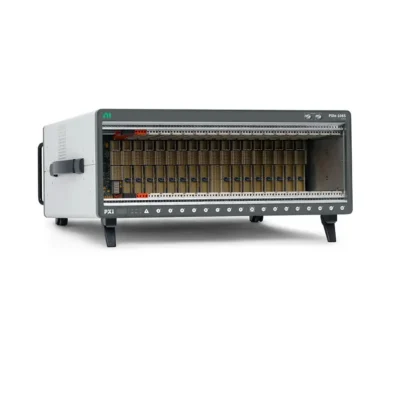
C Series modules cannot be installed directly into standard PXI or PXI Express slots, and PXI/PXIe modules cannot be installed in a CompactDAQ chassis. The platforms use different mechanical, electrical, communication, and timing architectures.
CompactDAQ is generally optimized for conditioned sensor measurement and distributed data acquisition. PXI systems are generally optimized for modular instrumentation, high data throughput, automated test, and precise multi-instrument synchronization.
Why Is a Compatible Module Not Detected?
If documentation confirms compatibility but the module is not detected, possible causes include incomplete seating, dirty or damaged connectors, missing drivers, unsupported firmware, a failed module, or a damaged chassis slot.
Recommended Troubleshooting Sequence
- Record the chassis and module LED states and software messages.
- Stop the application and shut down the system safely.
- Disconnect hazardous field wiring and remove chassis power.
- Inspect and reseat the module without forcing the connector.
- Confirm the exact driver and firmware requirements.
- Test the module in another compatible slot.
- Test a known-good module in the suspected slot.
- Reinstall modules one at a time to identify the failing component.
Why Does the Module Work but Not at the Expected Rate?
Detection confirms basic communication, not maximum-performance compatibility. Reduced rate can result from multiplexed sampling, enabled channel count, shared chassis bandwidth, network limits, USB configuration, driver settings, storage speed, or application architecture.
Review whether the published rate is:
- Per channel or aggregate
- Single-channel or multichannel
- Maximum burst or continuous
- Input-only or combined input/output
- Available in the chosen chassis and timing mode
Compatibility Checklist Before Purchase
Confirm every item before ordering:
- Exact CompactDAQ chassis model and part number
- Exact C Series module models and quantities
- Available and required slot count
- USB, Ethernet, or embedded controller architecture
- Host computer and operating system
- Driver, firmware, and development software versions
- Signal ranges, sensors, isolation, and excitation
- Sampling mode, rate, clocks, and triggers
- Aggregate input, output, and storage bandwidth
- Terminal blocks, connectors, cables, and field power
- Temperature, vibration, humidity, and mounting
- Calibration, warranty, repair, and spare-unit requirements
Compatibility Checklist for Used Equipment
When purchasing a used chassis or module, verify both compatibility and condition. Request the exact part number, hardware revision, included accessories, driver support, and functional test results.
A meaningful chassis test should include:
- Power-on and communication
- Detection through the supported driver
- Operation of every module slot
- Sustained acquisition with representative modules
- USB or Ethernet link stability
- Trigger and synchronization functions when required
- Inspection of connectors, latches, enclosure, and power input
Frequently Asked Compatibility Questions
Does physical fit mean a C Series module is compatible?
No. Physical fit is only the first requirement. Driver, timing, sampling mode, power, software, and target support must also be confirmed.
Can I mix analog, digital, temperature, and vibration modules?
Yes, when every module is supported by the chassis and software. Check timing differences, aggregate data rate, grounding, isolation, and filter delay.
Can I use a USB-to-Ethernet adapter with an Ethernet chassis?
Possibly, but the adapter, operating system, driver, network settings, and required performance must all be tested. A direct supported network connection is generally easier to troubleshoot.
Can I connect a USB chassis through any USB hub?
Do not assume so. Hub power, controller quality, bandwidth sharing, cable length, and driver behavior can affect detection and streaming. Direct host connection is preferred for demanding tests.
Can several chassis share one computer?
Yes, subject to interface support, addressing, aggregate bandwidth, processor load, storage performance, and software architecture. Test all chassis at full simultaneous load.
Does a larger chassis support faster modules?
Not automatically. A larger chassis provides more slots, but module rate depends on the module, chassis architecture, host link, and complete system load.
Can CompactDAQ and PXI be used in one test system?
Yes. CompactDAQ can collect distributed sensor data while PXI handles high-speed modular instruments and synchronized automated test. Define how the two systems will share timestamps, triggers, data, and software control.
Final Recommendation
CompactDAQ compatibility should be treated as a system-level engineering decision. Start with the signal list, select appropriate C Series modules, choose a chassis that supports those modules and their required timing modes, and then verify the host, driver, software, bandwidth, accessories, and environment.
For critical projects, build a representative proof of concept using the highest sample rate, largest simultaneous channel count, longest cable, most demanding synchronization path, and intended software version. This exposes compatibility problems before the complete system is purchased or deployed.
Categories
Latest Articles
Products on Sale


Need Help Choosing a Product?
Contact our sales team for product selection, pricing, availability and lead-time information.
sales@pxisource.com