






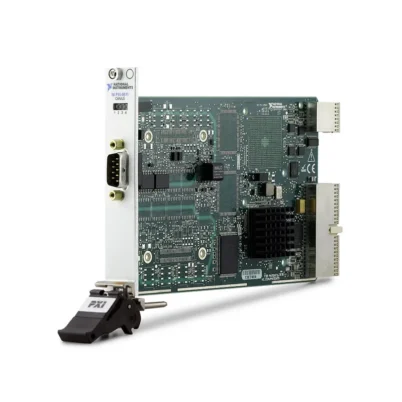
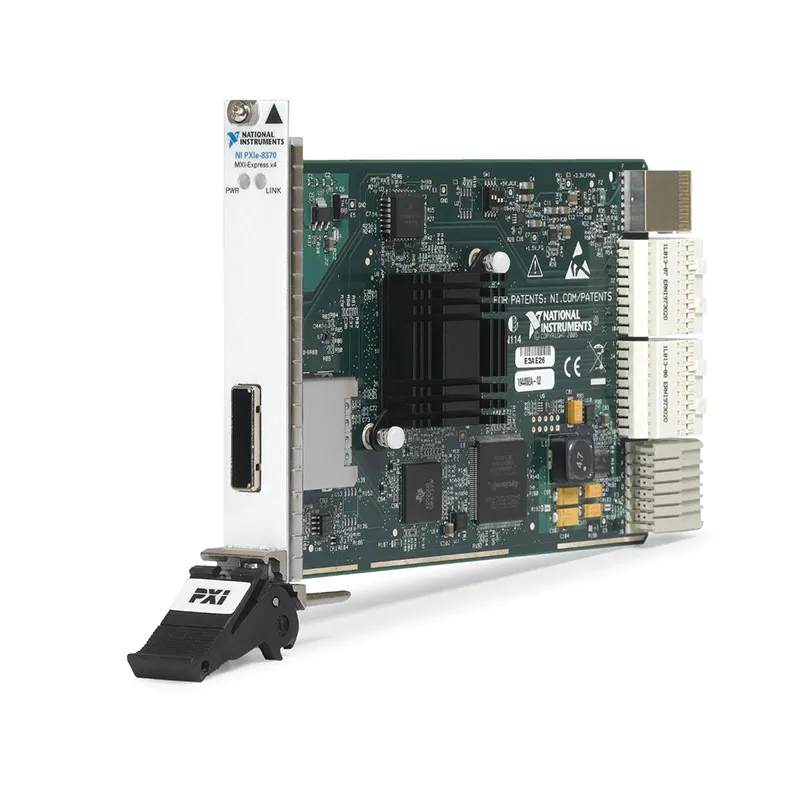
PXIe-8370 MXI-Express x4 Remote Control Module
Земля PXIe-8370 is a PXI Express remote control module that extends a host computer’s PCI Express bus into a PXI Express or CompactPCI Express chassis. It allows PXI instruments to be controlled from an external desktop or workstation without installing an embedded controller in the chassis.
The module is part of the NI MXI-Express x4 family and provides two x4 PCI Express cable connectors. It can be used in host-to-chassis systems as well as supported daisy-chain and multi-chassis expansion configurations.
Key Features of the PXIe-8370
- MXI-Express x4 remote control interface
- Two x4 PCI Express cable connectors
- Transparent PCI Express extension
- Approximately 1 GB/s maximum link bandwidth
- Up to 798 MB/s sustained throughput in compatible systems
- Maximum supported copper-cable length of 7 m
- Supports host-to-PXI Express connectivity
- Supports selected multi-chassis configurations
- Requires one PXI Express system slot
- No application-level network programming required
- Compatible with PCIe-8371 host interfaces
- Configured through NI Measurement & Automation Explorer
PXIe-8370 Technical Specifications
| Product Model | PXIe-8370 |
|---|---|
| Part Number | 779720-01 |
| Product Type | PXI Express remote control module |
| Interface Family | MXI-Express x4 |
| Cable Ports | Two x4 PCI Express connectors |
| Raw Link Rate | Up to 10 Gb/s in each direction simultaneously |
| Approximate MXI Bandwidth | 1 GB/s |
| Maximum Cable Length | 7 m |
| Slot Requirement | One PXI Express or CompactPCI Express system slot |
| Typical +3.3 V Current | 2.5 A |
| Maximum +3.3 V Current | 3 A |
| Typical +5 V Auxiliary Current | 300 mA |
| Maximum +5 V Auxiliary Current | 400 mA |
| Dimensions | 100 mm × 160 mm |
| Operating Temperature | 0°C to 55°C |
| Storage Temperature | -40°C to 71°C |
| Maximum Altitude | 2,000 m |
PXIe-8370 Part Number and System Components
| Item | Part Number | Описание |
|---|---|---|
| PXIe-8370 | 779720-01 | Two-port MXI-Express x4 PXI Express remote controller |
| PXIe-PCIe8371 Kit with 3 m Cable | 779721-03 | PXIe-8370, PCIe-8371 host card and 3 m MXI-Express cable kit |
| MXI-Express x4 Copper Cable | Length dependent | Latch-equipped PCI Express extension cable available in supported lengths |
| PCIe-8371 | Configuration dependent | Host-side PCI Express x4 interface card |
A complete remote-control system normally requires the PXIe-8370, a compatible host-side PCI Express interface and an MXI-Express x4 cable. Verify whether a quotation is for the standalone module or a complete connection kit.
Transparent PCI Express Extension
The PXIe-8370 extends PCI Express transactions from the host computer to the PXI Express chassis. Installed instruments appear to the operating system as locally attached PCI or PCI Express devices.
Because the connection is transparent at the application level, instrument programs normally communicate with the modules through their standard NI drivers rather than through a network-socket API.
External Workstation Control
A remote-control architecture allows the user to select a desktop or workstation with the required processor, memory, GPU and storage resources. This can provide greater computing flexibility than an embedded controller.
The PXI chassis can remain close to the DUT while the host computer is placed in a control room, operator station or serviceable equipment rack.
Two MXI-Express Cable Ports
The two x4 cable connectors allow the PXIe-8370 to participate in supported multi-system or daisy-chain arrangements. The exact topology depends on the other MXI-Express modules, available PCI bus resources, host BIOS and operating system.
Do not connect or remove an MXI-Express cable while the systems are powered unless the complete hardware configuration explicitly supports that procedure.
Multi-Chassis PXI Systems
Large automated test systems may require more slots than one chassis provides. Compatible MXI-Express hardware can extend the host PCI Express hierarchy to additional chassis.
Before designing a large multi-chassis system, consider PCI bus-number availability, link bandwidth, instrument data rates, chassis power-up order and host firmware compatibility.
MXI-Express Cable Length
The PXIe-8370 supports copper cables up to 7 m. Longer cable options allow the chassis to be separated from a noisy, hot or space-constrained host computer.
Use approved latch-equipped MXI-Express cables. A conventional external PCI Express cable should not be assumed to meet NI mechanical or signal-integrity requirements.
Typical PXIe-8370 Applications
- Remote control of PXI Express chassis
- Desktop-controlled automated test systems
- Multi-chassis PXI expansion
- High-throughput data acquisition
- RF and wireless test systems
- Production-line functional testing
- Research and laboratory automation
- External workstation-based signal processing
- Distributed instrument racks
- Legacy PXI system maintenance
PXI Platform Services and NI MAX
The MXI connection itself is transparent, but PXI Platform Services and the drivers for the installed instruments must be present on the host computer.
NI MAX can be used to inspect the chassis, identify modules and verify the hardware hierarchy. The chassis and host should normally be powered in the sequence specified by NI.
PXIe-8370 Installation Workflow
Step 1: Power Down the System
Shut down the host computer and switch off the PXI Express chassis before installing modules or connecting the MXI cable.
Step 2: Install the Host Interface
Install a compatible PCIe-8371 or specified host-side interface in a suitable PCI Express slot.
Step 3: Install the PXIe-8370
Place the PXIe-8370 in the system-controller slot of the PXI Express chassis.
Step 4: Connect the MXI Cable
Secure the approved cable to the appropriate host and chassis connectors.
Step 5: Start the Chassis and Host
Follow the required power sequence, then verify that the chassis and installed instruments appear in NI MAX.
PXIe-8370 Troubleshooting
The chassis is not detected
Confirm cable orientation, connector latching and power-up order. Check that the host-side card is installed in a PCI Express slot with sufficient lane support.
The LEDs flash red
Check the user-manual LED table and confirm that the PXIe-8370 firmware and PXI Platform Services are current and compatible.
The host detects the interface but not the instruments
Verify the chassis link, installed instrument drivers and available PCI bus resources. Test with only the PXIe-8370 and one peripheral module installed.
Data throughput is lower than expected
Check the host PCI Express slot width, BIOS settings, cable length and the number of instruments sharing the link. Sustained application throughput is lower than the raw PCI Express signaling rate.
The system works only after a second reboot
Review the specified chassis-first or host-first power sequence. Check host BIOS PCI resource allocation and disable unsupported fast-startup behavior if necessary.
PXIe-8370 vs Embedded PXI Controller
| Функция | PXIe-8370 Remote Control | Embedded PXI Controller |
|---|---|---|
| Computer Location | External desktop or workstation | Installed in the chassis |
| Processor Flexibility | Determined by external computer | Determined by controller model |
| PXI Connection | MXI-Express cable | Direct backplane connection |
| Best Suited For | Flexible computing and distributed systems | Compact self-contained PXI systems |
Recommended Related Products
- PXIe-8374 PXI Express Remote Control Module
- PXIe-8383 MXI-Express Remote Controller
- PXIe-8383MC Multi-Chassis Interface
- PCIe-8371 Host Interface
- PXIe-1095 PXI Express Chassis
- PXIe-1092 PXI Express Chassis
- View More PXI Controllers
Frequently Asked Questions
What is the PXIe-8370?
The PXIe-8370 is an MXI-Express x4 remote control module that connects a PXI Express chassis to an external host computer.
Does it function as an embedded computer?
No. It extends the external computer’s PCI Express bus and does not contain a general-purpose processor or operating system.
What is the maximum cable length?
The maximum supported MXI-Express copper-cable length is 7 m.
Does the module require a host-side card?
Yes. A compatible host-side interface such as the PCIe-8371 is required.
Does the MXI connection require special application programming?
No. The connection is transparent to standard PXI instrument drivers and applications.
What is the PXIe-8370 part number?
The standalone module part number is 779720-01.
Request a Quote for the PXIe-8370
Contact us for current availability and pricing for the PXIe-8370 MXI-Express x4 Remote Control Module. Please specify whether you require only the module or a complete kit with the PCIe host card and cable.















