






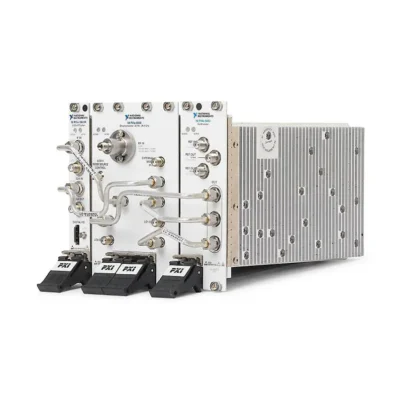
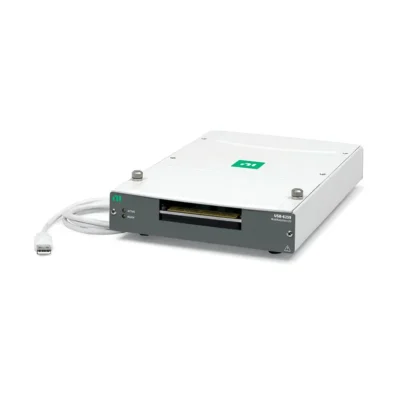
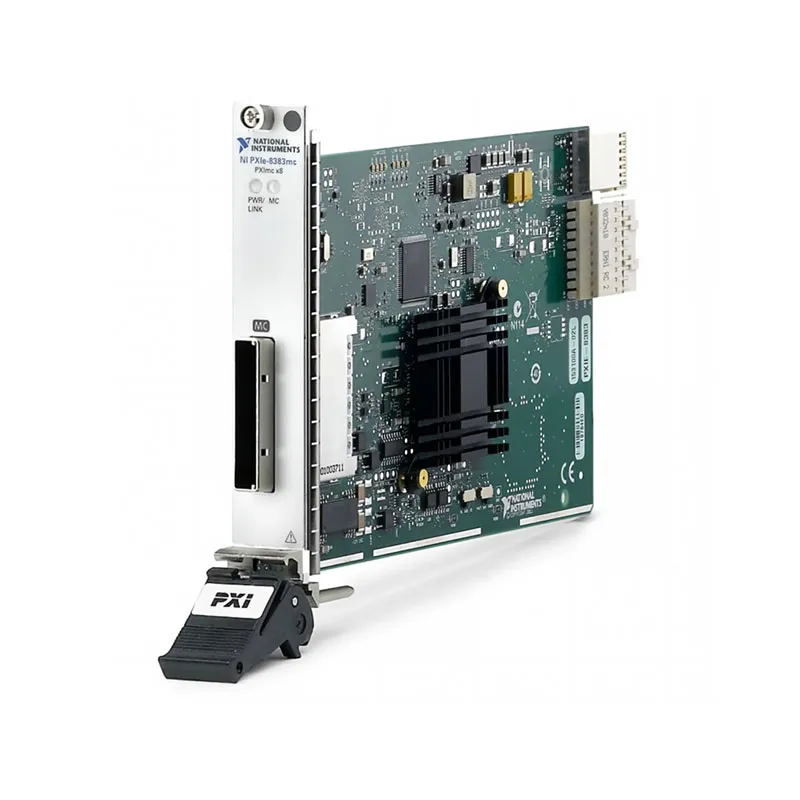
PXIe-8383 x8 Gen 2 MXI-Express Remote Control Bundle
Земля PXIe-8383, commonly used as a catalog name for the PXIe-PCIe-8383 remote control bundle, provides a high-speed connection between an external desktop computer or workstation and a PXI Express chassis.
The complete remote-control architecture combines a host-side PCIe-8383 interface card, a chassis-side PXIe-8381 remote control module and a compatible x8 MXI-Express copper cable. Together, these components extend the host computer’s PCI Express bus into the PXI Express chassis.
The connection is transparent to most instrument drivers and software applications. PXI and PXI Express instruments in the remote chassis appear to the host operating system in a similar manner to PCI Express devices installed directly in the computer.
This architecture allows engineers to use the processing power, memory, storage and peripheral resources of an external workstation while retaining the modular instrumentation, timing and synchronization advantages of a PXI Express system.
Important PXIe-8383 Model Identification
NI documentation identifies the individual host interface as the PCIe-8383, not PXIe-8383. The chassis-side remote control module used in a basic system is the PXIe-8381.
The designation PXIe-8383 is frequently used by equipment suppliers as shorthand for the PXIe-PCIe-8383 x8 Gen 2 MXI-Express remote controller bundle. Buyers should verify whether an offered product includes only the PCIe-8383 host card or the complete kit with the PXIe-8381 module and cable.
The PXIe-8383 remote-control system must also not be confused with the PXIe-8383MC. The PXIe-8383MC is a PXImc MultiComputing adapter for exchanging data between intelligent systems that each have their own controller. It serves a different system function.
Key Features of the PXIe-8383
- x8 PCI Express Gen 2 remote-control architecture
- Connects an external computer to a PXI Express chassis
- Uses a host-side PCIe-8383 interface card
- Uses a chassis-side PXIe-8381 remote control module
- One high-speed MXI-Express cable port
- 40 Gb/s raw signaling rate in each direction
- Full-duplex PCI Express communication
- Supports copper cables up to 5 m
- Transparent operation for compatible instrument drivers
- Allows PXI devices to be accessed from a desktop or workstation
- Supports PXI Express and CompactPCI Express systems
- Suitable for high-throughput automated testing
- Supports multi-chassis expansion architectures
- PXI Platform Services software support
- MXI-Express BIOS Compatibility software support when required
PXIe-8383 Technical Specifications
| Catalog Model | PXIe-8383 / PXIe-PCIe-8383 |
|---|---|
| Official Host Card Model | PCIe-8383 |
| Chassis-Side Module | PXIe-8381 |
| Product Type | PXI Express remote control bundle |
| Interface Family | MXI-Express Gen 2 x8 |
| Host Interface | PCI Express Gen 2 x8 |
| Number of Cable Ports | 1 |
| Raw Link Rate | 40 Gb/s in each direction simultaneously |
| Communication Type | Full-duplex, dual-simplex PCI Express link |
| Maximum Copper Cable Length | 5 m |
| Cable Connector Type | x8 PCIe iPass-style connector |
| Host Slot Requirement | PCI Express Gen 2 x8 or wider |
| Host Card Dimensions | 6.89 cm × 12.35 cm |
| Host Card Weight | 0.11 kg typical |
| Operating Temperature | 0°C to 55°C |
| Storage Temperature | -20°C to 70°C |
| Maximum Operating Altitude | 2,000 m |
| Link Status Indicator | Green for established link; amber for no chassis link |
| Поддержка программного обеспечения | PXI Platform Services |
PXIe-8383 Part Numbers and System Components
| Item | Part Number | Описание |
|---|---|---|
| PCIe-8383 | 789542-01 | Host-side, one-port, x8 Gen 2 MXI-Express interface card |
| PXIe-PCIe-8383 Bundle | 789571-01 | Remote-control configuration associated with the PCIe-8383 and PXIe-8381 system |
| PXIe-8381 | Configuration dependent | PXI Express controller-slot remote control module |
| MXI-Express x8 Copper Cable | 782317-03 | 3 m x8 MXI-Express copper cable |
| MXI-Express x8 Copper Cable | 782317-05 | 5 m x8 MXI-Express copper cable |
Part numbers can identify either an individual interface card or a packaged remote-control configuration. Before ordering, confirm whether the quotation includes the PCIe-8383 host card, PXIe-8381 chassis module, cable and required mounting brackets.
MXI-Express Gen 2 x8 Architecture
MXI-Express extends the computer’s PCI Express hierarchy over an external cable. PCI Express switches inside the host and chassis interfaces bridge transactions between the computer and instruments installed in the PXI Express chassis.
The Gen 2 x8 link contains eight PCI Express lanes and supports a raw signaling rate of 40 Gb/s in each direction. Because the connection is full duplex, traffic can move toward and away from the chassis at the same time.
Application throughput is lower than the raw link rate because of PCI Express protocol overhead, device behavior, memory transfers and host-system limitations. Actual performance also depends on the modules installed in the chassis.
Transparent Remote PXI Control
The PXIe-8383 architecture is transparent to compatible PXI instrument drivers. Applications normally communicate with installed digitizers, DAQ devices, RF instruments and switches through their standard drivers.
Developers generally do not need a special data-transfer API merely because the chassis is connected through MXI-Express. Once the link is correctly established, the remote instruments are enumerated as devices in the host PCI Express system.
PXI Platform Services should be installed to provide chassis identification, slot information, trigger routing and other PXI-specific system services.
Host-Side PCIe-8383 Interface
The PCIe-8383 is installed in a PCI Express Gen 2 x8 or wider expansion slot in the host computer. A physically wider slot must also provide at least eight electrical PCI Express lanes to deliver the intended bandwidth.
Some motherboard slots use a full-size x16 connector but operate electrically at x4 or x1. Check the computer or motherboard documentation before installation.
A low-profile bracket can be installed when the host computer uses a low-profile chassis. Correct ESD handling must be used when installing or removing the card.
Chassis-Side PXIe-8381 Module
The PXIe-8381 is installed in the system controller slot of a compatible PXI Express chassis. It receives the cabled PCI Express link from the PCIe-8383 and provides host access to the chassis backplane.
The PXIe-8381 is a remote control module rather than an embedded computer. Processing, application execution and data storage are performed by the external host computer.
Confirm that the chassis controller slot supports the PXIe-8381. A peripheral-slot interface such as the PXIe-8384 has a different role and should not be substituted without reviewing the intended topology.
3 m and 5 m Copper Cable Options
NI specifies 3 m and 5 m x8 copper cables for the Gen 2 MXI-Express connection. The cables use compatible x8 PCIe cable connectors and have no directional polarity.
The 3 m cable is appropriate for nearby rack or bench systems. The 5 m version provides additional separation when the host computer needs to be located farther from the PXI chassis.
The cable should not be unplugged while the system is powered. Disconnecting an active PCI Express link can cause applications to hang, create device errors or require the host computer to be restarted.
External Workstation Integration
The remote-control architecture allows the PXI Express chassis to be controlled from a standard desktop, industrial computer, server or engineering workstation with a compatible PCI Express slot.
This is useful when the application requires a processor, graphics card, network interface or storage configuration that is not available in an embedded PXI controller.
The PXI chassis can be positioned near the DUT while the host workstation remains in an operator area, control room or equipment rack.
High-Throughput Data Acquisition
The x8 Gen 2 connection supports high-throughput digitizers, waveform generators and multifunction DAQ devices. Acquired data can be transferred to the host for processing, visualization or storage.
The sustainable system rate depends on the complete data path, including the PXI module, backplane, MXI connection, host PCI Express architecture, system memory, processor and storage device.
RF and Wireless Test Systems
RF test systems can use the PXIe-8383 architecture to connect vector signal transceivers, analyzers, generators and RF switches to a high-performance external workstation.
The workstation can execute waveform processing, modulation analysis and automated test software while the PXI instrumentation remains physically close to the DUT.
Production Test Applications
Production systems often use industrial computers because they offer flexible storage, networking and enterprise-software integration. The PXIe-8383 remote-control configuration allows such a computer to control modular PXI Express instruments.
Transparent driver access helps preserve existing test applications when moving from a locally installed PXI controller to a compatible external-host architecture.
Multi-Chassis PXI Express Systems
MXI-Express Gen 2 x8 hardware can be used in larger PXI Express systems. Additional chassis can be connected using supported star or daisy-chain architectures.
A PXIe-8384 peripheral-slot daisy-chain interface can connect an already controlled chassis to another expansion chassis. The precise topology must account for available controller and peripheral slots, PCI bus resources and host BIOS limitations.
The theoretical PCI architecture supports many bus segments, but the practical number of chassis and devices depends on the host BIOS, operating system and complete system configuration.
PXIe-8383 Power-Up Sequence
PCI Express devices are normally expected to be available when the host BIOS begins enumeration. For that reason, expansion chassis should be powered before the host computer unless the supported PXIe-8381 automatic power-control behavior is being used.
Recommended Startup Procedure
Connect and secure the MXI-Express cable, power the PXI Express chassis and then start the host computer. Confirm that the link indicators show a valid connection before opening instrument applications.
Recommended Shutdown Procedure
Close running test applications, shut down the host computer and then power off the PXI chassis. Do not disconnect the cable while either side is actively communicating.
Link Status Indicator
The PCIe-8383 includes a front-panel LED that reports the link state. A solid green indication means the link to the PXI chassis has been established.
A solid amber indication means that a chassis link has not been established. Check chassis power, cable seating, the PXIe-8381 installation and host configuration when the LED remains amber.
BIOS Compatibility Mode
Some host computers do not correctly enumerate a PCI Express fabric that extends through an external MXI link. NI provides MXI-Express BIOS Compatibility software for supported systems affected by this limitation.
The PCIe-8383 includes a BIOS compatibility DIP switch. The switch should remain in its default disabled position unless the corresponding compatibility software has been installed and its use is required.
Enabling BIOS mode without the required software can prevent the operating system from detecting devices in the remote chassis.
Clock Configuration
The PCIe-8383 provides spread-spectrum clocking and constant-frequency clocking settings. Spread-spectrum clocking is the default and can reduce radiated electromagnetic emissions.
Constant-frequency clocking can be selected when required by the complete system configuration. DIP-switch settings should only be changed while the system is powered down.
Wake Control
A wake-control switch allows the target chassis to participate in supported host wake and power-control behavior. The appropriate setting depends on the host computer, PXIe-8381 and chassis configuration.
Verify the required power behavior during system integration, particularly in unattended production and remote laboratory systems.
Typical PXIe-8383 Applications
- Remote control of PXI Express chassis
- Automated production test systems
- High-throughput data acquisition
- RF and wireless device testing
- Валидация полупроводников
- Испытания в аэрокосмической и оборонной промышленности
- Automotive electronic validation
- External workstation-based PXI systems
- Large waveform acquisition systems
- Multichassis PXI expansion
- Laboratory automation
- Research and scientific instrumentation
PXI Platform Services Support
PXI Platform Services provides chassis and controller identification, slot information, trigger routing and other PXI system functions. Install a version compatible with the host operating system and connected chassis.
Individual measurement modules still require their own device drivers, such as NI-DAQmx, NI-SCOPE, NI-SWITCH, NI-DMM or NI-RFSA. The MXI interface transports PCI Express communication but does not replace instrument-specific drivers.
PXIe-8383 Installation Workflow
Step 1: Verify the Complete Hardware Set
Confirm that the system includes the PCIe-8383 host card, PXIe-8381 chassis module and a compatible 3 m or 5 m x8 copper cable.
Step 2: Install the Required Software
Install PXI Platform Services and the drivers required by the instruments before completing the hardware installation. Restart the host when requested.
Step 3: Install the PXIe-8381
With chassis power removed, install the PXIe-8381 in the compatible PXI Express system controller slot and secure its retaining screws.
Step 4: Install the PCIe-8383
Power down and unplug the host computer. Install the PCIe-8383 in an electrically compatible x8 or wider PCI Express slot and secure the bracket.
Step 5: Connect the Cable
Attach the MXI-Express x8 cable to the PCIe-8383 and PXIe-8381. Ensure that both connectors are fully seated.
Step 6: Start the System
Power the PXI Express chassis before starting the host computer unless the validated system configuration specifies supported automatic power control.
Step 7: Verify Device Detection
Check the link LEDs and open NI Measurement & Automation Explorer. Confirm that the chassis and installed PXI modules are detected in their correct slots.
PXIe-8383 Troubleshooting
The link LED remains amber
Confirm that the PXI chassis is powered, the PXIe-8381 is installed in the controller slot and both cable connectors are fully seated. Shut down the complete system before reconnecting hardware.
The host computer does not boot
Some BIOS implementations cannot enumerate an extended PCI Express hierarchy. Try another electrically compatible slot, update the host BIOS and review NI MXI-Express BIOS Compatibility software requirements.
The chassis is linked but instruments are missing
Verify that PXI Platform Services and all instrument-specific drivers are installed. Check that the missing module is fully seated and supported by the current software environment.
Transfer performance is lower than expected
Confirm that the host slot negotiated an x8 link rather than x1 or x4. Review the motherboard lane allocation, other installed PCI Express devices, application buffer size and storage throughput.
The system stopped after the cable was disconnected
MXI-Express does not support removing an active PCI Express link as a routine hot-plug operation. Reconnect the cable securely and restart the chassis and host using the proper sequence.
The chassis is not identified correctly in NI MAX
Install or repair PXI Platform Services. This software provides chassis identification, slot mapping and PXI-specific system services beyond basic PCI Express enumeration.
The system works in one computer but not another
Compare BIOS settings, PCI Express lane allocation, operating-system support and motherboard compatibility. A physically x8 or x16 slot does not always provide eight active electrical lanes.
PXIe-8383 vs Embedded PXI Controller
| Функция | PXIe-8383 Remote Architecture | Embedded PXI Controller |
|---|---|---|
| Computer Location | External desktop, server or workstation | Installed in the PXI chassis |
| PXI Controller-Slot Hardware | PXIe-8381 remote control module | Embedded computer |
| Computer Upgrade Flexibility | High | Limited to available embedded-controller models |
| System Cabling | External MXI-Express cable required | No remote-control cable required |
| Portability | Separate host and chassis | More self-contained |
| Best Suited For | Workstation-based and distributed racks | Compact standalone PXI systems |
PXIe-8383 vs PXIe-8383MC
| Функция | PXIe-8383 Remote-Control Bundle | PXIe-8383MC |
|---|---|---|
| Primary Function | External host controls remote PXI chassis | Data exchange between intelligent systems |
| Controller at Chassis Endpoint | PXIe-8381 remote module, not a computer | System normally retains its own controller |
| Software Model | Transparent PCI Express extension | NI-PXImc data-transfer API |
| Host-Side Device | PCIe-8383 | Compatible PXImc endpoint |
| Best Suited For | Remote instrument control | Distributed processing and streaming |
PXIe-8383 vs Newer MXI-Express Interfaces
The PXIe-8383 system uses an x8 PCI Express Gen 2 link. Newer MXI-Express generations can provide greater bandwidth, newer connector technologies or different host-interface options.
Choose the PXIe-8383 architecture when maintaining a compatible existing Gen 2 x8 installation or when its available bandwidth and cable distance meet the application requirements.
For new systems, compare host-computer compatibility, required throughput, cable type, operating-system support and long-term availability before selecting a legacy or current-generation interface.
Why Choose the PXIe-8383?
- Uses an external desktop or workstation as the PXI host
- Provides an x8 PCI Express Gen 2 connection
- Supports high-throughput modular instruments
- Operates transparently with compatible instrument drivers
- Allows instrumentation to be positioned near the DUT
- Supports copper cable distances up to 5 m
- Works with PXI Express and CompactPCI Express architectures
- Supports larger multichassis test systems
- Provides link-status diagnostics
- Supports BIOS compatibility options for selected host systems
Frequently Asked Questions
What is the PXIe-8383?
PXIe-8383 is commonly used as a catalog name for a Gen 2 x8 MXI-Express remote-control configuration. The official host card is the PCIe-8383, and the corresponding chassis controller module is the PXIe-8381.
Is PXIe-8383 an independent PXI Express module?
NI’s current product documentation does not identify a standalone chassis module under that exact model name. Verify whether the offered item is a PCIe-8383 host card or a PXIe-PCIe-8383 remote-control bundle.
What does the PCIe-8383 connect to?
In a basic PXI remote-control system, the PCIe-8383 connects to a PXIe-8381 installed in the controller slot of a PXI Express chassis.
What type of PCI Express link does it use?
The system uses an x8 PCI Express Gen 2 cable link.
What is the maximum raw link rate?
The eight-lane link can signal at a raw rate of 40 Gb/s in each direction simultaneously. Application payload throughput is lower because of protocol and system overhead.
What cable lengths are available?
NI specifies 3 m and 5 m x8 copper cables for the Gen 2 MXI-Express system.
Can the cable be disconnected while the system is running?
No. Disconnecting an active PCI Express link can interrupt communication and require the complete system to be restarted.
Which software is required?
PXI Platform Services provides PXI chassis and controller functionality. Each installed instrument also requires its corresponding device driver.
Is the PXIe-8383 the same as PXIe-8383MC?
No. The PXIe-8383 remote-control configuration extends a host PCI Express hierarchy into a chassis. The PXIe-8383MC uses PXImc to exchange data between independently controlled intelligent systems.
What is the PCIe-8383 host-card part number?
The individually listed PCIe-8383 host card is associated with part number 789542-01. The PXIe-PCIe-8383 bundle configuration is associated with 789571-01. Verify included components before ordering.
Recommended Related Products
- PXIe-8370 PXI Express Remote Control Module
- PXIe-8374 MXI-Express Interface Module
- PXIe-8383MC PXImc MultiComputing Adapter
- PXIe-1078 PXI Express Chassis
- PXIe-1085 PXI Express Chassis
- PXIe-1092 PXI Express Chassis
- View More NI PXI Express Chassis
Request a Quote for the PXIe-8383
Contact us for current availability, lead time and project pricing for the PXIe-8383 or PXIe-PCIe-8383 x8 Gen 2 MXI-Express remote control system.
Please specify whether you require the PCIe-8383 host card only or a complete configuration with the PXIe-8381 chassis module and 3 m or 5 m cable. We can also help verify host PCI Express compatibility, PXI chassis support, driver requirements and system power-up configuration.















