






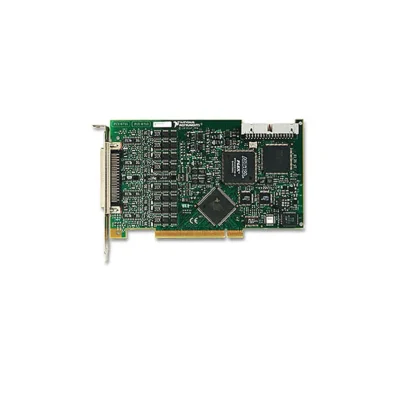
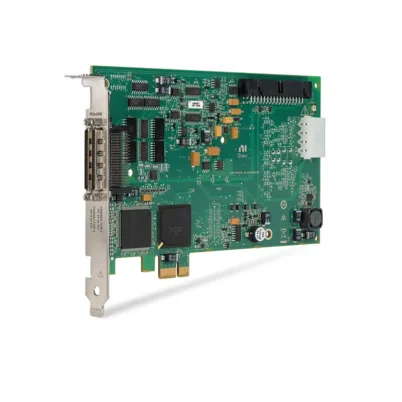
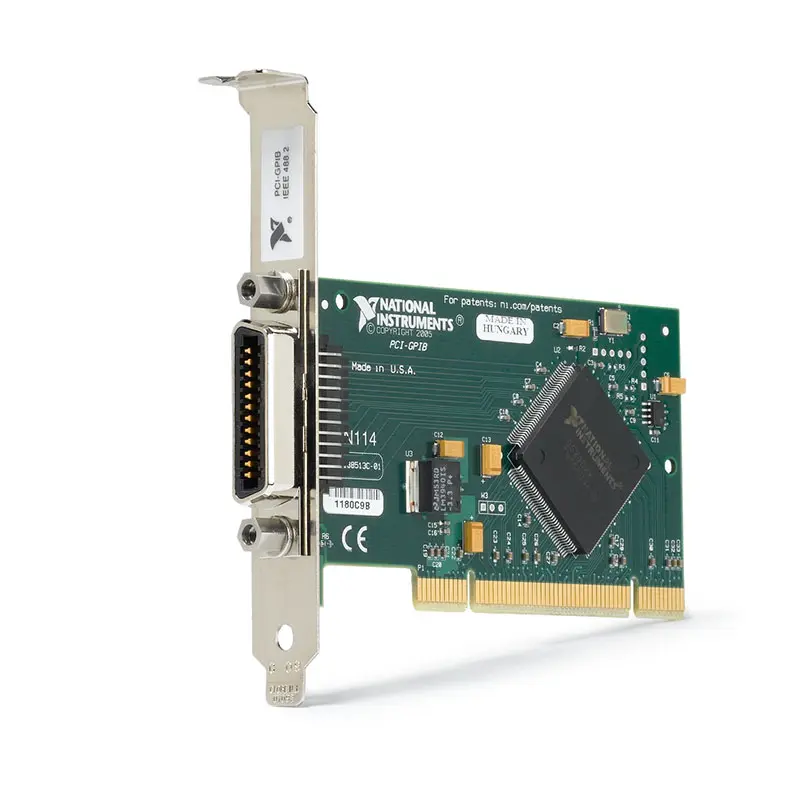
PCI-GPIB IEEE 488 Instrument Control Device
Земля PCI-GPIB is a plug-and-play IEEE 488 instrument-control interface for computers and workstations equipped with conventional PCI expansion slots. It enables automated control of oscilloscopes, digital multimeters, power supplies, signal generators, spectrum analyzers and other GPIB instruments.
The interface performs GPIB controller, talker and listener functions and supports IEEE 488 and IEEE 488.2 communication. One PCI-GPIB interface can connect to as many as 14 external instruments through a properly configured GPIB bus.
Standard three-wire GPIB transfers support speeds up to approximately 1,536 kB/s, while HS488 operation can reach as much as 7,885 kB/s when the controller, instruments, cables and software configuration support the high-speed protocol.
Key Features of the PCI-GPIB
- PCI-to-GPIB instrument-control interface
- IEEE 488 and IEEE 488.2 compatibility
- Controller, talker and listener capability
- Controls up to 14 GPIB instruments
- Up to 1,536 kB/s standard GPIB transfers
- Up to 7,885 kB/s HS488 transfers
- 24-pin IEEE 488 connector
- Plug-and-play hardware configuration
- NI-488.2 driver support
- Interactive Communication utility support
- LabVIEW, LabWindows/CVI, C/C++ and .NET integration
- Suitable for legacy and current GPIB instruments
PCI-GPIB Technical Specifications
| Product Model | PCI-GPIB |
|---|---|
| Part Number | 778686-01 |
| Product Type | GPIB instrument-control device |
| Computer Interface | Universal PCI |
| Instrument Interface | IEEE 488 GPIB |
| Supported Standards | IEEE 488 and IEEE 488.2 |
| Maximum Connected Instruments | 14 |
| Standard Three-Wire Performance | Up to 1,536 kB/s |
| HS488 Performance | Up to 7,885 kB/s |
| GPIB Connector | 24-pin IEEE 488 |
| GPIB Roles | Controller, talker and listener |
| Operating Temperature | 0°C to 55°C |
| Software Driver | NI-488.2 |
PCI-GPIB Part Number and Accessories
| Item | Part Number | Описание |
|---|---|---|
| PCI-GPIB | 778686-01 | PCI IEEE 488 instrument-control interface |
| GPIB Cable | Configuration dependent | Standard shielded 24-pin male-to-female IEEE 488 cable |
| Double-Shielded GPIB Cable | Length dependent | Reduces emissions and improves reliability in noisy environments |
| GPIB Expander or Extender | Configuration dependent | Extends distance or increases the supported network architecture |
Several hardware revisions of the PCI-GPIB exist, including TNT4882C, TNT5004 and low-profile versions. Verify the catalog number, assembly number, bracket height and connector configuration when replacing an existing board.
IEEE 488 Instrument Control
GPIB uses a shared parallel bus that allows one controller to communicate with multiple addressed instruments. Each instrument normally uses a unique primary GPIB address between 0 and 30.
The controller sends commands, identifies the active talker and selects one or more listeners. Instruments can also use the service-request line to notify the controller that an event requires attention.
IEEE 488.2 and SCPI Commands
IEEE 488.2 standardizes common instrument behavior, status reporting and command structures. Many modern GPIB instruments also use Standard Commands for Programmable Instruments.
Although SCPI commands are widely used, the exact command set varies by manufacturer and instrument model. Always consult the programming manual for the connected instrument.
HS488 High-Speed Transfers
HS488 improves transfer speed by changing the conventional GPIB handshake timing. Actual throughput depends on the slowest active device, cable configuration, host performance and whether every participating instrument supports HS488.
GPIB Cable Length Rules
A conventional GPIB system should generally maintain an average cable length of no more than 2 m per connected device, with a maximum total cable length of 20 m. At least two-thirds of the connected devices should be powered on.
Use short cables and avoid long daisy-chain arrangements when transfer speed and reliability are important.
NI-488.2 Software
NI-488.2 provides driver APIs, configuration tools, diagnostics and the Interactive Communication utility. Engineers can send commands and read responses interactively before adding the instrument to an automated application.
PCI-GPIB Applications
- Automated instrument control
- Production test systems
- Laboratory equipment automation
- Oscilloscope control
- Digital multimeter integration
- Power-supply programming
- Signal-generator automation
- Spectrum-analyzer data transfer
- Полупроводниковые системы тестирования
- Legacy IEEE 488 equipment support
Automated Test Equipment
The PCI-GPIB allows one test computer to configure several instruments, trigger measurements and retrieve results through a single standardized bus.
Legacy Instrument Integration
Many high-quality laboratory instruments remain useful even when they do not include Ethernet or USB. The PCI-GPIB provides direct communication with these existing IEEE 488 instruments.
PCI-GPIB Installation Workflow
Step 1: Verify the PCI Slot
Confirm that the host computer provides a compatible conventional PCI slot rather than only PCI Express slots.
Step 2: Install NI-488.2
Install an NI-488.2 version compatible with the computer’s operating system.
Step 3: Install the PCI-GPIB
Power down the computer, follow ESD precautions and secure the board in the PCI slot.
Step 4: Connect the Instruments
Attach shielded GPIB cables and ensure that each instrument has a unique address.
Step 5: Verify Communication
Use NI MAX to scan for instruments and use Interactive Communication to send an identification query such as *IDN?.
Step 6: Integrate the Application
Use NI-488.2 or VISA functions in LabVIEW, C/C++, .NET or another supported environment.
PCI-GPIB Troubleshooting
No instruments are detected
Check cable connections, instrument power, GPIB addresses and the controller-in-charge configuration.
Two instruments respond incorrectly
Confirm that every instrument uses a unique primary address.
Communication returns a timeout
Verify command termination, response format, timeout duration and whether the instrument has completed its operation.
Transfers are slower than expected
Check whether all instruments support HS488, reduce cable length and confirm that no slow legacy device is limiting the bus.
The PCI-GPIB is not detected
Verify PCI seating, NI-488.2 installation and operating-system support for the hardware revision.
PCI-GPIB Comparison
| Модель | Host Interface | Instrument Interface | Best Suited For |
|---|---|---|---|
| PCI-GPIB | PCI | GPIB | Legacy PCI computers |
| PCIe-GPIB | PCI Express | GPIB | Current desktop computers |
| PXI-GPIB | PXI | GPIB | PXI automated test systems |
| GPIB-USB-HS | USB | GPIB | Portable and laptop systems |
Choose the PCI-GPIB only when the computer includes a compatible PCI slot. The PCIe-GPIB is generally more appropriate for newer desktop computers.
PCI-GPIB Frequently Asked Questions
How many instruments can the PCI-GPIB control?
A correctly configured GPIB bus can contain as many as 14 external instruments in addition to the controller.
Which software is required?
The PCI-GPIB uses the NI-488.2 driver and can also be accessed through NI-VISA.
Does PCI-GPIB fit a PCI Express slot?
No. A standard PCI-GPIB requires a conventional PCI slot.
What is HS488?
HS488 is a higher-speed GPIB transfer protocol supported by compatible controllers and instruments.
What is the PCI-GPIB part number?
The standard catalog part number is 778686-01.
Recommended Related Products
- PCIe-GPIB Instrument Control Device
- PXI-GPIB Instrument Control Module
- GPIB-USB-HS Interface
- PXIe-8374 Remote Control Module
Request a Quote for the PCI-GPIB
Contact us for availability and pricing for the PCI-GPIB IEEE 488 interface. Please provide the computer slot type and required GPIB cable length so that we can verify compatibility.















