






Ballard MIL-STD-1553 Avionics Databus Interfaces
Ballard MIL-STD-1553 interfaces are avionics communication products designed for testing, simulating, monitoring and validating military and aerospace databus equipment. Available platforms include PXI Express, PCI Express, PCI, USB, Ethernet-connected appliances and embedded interface cards.
Depending on the selected model and protocol module, each MIL-STD-1553 channel can operate as a Bus Controller, Bus Monitor, Remote Terminal simulator or multifunction combination of these roles. Multifunction hardware can simultaneously emulate a Bus Controller, monitor bus activity and simulate as many as 32 Remote Terminal addresses.
Ballard products are now supplied under Astronics Ballard Technology. Major product families include OmniBus II modular PXIe and PCIe cards, OmniBusBox II Ethernet and USB appliances, compact USB 1553 adapters and Lx5 PCIe or PCI interface cards.
This page covers the general Ballard MIL-STD-1553 product family. Exact channel count, protocol functions, parametric-control capability, connector, platform and part number depend on the selected hardware configuration.
Key Features of Ballard MIL-STD-1553 Interfaces
- MIL-STD-1553B avionics databus communication
- Dual-redundant 1553 bus support
- Bus Controller simulation
- Bus Monitor operation
- Remote Terminal simulation
- Up to 32 simulated Remote Terminal addresses per supported channel
- Single-function and multifunction channel options
- Simultaneous BC, BM and RT operation on multifunction channels
- Protocol error injection on supported models
- Parametric waveform control on advanced modules
- One- and two-channel 1553 module configurations
- PXI Express interface-card options
- PCI Express and PCI interface-card options
- Portable USB interface options
- Ethernet and USB OmniBusBox II appliances
- IRIG, 10 MHz and pulse-per-second synchronization options
- Avionics discrete I/O on eligible configurations
- Programmable triggers and synchronization resources
- Built-in test capability on supported platforms
- BTIDriver programming interface
- CoPilot test, simulation and analysis software support
Ballard MIL-STD-1553 Product Platforms
| Product Family | Host Interface | Typical Configuration | Best Suited For |
|---|---|---|---|
| OmniBus II PXIe | PXI Express | Two configurable protocol cores | Modular avionics test and simulation systems |
| OmniBus II PCIe | PCI Express | Two configurable protocol cores | Desktop and rackmount computer integration |
| OmniBusBox II | Ethernet, USB or standalone | Two-core and four-core appliances | Laboratory, flight-line and network-connected testing |
| USB 1553 | USB 2.0 | Portable single- or dual-channel interface | Field service and portable avionics testing |
| UA2000 | SuperSpeed USB 3.1 | Portable multiprotocol avionics interface | Current-generation portable test applications |
| LE1553-5 | PCI Express | Dedicated MIL-STD-1553 interface card | Computer-based 1553 test and simulation |
| LP1553-5 | PCI | Dedicated MIL-STD-1553 interface card | Maintaining legacy PCI-based systems |
| ME1000 | Mini PCI Express | One or two dual-redundant channels | Embedded and rugged system integration |
MIL-STD-1553 Technical Overview
| Characteristic | Описание |
|---|---|
| Protocol | MIL-STD-1553B and applicable notice revisions |
| Network Type | Command-and-response time-division multiplexed databus |
| Operation | Asynchronous and half-duplex |
| Primary Bus Roles | Bus Controller, Remote Terminal and Bus Monitor |
| Physical Architecture | Dual-redundant twisted-shielded-pair bus |
| Nominal Data Rate | 1 Mbit/s |
| Encoding | Manchester II biphase |
| Word Length | 20-bit transmission including synchronization, 16 information bits and parity |
| Word Types | Command, data and status words |
| Remote Terminal Addresses | Up to 31 normal RT addresses, with address 31 reserved for broadcast operation |
| Maximum Data Words per Message | 32 |
| Bus Impedance | Approximately 70 Ω to 85 Ω; 78 Ω termination is commonly used |
| Coupling Methods | Transformer coupling or direct coupling |
| Redundancy | Dual standby-redundant buses, commonly identified as Bus A and Bus B |
Bus Controller Operation
The Bus Controller initiates every normal MIL-STD-1553 message transfer. It sends command words instructing a Remote Terminal to transmit data, receive data or perform a mode-code function.
A Ballard interface operating as a Bus Controller can generate scheduled and asynchronous messages, manage major and minor frames and verify Remote Terminal responses.
Bus Controller simulation is commonly used to test avionics equipment before it is connected to the actual aircraft mission computer or vehicle controller.
Remote Terminal Simulation
A Remote Terminal exchanges data with the Bus Controller according to received commands. Ballard hardware can simulate one or more RT addresses so that a test system can reproduce the communication behavior of avionics subsystems.
Supported multifunction interfaces can simulate as many as 32 RT addresses. This allows one computer or appliance to represent multiple aircraft subsystems during integration and system-level testing.
RT simulation can include programmable data, status-word control, mode-code handling, timing adjustment and protocol-error generation, depending on the selected hardware and software.
Bus Monitor Operation
A Bus Monitor passively observes MIL-STD-1553 traffic without controlling normal message transfers. It records command, data, status, timing and error information for later analysis.
Monitoring is useful for troubleshooting, flight-test recording, protocol verification and identifying intermittent communication problems.
Ballard software can display decoded messages in engineering-oriented formats instead of requiring users to interpret every raw 1553 word manually.
Single-Function MIL-STD-1553 Channels
A single-function channel can typically be configured as one primary role at a time: Bus Controller, Bus Monitor or Remote Terminal simulation.
Single-function interfaces are appropriate for applications with a clearly defined role and no requirement to perform several protocol functions simultaneously.
In the OmniBus II family, module numbers 510 and 511 provide one- and two-channel single-function MIL-STD-1553 configurations.
Multifunction MIL-STD-1553 Channels
Multifunction hardware can perform several 1553 roles at the same time. A channel can operate as a Bus Controller, Bus Monitor and multiple simulated Remote Terminals within one test application.
This flexibility is useful for system integration laboratories, hardware-in-the-loop testing and production systems that must reproduce a complete avionics network.
OmniBus II module numbers 540 and 544 provide one- and two-channel multifunction configurations.
Parametric MIL-STD-1553 Testing
Advanced parametric-control modules add capabilities for modifying aspects of the transmitted waveform and creating physical-layer fault conditions.
These functions can help engineers test receiver tolerance, waveform compatibility and equipment response to degraded bus conditions. Supported applications may include amplitude variation, timing modification and selected open- or short-circuit fault testing.
OmniBus II module numbers 550 and 555 identify one- and two-channel multifunction configurations with parametric-control capability.
Protocol Error Injection
Supported multifunction interfaces can intentionally generate protocol errors to verify how the equipment under test detects and handles invalid communication.
Test cases may include incorrect parity, invalid Manchester encoding, altered response timing, word-count problems, status-bit conditions and other message abnormalities supported by the selected hardware.
Error injection should be performed only in a controlled test environment. It can intentionally disrupt normal bus communication.
Dual-Redundant Bus Support
MIL-STD-1553 normally uses two redundant buses so communication can continue if one path fails. Ballard interfaces provide connections for Bus A and Bus B on each supported channel.
Test software can transmit or monitor activity on either bus and verify the equipment’s redundancy-management behavior.
The test fixture should use correctly rated twinax cables, couplers, terminators and connectors to maintain the required physical-layer characteristics.
OmniBus II PXIe Interface Cards
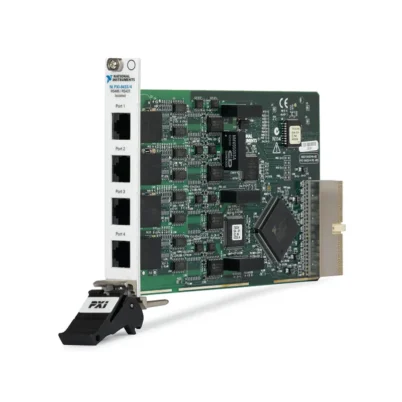
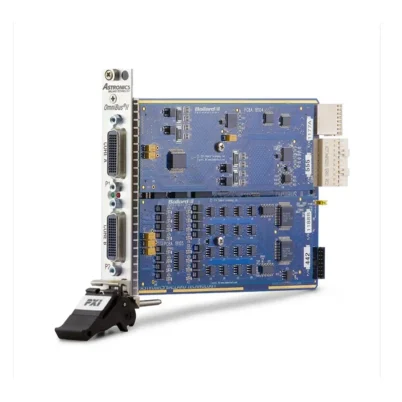
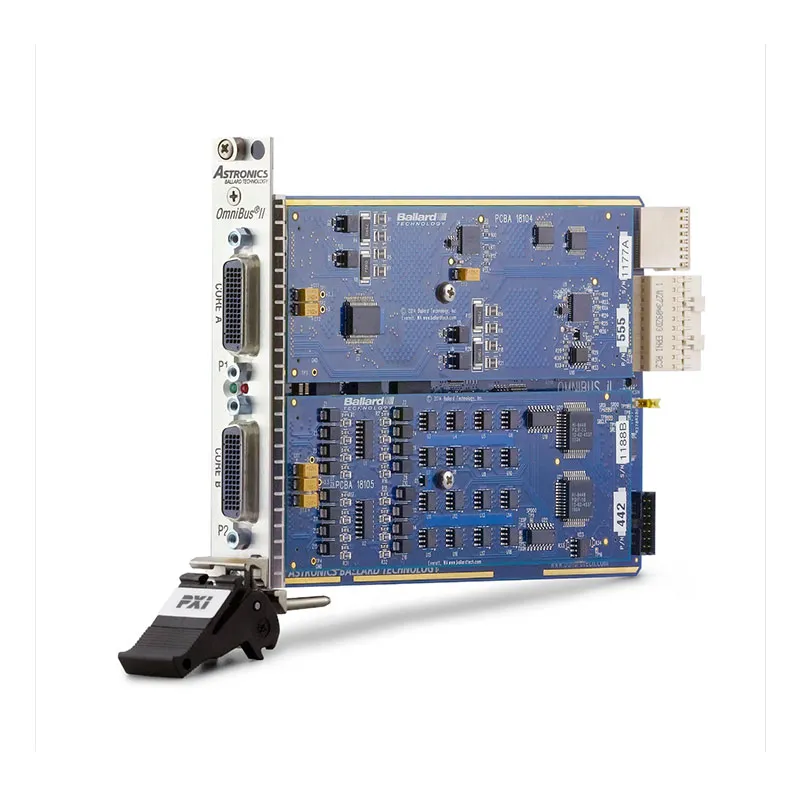
The Ballard OmniBus II PXIe card is designed for PXI Express and CompactPCI Express test systems. It contains two configurable protocol cores.
Each core accepts one supported protocol module. A card can therefore combine MIL-STD-1553 with another 1553 module, ARINC 429, ARINC 717, serial communication or discrete I/O.
PXIe integration is appropriate for modular automated test systems that must coordinate avionics communication with digitizers, waveform generators, switching modules, power supplies and other instruments.
OmniBus II PCIe Interface Cards
The Ballard OmniBus II PCIe card brings the same modular protocol architecture to desktop and rackmount computers.
The two-core PCIe platform can combine multiple avionics protocols on one card, reducing the number of expansion slots required by a test system.
PCIe models are suitable for fixed laboratory and production systems that do not require a PXI chassis.
OmniBusBox II
The Ballard OmniBusBox II is an external avionics interface appliance controlled through Ethernet or USB. It can also be programmed for standalone operation.
Two-core and four-core configurations are available. The four-core platform can combine several databus protocols and I/O functions in one desktop or rackmount device.
OmniBusBox II is useful when the host computer has no available expansion slot, when the interface must be placed close to the equipment under test or when several users need network access to the hardware.
Ballard USB 1553 Interfaces
The Ballard USB 1553 family provides portable MIL-STD-1553 connectivity for notebook and desktop computers.
Depending on the model, a channel may be bus-monitor only, single-function or multifunction. Multifunction versions can simultaneously operate as a Bus Controller, Bus Monitor and multiple Remote Terminals.
Compact USB interfaces are suitable for flight-line maintenance, troubleshooting, portable simulation, laboratory development and field-service applications.
Ballard UA2000 USB 3.1 Interfaces
The Ballard UA2000 is a current-generation portable SuperSpeed USB interface family supporting MIL-STD-1553 and other avionics protocols.
Depending on the configuration, the UA2000 can combine 1553 channels with ARINC 429, ARINC 717, ARINC 708, serial communication, discrete I/O and timing resources.
It is appropriate for engineers who need a portable interface that can support several commercial and military avionics buses.
LE1553-5 PCIe Interface Card
The Ballard LE1553-5 is a dedicated PCI Express interface card for MIL-STD-1553 communication, testing and simulation.
It is suitable when a system requires only MIL-STD-1553 and does not need the multiprotocol modularity of OmniBus II.
LP1553-5 PCI Interface Card
The Ballard LP1553-5 uses the conventional PCI interface. It supports legacy computers and test stations that do not provide PCI Express slots.
Before ordering, verify the host computer’s PCI voltage, mechanical slot and driver compatibility. PCI and PCIe cards cannot be installed interchangeably.
ME1000 Mini PCI Express Interfaces
The ME1000 family provides embedded Mini PCI Express avionics interfaces. MIL-STD-1553 models offer one or two dual-redundant channels with single-function or multifunction capability.
Available options can include IRIG synchronization, avionics discrete I/O, differential discrete I/O, RS-422 or RS-485 serial communication, conformal coating and extended-temperature operation.
OmniBus II MIL-STD-1553 Module Numbers
| Module Number | Channel Count | Function Type |
|---|---|---|
| 510 | 1 | Single-function MIL-STD-1553 channel |
| 511 | 2 | Two single-function MIL-STD-1553 channels |
| 540 | 1 | Multifunction MIL-STD-1553 channel |
| 544 | 2 | Two multifunction MIL-STD-1553 channels |
| 550 | 1 | Multifunction channel with parametric control |
| 555 | 2 | Two multifunction channels with parametric control |
OmniBus II Platform Numbers
| Platform Number | Platform | Number of Cores |
|---|---|---|
| 212 | OmniBus II PCI Express card | 2 |
| 222 | OmniBus II PXI Express card | 2 |
| 262 | OmniBusBox II Ethernet and USB appliance | 2 |
| 264 | OmniBusBox II Ethernet and USB appliance | 4 |
Understanding OmniBus II Part Numbers
OmniBus II order numbers combine the platform number, one module number for each core and optional software or hardware codes.
For example, 222-544-000 identifies a two-core PXIe platform containing a dual-channel multifunction MIL-STD-1553 module in one core and an unpopulated second core.
A configuration such as 262-544-442 identifies a two-core OmniBusBox II containing a dual-channel multifunction MIL-STD-1553 module and a 16-channel ARINC 429 module.
The exact order number should be confirmed before purchase because hundreds of protocol and option combinations are possible.
BTIDriver Software Interface
BTIDriver is Ballard’s programming interface for compatible avionics hardware. It allows developers to configure channels, create messages, simulate terminals, monitor traffic and manage timing resources.
Applications developed for compatible Ballard platforms can often be migrated between USB, PCIe, PXIe and embedded products with limited code changes.
Driver and operating-system compatibility should be checked for the exact hardware generation before installing a legacy card in a newer computer.
CoPilot Test and Analysis Software
Ballard CoPilot provides a graphical environment for databus simulation, monitoring, recording and analysis. It can reduce the amount of custom programming required to create an avionics test application.
Users can define simulated equipment, configure messages, view decoded traffic, inject supported errors, record bus activity and automate tests with scripting.
CoPilot is licensed to specific Ballard hardware. Each hardware device that will run with CoPilot requires an appropriate license key, although the software can be installed on multiple computers for setup and post-test analysis.
Synchronization and Timing
Eligible Ballard interfaces support timing resources such as IRIG-A, IRIG-B, 10 MHz references, pulse-per-second signals and programmable triggers.
These features allow MIL-STD-1553 traffic to be correlated with other avionics buses, measurement instruments, flight-test data and external events.
The exact timing inputs and outputs depend on the platform and installed protocol modules.
Built-In Test
Supported OmniBus II platforms include power-up, initiated and continuous built-in-test capabilities. These diagnostics help verify hardware condition and identify interface problems.
Built-in test does not replace verification of the external twinax cables, couplers, terminators and equipment under test.
MIL-STD-1553 Cabling
MIL-STD-1553 uses shielded twisted-pair twinax cabling with controlled impedance. Ballard interface cables convert the hardware’s multipin connector to the required transformer-coupled twinax connections.
Common Ballard cables include 60-pin LFH assemblies for OmniBus II, OmniBusBox II and selected Lx5 products. Cable selection depends on channel count, coupling method, discrete I/O and timing requirements.
Common Ballard MIL-STD-1553 Accessories
| Accessory | Part Number | Описание |
|---|---|---|
| MIL-STD-1553 Terminator | 17001 | 78 Ω general-purpose bus terminator |
| LFH to Twinax Cable | 16041 | One-channel cable with two transformer-coupled PL75 twinax connections |
| LFH to Twinax and D-Sub Cable | 16118 | Four transformer-coupled twinax leads plus 44-pin D-Sub for discrete and timing signals |
| OmniBus PMC Cable | 16052 | PMC interface cable with four transformer-coupled twinax leads |
| OmniBus PMC Cable | 16060 | PMC interface cable with two transformer-coupled twinax leads |
Verify the connector, coupling method, number of buses and access to discrete or timing signals before selecting a cable. Some older Ballard cables do not expose all signals required by OmniBus II products.
Transformer Coupling
Transformer coupling is commonly used in MIL-STD-1553 systems because it provides electrical isolation and improves fault containment.
The interface connects to the main bus through a transformer-coupled stub and an external coupler. Stub length and transformer characteristics must comply with the applicable system requirements.
Direct Coupling
Direct-coupled stubs use series isolation resistors instead of a coupling transformer. They are generally shorter and provide less electrical isolation than transformer-coupled connections.
The Ballard interface, cable and fixture must be configured for the coupling method used by the equipment under test.
Typical Ballard MIL-STD-1553 Applications
- Avionics equipment development
- Bus Controller simulation
- Remote Terminal simulation
- Passive bus monitoring
- Hardware-in-the-loop testing
- System integration laboratories
- Production acceptance testing
- Depot maintenance and troubleshooting
- Flight-line avionics testing
- Flight-test data recording
- Protocol compliance testing
- Error-response validation
- Waveform and physical-layer testing
- Cable and redundancy testing
- Aircraft subsystem simulation
- Military vehicle databus testing
Avionics Equipment Development
A Ballard interface can simulate the other equipment on a MIL-STD-1553 network while a new avionics unit is being developed.
Engineers can generate commands, supply response data, monitor timing and verify that the unit handles normal and abnormal messages correctly.
Hardware-in-the-Loop Testing
PXIe and PCIe interfaces can connect real avionics equipment to simulation models running in an automated test system.
MIL-STD-1553 traffic can be synchronized with analog signals, discrete I/O, ARINC buses, CAN networks and other simulated aircraft interfaces.
Production Acceptance Testing
Production test systems can use Ballard hardware to verify communication, timing, status words and error handling before an avionics unit is shipped.
Automated sequences improve repeatability and can save bus traffic, results and failure details for traceability.
Flight-Line Troubleshooting
Portable USB 1553 interfaces allow technicians to monitor aircraft bus traffic or simulate replaceable units without transporting a full PXI system.
A portable computer and suitable cable can provide message decoding, traffic recording and basic simulation close to the aircraft.
Bus Recording and Playback
Bus Monitor hardware can timestamp and record MIL-STD-1553 traffic for post-test analysis. Recorded messages can help identify intermittent errors and compare actual system operation with design requirements.
Supported software can also use recorded data to recreate representative traffic during laboratory testing.
Ballard MIL-STD-1553 Troubleshooting
The hardware is not detected
Confirm that the correct BTIDriver version is installed and supports the operating system and hardware generation. Check the PXIe, PCIe, PCI, USB or Ethernet connection.
No MIL-STD-1553 traffic is detected
Verify the selected channel, Bus A or Bus B connection, coupling method, twinax cable, couplers and terminators. Confirm that a Bus Controller is actively scheduling messages.
The Remote Terminal does not respond
Check the simulated RT address, subaddress, transmit or receive direction, word count and response settings. Make sure another device is not using the same RT address.
The Bus Controller reports no response
Verify that the equipment under test is powered and connected to the selected redundant bus. Check response-time configuration, command format and physical-layer continuity.
Messages contain parity or Manchester errors
Inspect the cable, termination, couplers, connectors and grounding. Also confirm that protocol-error injection has not been enabled intentionally.
CoPilot cannot connect to the interface
Verify that the hardware contains the required CoPilot license key and that the installed CoPilot and BTIDriver versions support the device.
The USB interface disconnects
Try a different USB port and cable, disable unsupported USB power-management settings and avoid unpowered hubs. Confirm that the host provides sufficient USB power.
The Ethernet appliance cannot be found
Check the OmniBusBox II power, Ethernet link indicators, IP address, subnet and firewall settings. Connect the unit directly to the host for initial network configuration if necessary.
Message timestamps do not align with other instruments
Verify the selected IRIG, 10 MHz, PPS or trigger source. Confirm that all equipment uses the same time reference and that timestamp synchronization has completed.
The signal waveform fails physical-layer testing
Check the coupling method, cable length, termination, stub configuration and connector condition. For controlled waveform testing, verify that the selected module includes parametric capability.
Ballard MIL-STD-1553 Interface Comparison
| Platform | Mobility | Expandability | Recommended Application |
|---|---|---|---|
| OmniBus II PXIe | Rack or benchtop PXIe system | High | Integrated modular test systems |
| OmniBus II PCIe | Fixed computer installation | High | Desktop and rackmount test computers |
| OmniBusBox II | Portable or rackmount | Very high | Networked, standalone and multiprotocol testing |
| UA2000 | Highly portable | Model dependent | Modern field and laboratory testing |
| USB 1553 | Highly portable | Low to moderate | Flight-line and troubleshooting applications |
| LE1553-5 | Fixed computer installation | Dedicated 1553 | Cost-effective PCIe 1553 integration |
| LP1553-5 | Fixed legacy computer | Dedicated 1553 | Maintaining PCI-based test stations |
OmniBus II PXIe vs USB 1553
Choose OmniBus II PXIe when MIL-STD-1553 must be integrated with PXI instruments, synchronized measurements and automated rack-level testing.
Choose a USB 1553 or UA2000 interface when portability, simple computer connection and field use are more important than PXI integration.
OmniBus II PCIe vs LE1553-5
OmniBus II PCIe provides modular protocol cores that can combine MIL-STD-1553 with ARINC and other avionics interfaces.
Choose the LE1553-5 when the system requires a dedicated MIL-STD-1553 PCIe card without additional protocol modules.
OmniBusBox II vs OmniBus II PXIe
OmniBusBox II connects through Ethernet or USB and can support standalone operation. It does not require a PXI Express chassis.
OmniBus II PXIe is better suited to tightly integrated modular test systems in which avionics buses must operate with PXI measurement and stimulus instruments.
Selecting the Right Ballard MIL-STD-1553 Interface
Begin by selecting the host platform: PXIe for modular instrumentation, PCIe for a fixed computer, USB for portability or OmniBusBox II for Ethernet, USB and standalone operation.
Next, determine the number of dual-redundant channels and whether each channel must be bus-monitor only, single-function, multifunction or multifunction with parametric control.
Also verify the required ARINC protocols, discrete I/O, serial communication, timing references, triggers, temperature range, conformal coating and CoPilot licensing.
Finally, select the correct twinax cables, terminators, tee adapters and couplers. The interface hardware alone does not include every accessory required to build a compliant 1553 test bus.
Why Choose Ballard MIL-STD-1553?
- Supports Bus Controller, Bus Monitor and Remote Terminal functions
- Offers single-function and multifunction channels
- Simulates multiple Remote Terminal addresses
- Provides supported protocol-error injection
- Offers parametric physical-layer test options
- Supports PXIe, PCIe, PCI, USB and Ethernet platforms
- Combines MIL-STD-1553 with ARINC and discrete I/O
- Provides portable and fixed-system configurations
- Supports advanced synchronization and timestamping
- Integrates with BTIDriver and CoPilot software
- Supports laboratory, production and flight-line testing
Frequently Asked Questions
What is a Ballard MIL-STD-1553 interface?
It is hardware that connects a computer or test system to a MIL-STD-1553 avionics databus for communication, simulation, monitoring and validation.
Can Ballard hardware operate as a Bus Controller?
Yes. Single-function and multifunction models can be configured for Bus Controller operation.
Can it simulate Remote Terminals?
Yes. Supported multifunction channels can simulate multiple RT addresses, with as many as 32 RTs available on eligible hardware.
Can a channel operate as BC, BM and RT simultaneously?
Yes. Multifunction MIL-STD-1553 channels can simultaneously support Bus Controller, Bus Monitor and Remote Terminal functions.
What is the difference between single-function and multifunction?
A single-function channel normally performs one primary role at a time. A multifunction channel can perform several protocol roles simultaneously and supports additional test capabilities.
What is parametric control?
Parametric control allows supported hardware to modify physical-layer transmission characteristics for waveform compatibility and fault-response testing.
Does Ballard offer a PXI Express interface?
Yes. OmniBus II PXIe is a two-core configurable avionics interface card for PXI Express systems.
Does Ballard offer portable USB hardware?
Yes. Ballard offers USB 1553 and UA2000 portable interfaces for laboratory and field applications.
What is OmniBusBox II?
OmniBusBox II is an external configurable avionics interface appliance controlled through Ethernet or USB, with supported standalone operation.
Which software controls Ballard interfaces?
BTIDriver provides the programming interface, while CoPilot provides a graphical test, simulation, monitoring and analysis environment.
Is CoPilot included with every interface?
Not necessarily. CoPilot requires an appropriate license key associated with each Ballard hardware device that will use the software.
Which cable is recommended for OmniBus II 1553 channels?
Cable 16118 provides four transformer-coupled twinax connections plus a 44-pin D-Sub for discrete and timing signals and is suitable for supported two- and four-channel arrangements.
Which terminator is available?
Ballard part number 17001 is a 78 Ω general-purpose MIL-STD-1553 terminator.
Can MIL-STD-1553 and ARINC 429 be installed together?
Yes. OmniBus II and OmniBusBox II can combine compatible MIL-STD-1553 and ARINC protocol modules in separate cores.
How are OmniBus II part numbers constructed?
The order number combines a platform code with one module number for each available core, followed by any applicable software or hardware options.
Request a Quote for Ballard MIL-STD-1553 Interfaces
Contact us for availability, lead time and project pricing for Ballard MIL-STD-1553 avionics interfaces. Please provide the required host platform, number of channels, single- or multifunction operation, parametric-control requirements, additional avionics protocols, software license and cable configuration so that we can identify the correct order number.















