






CompactDAQ is a modular data acquisition platform designed for measurement, monitoring, validation, and research applications. A typical system combines a CompactDAQ chassis, one or more C Series I/O modules, a host computer, and application software. The following answers address the most common questions about system selection, compatibility, sampling, synchronization, software, installation, and troubleshooting.
Quick Answer: Choose a CompactDAQ system by first defining the signals, channel count, sampling requirements, isolation, synchronization, connection method, and operating environment. Select the C Series modules before choosing the chassis because the modules determine most measurement capabilities, while the chassis determines slot count, communication, timing resources, and expansion options.
CompactDAQ Basics
What is CompactDAQ?
CompactDAQ, often abbreviated as cDAQ, is a modular data acquisition platform used to measure electrical, physical, and sensor-based signals. Its interchangeable C Series modules support measurements such as voltage, current, temperature, strain, vibration, sound, digital I/O, frequency, and industrial communications. Explore available CompactDAQ systems for different channel counts and connection methods.
What components are required for a complete CompactDAQ system?
A complete system normally includes a CompactDAQ chassis, compatible C Series modules, a host computer or integrated controller, the required cables and terminal accessories, a power source, and supported software. Some sensors also require external excitation, signal conditioning, or specialized connectors.
Is CompactDAQ a measurement device or a control system?
CompactDAQ is primarily designed for PC-based measurement and data acquisition. It can perform software-controlled output and basic automation tasks, but applications requiring deterministic real-time control, standalone operation, or user-programmable FPGA processing are generally better suited to CompactRIO.
What is the difference between CompactDAQ and CompactRIO?
CompactDAQ is optimized for measurement, logging, and test applications controlled by a host computer. CompactRIO combines a real-time processor, an FPGA, and C Series I/O for embedded monitoring and deterministic control. Read the CompactDAQ vs CompactRIO comparison for a detailed platform-level decision guide.
What is the difference between CompactDAQ and PXI?
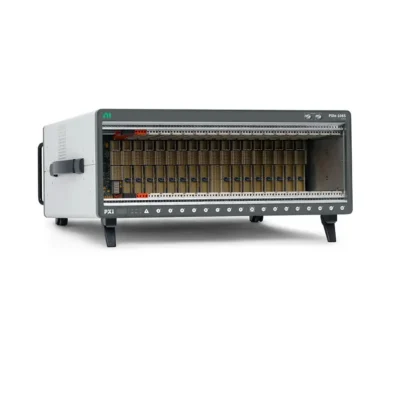
CompactDAQ emphasizes flexible sensor measurements, built-in signal conditioning, portability, and straightforward deployment. PXI and PXIe systems are usually selected for higher data throughput, tighter instrument synchronization, RF testing, high-speed digitizers, switching, and automated production test. See CompactDAQ vs PXI for a practical comparison.
Chassis and Connection Questions
How many CompactDAQ slots do I need?
Count the C Series modules required for the present channel list, then reserve capacity for reasonable expansion. A small chassis is suitable for portable or focused measurements, while a larger chassis provides more module slots and reduces the need to add another chassis later. Slot count alone does not determine system performance, so bandwidth and synchronization requirements must also be reviewed.
Should I choose USB or Ethernet CompactDAQ?
USB is appropriate for short-distance, direct computer connections and portable bench systems. Ethernet is useful for distributed measurements, longer cable distances, shared networks, and installations where the chassis is located away from the host computer. Network configuration, security policies, latency, and environmental requirements should be considered before selecting Ethernet.
Can CompactDAQ operate without a computer?
Most standard CompactDAQ chassis require a connected host computer to run the measurement application. Systems with an integrated controller can execute applications locally, but their capabilities depend on the specific controller and software environment. Verify the exact chassis architecture before planning standalone operation.
Can multiple CompactDAQ chassis be used in one system?
Yes. Multiple chassis can be connected to the same host, but the achievable synchronization depends on the chassis models, connection type, timing hardware, network design, and software configuration. Simply connecting two chassis does not guarantee that their channels will sample at the same instant.
Can a CompactDAQ chassis be installed far from the computer?
Ethernet-based systems are generally more suitable than USB for remote placement. The allowable distance depends on the network infrastructure and installation method. Sensor cable length must also be considered because long sensor wiring may introduce noise, voltage drop, ground-loop problems, or signal degradation.
C Series Module Compatibility
Are all C Series modules compatible with every CompactDAQ chassis?
No. Many modules are supported across multiple CompactDAQ and CompactRIO platforms, but compatibility can vary by chassis generation, module function, driver version, operating system, and required timing features. Always verify the exact module-and-chassis combination before purchasing. Browse the Модули серии C category when building a channel list.
Can C Series modules be moved between CompactDAQ and CompactRIO?
Some C Series modules can be used in both platforms, but support is not universal. In addition, a module may operate differently depending on whether it is accessed through a DAQ driver, a real-time scan engine, or FPGA programming. Confirm hardware support and the intended programming mode before transferring modules between platforms.
How do I choose the correct C Series module?
Match the module to the sensor or signal type, voltage or current range, channel count, input configuration, required sample rate, resolution, isolation, excitation, filtering, connector type, and environmental rating. Selecting a module only by channel count can result in unsuitable signal conditioning or insufficient measurement performance.
Can different module types be installed in one chassis?
Yes. A CompactDAQ chassis can typically combine compatible analog input, analog output, temperature, strain, vibration, digital I/O, counter, and communication modules. However, aggregate bandwidth, timing relationships, power requirements, and driver support still need to be evaluated at the system level.
Can a module measure several sensor types?
Some universal or multifunction modules support several input types, while others are optimized for one sensor family. A dedicated module may provide better excitation, isolation, filtering, accuracy, or connector convenience. Review the module specification rather than assuming that a compatible voltage range makes every sensor suitable.
Sampling, Bandwidth, and Synchronization
What is the difference between simultaneous and multiplexed sampling?
A simultaneous-sampling module uses dedicated conversion paths so multiple channels can be sampled at nearly the same instant. A multiplexed module switches channels into a shared converter, creating a small time offset between channels. Simultaneous sampling is valuable for phase-sensitive measurements, vibration analysis, power analysis, and correlated transient capture.
Does every channel receive the module's maximum sample rate?
Not always. Some specifications state a per-channel sample rate, while others describe an aggregate rate shared across active channels. The sampling architecture and number of enabled channels can therefore affect the rate available to each channel. Check whether the published value is per channel or aggregate.
How much bandwidth does a CompactDAQ system need?
Estimate data throughput from the number of active channels, sample rate, sample size, and continuous acquisition duration. Add margin for protocol overhead, software processing, display, logging, and future expansion. High channel counts at high rates can create limitations in the module, chassis connection, host computer, storage device, or application software.
| Requirement | Main Item to Verify | Common Risk |
|---|---|---|
| Phase comparison | Simultaneous sampling and timing accuracy | Channel-to-channel time skew |
| High channel count | Aggregate sample rate and data throughput | Assuming the maximum rate applies to every channel |
| Long-duration logging | Storage speed and file size | Dropped samples or full disks |
| Multiple chassis | Shared clock and trigger support | Unsynchronized timestamps |
| Low-level sensors | Noise, isolation, filtering, and excitation | Inaccurate or unstable readings |
Can channels in different modules be synchronized?
Often yes, but the synchronization method and accuracy depend on the modules, chassis, task configuration, and timing resources. Modules with different conversion architectures may not begin or acquire data in exactly the same way. Confirm clock routing, triggering, conversion delay, and driver support for the required accuracy.
Can multiple chassis share clocks and triggers?
Selected systems support multi-chassis synchronization through supported timing, trigger, network, or external connections. The implementation is model-specific. For applications requiring precise phase alignment, verify the complete timing architecture rather than relying only on software timestamps.
Software and Configuration
What software is used with CompactDAQ?
CompactDAQ systems are commonly configured through NI hardware drivers and used with graphical or text-based development environments, test software, and supported third-party tools. Exact support depends on the chassis, module, driver release, operating system, and application environment.
Do I need LabVIEW to use CompactDAQ?
No. LabVIEW is a common choice, but it is not the only option. Depending on driver and device support, CompactDAQ hardware may be accessed through other supported programming environments and test applications. Confirm that the chosen API supports every required chassis and module feature.
Why is my CompactDAQ device not detected?
Check chassis power, status indicators, USB or Ethernet cabling, network addressing, host firewall settings, driver installation, operating-system support, and device visibility in the hardware configuration utility. Test with a known-good cable and port, restart the chassis, and isolate network or hub issues before replacing hardware.
Why does the module appear unsupported?
The chassis may not support that module, the installed driver may be too old, or the operating system may not support the required driver version. Confirm the exact part number and hardware revision, then compare them with current compatibility documentation for the chassis and software stack.
Can CompactDAQ data be logged continuously?
Yes, provided the system is designed for the sustained data rate and duration. Storage speed, file format, buffering, memory use, operating-system interruptions, network stability, and application architecture can all affect continuous logging. Run a duration test under realistic channel and sampling conditions before deployment.
Measurement Accuracy and Wiring
Why are my measurements noisy or unstable?
Common causes include improper grounding, unshielded wiring, long sensor cables, ground loops, unsuitable terminal configuration, insufficient settling time, incorrect filtering, electromagnetic interference, and a signal outside the selected range. Check the complete signal path from the sensor to the software rather than evaluating the chassis alone.
Does CompactDAQ provide sensor excitation?
Excitation is a module-level feature, not a universal chassis feature. Selected modules provide excitation for devices such as bridge sensors, IEPE sensors, or resistance-based temperature sensors. Verify excitation voltage or current, compliance, channel sharing, and sensor compatibility.
When is channel isolation important?
Isolation helps protect equipment and measurement quality when channels operate at different common-mode voltages, are connected to grounded industrial systems, or are exposed to electrical noise and transient energy. Determine whether the module provides channel-to-channel, bank, or channel-to-earth isolation and confirm the applicable ratings.
How often should CompactDAQ modules be calibrated?
Calibration intervals depend on the module, required uncertainty, usage, environment, quality system, and regulatory obligations. Follow the manufacturer's recommended interval unless the application requires a shorter schedule. Keep calibration records for channels used in traceable or regulated measurements.
Installation and Troubleshooting
Can CompactDAQ be used in industrial environments?
It can be used in many industrial measurement applications, but environmental suitability depends on the specific chassis, modules, enclosure, temperature range, vibration exposure, ingress protection, electrical installation, and mounting method. Do not assume that every laboratory chassis is suitable for an exposed factory location.
Why am I receiving buffer overflow or lost-sample errors?
The acquisition may be producing data faster than the application can read, process, display, or save it. Reduce unnecessary display updates, use efficient buffered acquisition, review sample rates and channel counts, improve storage performance, and confirm that the communication link and host computer can sustain the load.
Why do readings differ between two modules?
Differences may result from input range, accuracy specifications, calibration status, conversion architecture, filter delay, terminal configuration, sensor excitation, grounding, or environmental conditions. Compare measurements only after matching configuration and accounting for the uncertainty of the complete measurement chain.
What should I check before replacing a chassis?
Verify the power supply, cables, host port, network settings, driver installation, chassis status LEDs, module seating, and operation with a minimal configuration. Remove nonessential modules and test one known-good module when possible. This helps distinguish a chassis failure from a module, cable, software, or power problem.
Buying New or Pre-Owned CompactDAQ Equipment
What should I confirm before buying a CompactDAQ chassis?
Confirm the exact model and part number, number of slots, connection type, controller architecture, supported modules, software compatibility, included power supply and accessories, physical condition, calibration needs, lead time, warranty, and return terms. For a replacement system, also verify compatibility with the existing application and cables.
Is pre-owned CompactDAQ equipment suitable for professional use?
Pre-owned hardware can be a practical option for discontinued systems, maintenance spares, laboratories, and cost-sensitive projects when it is properly inspected and tested. Request clear condition information, functional test results, part-number verification, included accessories, and warranty terms. Calibration should be arranged when traceable measurement performance is required.
Can I replace a discontinued chassis with a newer model?
Possibly, but replacement is not always plug-and-play. Compare module support, driver and operating-system compatibility, communication method, timing behavior, power requirements, physical installation, and application code. Validate the complete system before retiring the existing chassis.
CompactDAQ Selection Checklist
- List every signal and sensor type.
- Define channel count, input range, accuracy, and isolation.
- Specify per-channel or aggregate sample-rate requirements.
- Determine whether simultaneous sampling or phase alignment is necessary.
- Select compatible C Series modules and required accessories.
- Choose the chassis slot count and USB, Ethernet, or controller architecture.
- Calculate expected data throughput and storage requirements.
- Confirm driver, operating-system, and programming-environment support.
- Review power, mounting, temperature, vibration, and cable requirements.
- Plan calibration, spare capacity, warranty, and future expansion.
Заключение
A reliable CompactDAQ system begins with a complete measurement specification. Select the sensor interface and C Series modules first, then choose a chassis with the necessary slots, connectivity, timing resources, environmental capability, and software support. Compatibility should always be checked at the exact model, part-number, driver, and operating-system level.
Related Guides
Read What Is CompactDAQ? for a platform overview, How to Choose a CompactDAQ System for a structured selection process, and CompactDAQ Chassis Compatibility for chassis and module planning.
Read What Is CompactDAQ? for a platform overview, How to Choose a CompactDAQ System for a structured selection process, and CompactDAQ Chassis Compatibility for chassis and module planning.
Categories
Latest Articles
Products on Sale


Need Help Choosing a Product?
Contact our sales team for product selection, pricing, availability and lead-time information.
sales@pxisource.com